
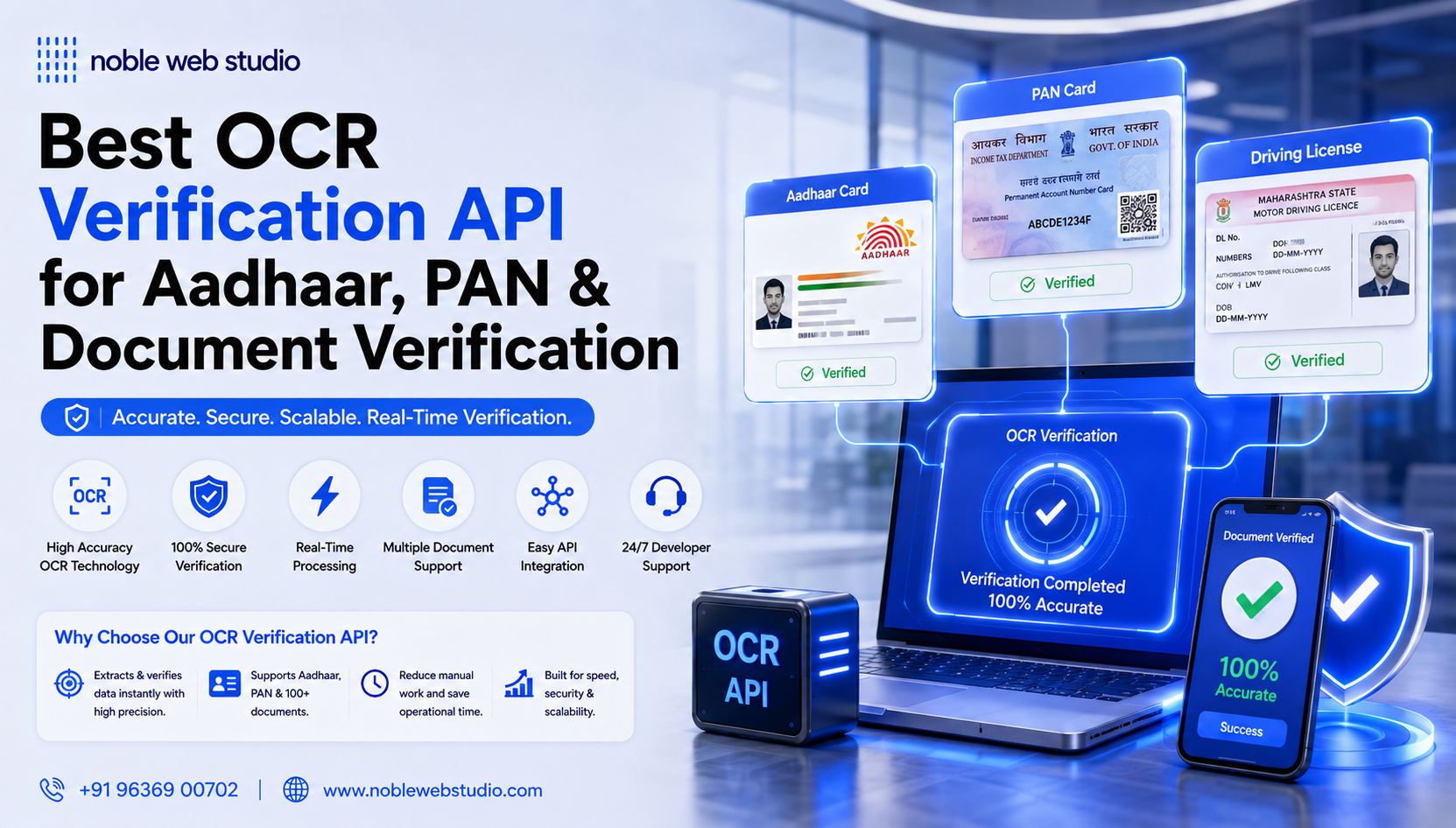
In today’s digital era, businesses need fast and accurate ways to process documents, extract text, and automate data entry. This is where OCR API solutions for businesses become essential. OCR (Optical Character Recognition) technology converts images, scanned documents, PDFs, and ID cards into editable and searchable text, helping companies save time, reduce errors, and improve productivity.
An OCR (Optical Character Recognition) API is a developer tool that uses AI to automatically detect and extract text from images, photos, scanned documents, and PDFs, converting them into machine-readable data (like JSON or plain text) for easy processing, analysis, and automation in applications. These APIs streamline workflows by digitizing data from invoices, receipts, contracts, and more, saving time and reducing manual data entry errors. Popular examples include Google Cloud Vision API, Microsoft Azure’s Read API.
With Noble Web Studio’s OCR API solutions, businesses can integrate reliable, secure, and high-performance OCR services into their applications. Whether it’s for invoice processing, identity verification, document management, or data extraction, our OCR APIs streamline operations and reduce manual effort.
Noble Web Studio offers one of the best OCR API solutions for businesses in India, providing high accuracy, real-time text recognition, secure data handling, and easy API integration. Whether you run a fintech company, e-commerce platform, or enterprise-level business, this OCR API helps streamline workflows, automate processes, and enhance operational efficiency.
This guide will help you understand how integrating a reliable OCR API solution can transform your business processes, enhance efficiency, and provide fast, secure, and automated text recognition, making it an indispensable tool for any organization.
What is Optical Character Recognition (OCR)
Optical Character Recognition (OCR) is a technology that converts images of text, like scanned documents or photos, into machine-readable, editable text. It uses AI to identify letters and numbers within an image and translates them into computer code (like ASCII) that can be searched, edited, and processed. This eliminates the need for manual data entry and makes static content, such as PDFs or pictures, dynamic and accessible.
What Is an OCR API
An OCR (Optical Character Recognition) API is a web service that lets developers add text-reading capabilities to apps, converting images, scanned documents, or PDFs into editable, searchable digital text using AI, streamlining data entry and document processing across industries like finance, healthcare, and legal. It works by sending an image to the API, which then returns the extracted text (often in JSON format) for further use, handling everything from simple text detection to complex form/table data extraction, even from handwritten notes.

OCR API Work
An Optical Character Recognition (OCR) API is a service that uses artificial intelligence and machine learning to convert text from images, scanned documents, and PDFs into machine-readable, editable text (e.g., JSON or XML format). This technology eliminates manual data entry, enabling automation and efficient digital document management.
How OCR API Works
The process involves several automated steps to achieve high accuracy:
- Image Acquisition The process begins when an image or scanned document is sent to the API via an application.
- Preprocessing The API cleans the image to improve recognition quality. This can involve de-skewing (correcting alignment), noise removal (smudges, spots), and contrast adjustments.
- Text Recognition The software uses advanced algorithms like pattern matching or feature extraction to identify characters, words, lines, and paragraphs. Modern AI-powered solutions can handle various fonts and even handwriting (Intelligent Character Recognition or ICR).
- Post-processing and Output The recognized data is converted into a machine-readable format, typically JSON, which can be integrated into other software systems for analysis, storage, or further processing.
Use Cases of OCR API
Optical Character Recognition (OCR) APIs have a wide array of use cases across numerous industries, primarily focused on converting various types of images and documents containing printed or handwritten text into machine-readable, editable, and searchable digital data.
Key use cases of OCR APIs include:
Document Management & Digitization
- Archiving historical records: Libraries and museums use OCR to digitize old books, newspapers, and historical documents, making them searchable and accessible to a global audience.
- Converting paper documents to digital files: Businesses transform large volumes of paper-based documents, such as contracts, legal documents, and employee records, into secure, centralized digital formats to save physical storage space and enable easy access.
- Creating searchable PDFs: OCR technology is fundamental in making static images of documents into fully searchable and editable PDF files.
Data Entry Automation
- Invoice and receipt processing: Automating the extraction of key information (invoice number, date, total amount) from financial documents to speed up accounting processes and reduce manual data entry errors.
- Processing forms: Automatically reading hand-filled or printed forms to streamline data collection for polls, tax documents, and other form-intensive processes.
- Customer onboarding and identity verification: In banking and gaming industries, users can upload images of IDs, passports, or driver’s licenses, and the OCR API automatically extracts and verifies personal data in real-time, preventing fraud and improving user experience.
Industry-Specific Applications
- Healthcare: Digitizing patient records, processing e-prescriptions to minimize errors, and automating insurance claims processing to streamline administrative workflows and ensure compliance with regulations like HIPAA.
- Financial Services: Automating loan applications, bank statement reconciliation, and processing checks to enhance efficiency and decision-making speed.
- Transportation and Logistics: Using OCR for automatic license plate recognition in law enforcement, traffic monitoring, and parking enforcement, as well as scanning waybills and package labels for better supply chain management.
- Retail/E-commerce: Extracting product names and prices from images, processing purchase orders, and validating customer purchases for loyalty programs.
Assistive Technology and Enhanced Accessibility
- Aiding the visually impaired: OCR software can convert printed or digital text into an audible format or Braille output, making content accessible to blind and visually impaired users through screen readers and other adaptive technologies.
By leveraging AI and machine learning, modern OCR APIs can handle complex layouts, various fonts, and even handwriting with high accuracy, transforming unstructured visual data into actionable intelligence across diverse applications.
Why Businesses Need OCR API
Businesses need OCR APIs to automate data extraction from documents (invoices, receipts, IDs, etc.), drastically reducing manual data entry, cutting costs, boosting speed, and minimizing errors, leading to improved efficiency, better resource allocation (employees focus on core tasks), faster decision-making, and seamless integration into digital workflows like ERPs, crucial for modern data-driven operations.
Key Benefits of OCR APIs:
- Automation & Efficiency: Converts scanned documents and images into machine-readable text, automating data entry and speeding up processes like accounts payable and loan applications.
- Cost Reduction: Eliminates the need for extensive manual labor, saving significant time and operational costs.
- Accuracy & Error Reduction: Advanced AI/ML-powered OCR minimizes human errors common in manual data input, ensuring higher data precision.
- Enhanced Searchability: Makes digitized documents fully text-searchable, allowing quick retrieval of specific information (names, numbers, dates).
- Streamlined Workflows: Integrates easily into existing systems (ERP, accounting software) to create smoother, faster digital workflows.
- Improved Compliance: Helps industries like gaming quickly verify player IDs and ages for regulatory compliance.
- Scalability: Handles high volumes of documents efficiently, from small businesses to large enterprises.

Brief History of OCR Methods
The history of Optical Character Recognition (OCR) methods is a journey from early mechanical devices to sophisticated artificial intelligence systems. The primary methods have evolved from simple template matching to advanced neural networks.
Key Eras and Methodologies
- Early Developments (Early 1900s–1950s): The roots trace back to telegraphy and assistive technologies for the blind.
- 1914: Emanuel Goldberg invented a machine that could read characters and convert them into standard telegraph code.
- 1920s: Goldberg developed a “statistical machine” for searching microfilm archives using optical code recognition, the patent for which was later acquired by IBM.
- 1950s: Early commercial machines began to appear, primarily for specific tasks like processing typewritten sales reports at Reader’s Digest. These systems used template matching (or matrix matching), comparing isolated character images pixel-by-pixel with stored glyphs. This method was rigid and only worked for a limited number of pre-defined fonts.
- Standardization and the Digital Dawn (1960s–1970s): The advent of digital computers allowed for more flexible software algorithms.
- 1960s: Standardization efforts led to the creation of fonts like OCR-A and OCR-B, designed for both human and machine readability to improve consistency in industries like banking.
- 1970s: Ray Kurzweil founded Kurzweil Computer Products, Inc. and developed the first “omni-font” OCR system, a major breakthrough that could recognize text printed in virtually any font. This system also integrated a CCD flatbed scanner and a text-to-speech synthesizer to create a reading machine for the blind.
- Expansion and the Personal Computer Era (1980s–1990s): OCR technology became more widely available and affordable for personal computers.
- Feature extraction methods gained prominence, which decomposed characters into features like lines, curves, and loops, making the technology more robust for varied fonts and low-quality scans.
- Companies like Caere Corporation introduced consumer-friendly software like OmniPage, making document digitization accessible to a broader audience.
- Modern Era and AI Integration (2000s–Present): The integration of Artificial Intelligence (AI) and Machine Learning (ML) has led to significant advances in accuracy and versatility.
- Cloud-based OCR services emerged, enabling access via the internet and mobile applications.
- The adoption of neural networks, including Convolutional Neural Networks (CNNs) and Recurrent Neural Networks (RNNs) (e.g., in Google’s Tesseract 4.0 engine), has dramatically improved the ability to process complex layouts, degraded documents, and various handwriting styles.
- Modern systems use Intelligent Character Recognition (ICR) and Intelligent Word Recognition (IWR) to process handwritten and cursive text with high accuracy by learning from vast datasets.
- The latest advances involve combining OCR with Natural Language Processing (NLP) and multimodal AI models to understand document structure, context, and meaning, moving beyond simple text transcription to true data intelligence.
Features OCR API
An OCR (Optical Character Recognition) API extracts text from images/documents, converting it into machine-readable data for automation, with key features including high accuracy, multi-language support (150+), various input types (images, PDFs), and output formats (text, bounding boxes, structured data like CSV). These APIs power use cases from data entry automation and document management to enhancing user experience in apps, using AI/deep learning for smart, template-agnostic extraction.
Key Features to Look For
- High Accuracy & AI: Leverages AI/deep learning for better text recognition, even from complex layouts or handwriting.
- Broad Language Support: Recognizes text in numerous global languages (Latin, Cyrillic, Asian, Arabic, etc.).
- Document Versatility: Handles various formats like photos, scanned documents, PDFs, and different layouts.
- Output Options: Provides raw text, word-level bounding boxes (coordinates), paragraphs, or structured data (e.g., CSV).
- Document Intelligence: Offers specialized features for forms, invoices, receipts, and handwritten notes.
- Preprocessing: Includes image enhancement like binarization, deskewing, and rotation correction.
- Integration: Easy implementation with comprehensive documentation for quick setup.
Benefit OCR API
An Optical Character Recognition (OCR) API offers numerous benefits, primarily by converting images of text (printed or handwritten) into machine-readable, searchable, and editable digital data. This automation significantly improves efficiency and reduces manual work across various industries.
Core Benefits of an OCR API
- Automation of Data Entry: The primary benefit is the elimination of manual data entry, a process that is slow, expensive, and prone to human errors (with error rates as high as 1% to 5% for manual entry). OCR APIs can process thousands of documents in minutes with high accuracy.
- Increased Accuracy: Modern OCR APIs, often powered by Artificial Intelligence (AI) and machine learning, achieve high accuracy rates (often 95-99% or more, depending on the document quality) in text recognition. This minimizes downstream errors and the need for manual corrections.
- Enhanced Search ability: Once documents are processed by OCR, the extracted text is indexed and becomes fully searchable. This transforms vast archives of paper or image-based documents into easily accessible, digital knowledge bases, allowing users to find specific information in seconds.
- Searchable Documents: OCR converts scanned documents into fully searchable knowledge archives. Users can quickly search for specific terms or data points across vast digital libraries without manually sorting through files.
- Improved Operational Efficiency and Speed: Automating data extraction and document processing streamlines workflows, allowing employees to focus on core, value-added tasks rather than repetitive data entry. This results in faster turnaround times for processes like loan approvals or insurance claims.
- Cost Savings: By reducing the reliance on manual labor for data entry and minimizing the costs associated with physical storage, printing, and shipping, businesses can achieve significant cost reductions.
- Better Data Security and Disaster Recovery: Digitized data stored in secure, cloud-based systems is less susceptible to physical loss or destruction from natural elements like fire or moisture compared to paper documents. Access to digital records can also be strictly controlled.
- Streamlined Workflows & Integration: OCR APIs are designed for seamless integration into existing business software (like ERP, CRM, or accounting systems) via simple API calls.
- Scalability: Cloud-based OCR APIs offer high scalability, automatically handling fluctuating workloads and high volumes of documents without requiring significant upfront investment in hardware or infrastructure.
- Data Analysis and Business Intelligence: Extracted text is converted into structured data (like JSON or XML formats) that can be easily integrated into other business software for analytics, natural language processing (NLP), and informed decision-making.
- Fraud Prevention & Reliable Verification: In sectors like finance and insurance, OCR APIs can extract data from official documents (IDs, bank statements) in real-time, cross-check the information, and flag potential fraudulent activities or tampered documents.

Steps to Integration OCR API
Integrating an OCR API involves setup (keys/SDKs), sending image/PDF data (upload/URL), processing via the API, and receiving structured data (JSON/XML), with key steps including authentication, choosing upload method (file, base64, URL), handling responses (data/bounding boxes), error handling, and thorough testing for tasks like invoice or ID processing, often using pre-built models for efficiency.
General Process Steps
1. Setup & Authentication
- Choose an API: Select an OCR provider like Noble web studio based on needs (language, accuracy, pricing).
- Get API Key/Credentials: Sign up, enable the API, and create service account keys (JSON file) for authentication.
- Install SDK: Use the Noble web studio client library (e.g., Python, Node.js) for easier integration.
2. Data Preparation & Upload
- Capture Image: Get clear images/scans (JPG, PNG, PDF) from cameras or scanners.
- Choose Upload Method:
- File Upload: Send as multipart form data (for smaller files).
- Base64: Encode image data into a string.
- URL: Provide a link to the file (good for large files).
3. API Request & Processing
- Authenticate Request: Include your API key in the request header.
- Send Request: Call the API with your image/PDF.
- Specify Parameters (Optional): Define language (
eng), detect orientation, get bounding boxes (isOverlayRequired), or process tables (isTable). - Batch Processing: For many files, use batch APIs or upload to cloud storage (like GCS bucket) and process in batches.
4. Handle Response & Integrate Data
- Receive Structured Data: Get results (often JSON) with extracted text, confidence scores, and bounding box coordinates.
- Parse Data: Extract fields like Name, ID, Date from the JSON.
- Error Handling: Implement checks for API errors or low confidence scores.
- Validation: Cross-check extracted data for consistency (e.g., dates, IDs).
- Store/Use Data: Feed data into your database, workflow, or application.
Cost of OCR API
OCR API costs vary widely, from free tiers (OCR.space, Tesseract) with usage limits to pay-as-you-go models like Google/Azure (around $14-$36 for 10k-25k requests) or Mistral ($1/1000 pages), up to enterprise plans with custom pricing, often based on number of pages/requests, features (e.g., handwriting, layout analysis), and support levels. Expect costs like $0.01-$0.04 per page for volume, with Noble web studio offering robust free starting points.
Common Pricing Models & Examples
Free Tiers:
- OCR.space: 25,000 free requests/month, with limitations.
- Tesseract / docTR (Mindee): Free open-source options for developers.
- Google Cloud Vision / Microsoft Azure: Often have generous free starting limits before pay-as-you-go kicks in.
Pay-as-you-go (Volume-Based):
- Google Cloud Vision: ~$14 for 10,000 requests, $36 for 25,000.
- Mistral AI: $1 per 1,000 pages (or 2,000 for batch inference).
- Mindee: Custom, but around $0.035/page plus fixed fees at scale.
- Subscription/Tiered Plans (e.g., OCR.space):
- Free: Limited requests/file size.
- Pro ($30/mo): Higher requests (300k), larger files.
- Enterprise ($999+/mo): Custom volume, advanced features.
Key Factors Influencing Cost
- Volume: More pages/requests usually means lower per-unit cost.
- Features: Handwriting recognition, complex layouts, searchable PDFs cost more than basic text extraction.
- Support & SLAs: Enterprise plans offer guarantees (uptime, speed).
- Platform: Big cloud provider like Noble web studio vs. specialized OCR services vs. open source.
Standard Data Fields You Can Extract with OCR API
OCR (Optical Character Recognition) APIs can extract a wide range of standard data fields from various documents by converting images of text into a machine-readable, structured format. The specific fields depend heavily on the type of document being processed.
Common data fields you can extract include:
From Identity Documents (IDs, Passports, Driver’s Licenses)
- Personal Information: Full name, date of birth, gender, and nationality.
- Document Identifiers: Document number, passport number, and personal number/social security number.
- Dates: Date of issue and date of expiry.
- Location Data: Address, place of birth, and issuing authority.
- Biometrics: Primary face photo and signature images.
From Financial & Business Documents (Invoices, Receipts, Checks)
- Vendor/Merchant Details: Name, address, website, phone, email, and tax ID numbers (e.g., VAT, ABN).
- Financial Summaries: Subtotal, tax amounts, total amount, currency code, and tip/discount amounts.
- Invoice/Order Specifics: Invoice number, purchase order number, invoice date, and due date.
- Line Items: Product/service name, description, quantity, unit price, and line total.
- Payment Information: Bank name, account number, routing number, IBAN, and SWIFT/BIC codes.
From Tax Forms (W-2s, W-9s)
- Taxpayer Information: Employee’s name, address, and Social Security Number (SSN).
- Employer Information: Employer Identification Number (EIN).
- Wage & Withholding Details: Total wages, tips, and federal/state income tax withheld.
General Document Fields
- Metadata: Document type (receipt, invoice, etc.), document title, and category.
- Barcodes/QR codes: Decoded information from embedded barcodes and QR codes.
- Handwritten Text: Many modern APIs with AI and machine learning can also extract handwritten text.
OCR APIs often normalize these extracted fields into standardized formats (like JSON or XML) to streamline automated data entry and integration with software systems such as ERPs, accounting tools, and CRM platforms.

How to Choose the Best OCR API Provider
Noble web studio an OCR (Optical Character Recognition) API provider involves evaluating several key factors to ensure the solution aligns with your specific technical and business needs. Key considerations include defining your requirements, assessing performance metrics, evaluating integration capabilities, and analyzing cost-effectiveness.
Key Factors to Consider When Choosing an OCR API Provider
- Define Your Specific Requirements: Clearly outline your document processing needs.
- Document Types: Are you processing structured documents (forms, invoices) or unstructured ones (contracts, letters)? Some APIs specialize in specific types.
- Data Volume: Occasional or low-volume needs might be met by free or premium options, while high-volume processing requires scalable enterprise solutions.
- Required Features: Basic text extraction might be sufficient, but you may need advanced features like handwriting recognition, table and form data extraction, or layout preservation.
- Assess Accuracy and Language Support: Accuracy is paramount for avoiding costly errors and manual corrections.
- Accuracy Rates: Evaluate the API’s performance on a sample of your own documents, as advertised accuracy rates (often 97%+ for character errors) may vary depending on image quality, font types, and complexity.
- Language Support: Ensure the API supports all the languages present in your documents.
- Image Preprocessing: Check if the API includes built-in image enhancement tools (e.g., for adjusting brightness, contrast, or de-skewing) to improve text recognition from poor-quality scans.
- Evaluate Integration and Compatibility: The API must integrate seamlessly with your existing systems and workflows.
- Platform Compatibility: Ensure the API is compatible with your current technology stack and offers detailed documentation, SDKs (Software Development Kits), and developer support to streamline the integration process.
- Output Formats: Confirm that the API can return the extracted data in the format you need (e.g., JSON, plain text, or specific file types like editable Word or Excel).
- Examine Pricing and Scalability: Pricing models vary widely and must align with your budget and growth plans.
- Pricing Model: Options include free tiers, pay-per-use, monthly subscriptions, or custom enterprise pricing.
- Scalability: Choose a Noble web studio that can scale with your business needs without unexpected costs or performance bottlenecks.
- Hidden Costs: Be mindful of potential hidden costs for exceeding API call limits or accessing specific advanced features.
- Consider Reliability and Support: For business-critical operations, reliable support is essential.
- Service Level Agreements (SLAs): Paid solutions usually offer robust SLAs and dedicated customer support, which is a significant advantage over free or open-source options that often rely on community support.
- Vendor Reputation: Noble web studio with strong reputations and ongoing optimization, such as Google Cloud Vision AI, Microsoft Azure AI Vision, Amazon Textract, or ABBYY.
Why Noble Web Studio Is the Best OCR API Solution Provider
Noble web studio is one of the best OCR API solution provider, you should evaluate several key factors to ensure the solution aligns with your specific business needs. Key considerations include:
1. Accuracy and Performance
- Error Rates: Evaluate the Character Error Rate (CER), Word Error Rate (WER), and Exact Match Rate (EMR). High accuracy (often 90-99% in ideal conditions) is critical, especially for sensitive data like financial records or ID verification, to minimize costly manual corrections.
- Document Types: Ensure the Noble web studio can handle your specific document types effectively (e.g., invoices, receipts, IDs, handwritten notes, complex layouts). Noble web studio specialize in structured data (like forms and tables), while others focus on general text.
- Image Quality: Consider how well the API performs with low-quality, rotated, or noisy images. Modern solutions use AI and machine learning to handle these challenges better than older engines.
2. Features and Functionality
- Features: Look for features relevant to your use case, such as multi-language support, the ability to extract data from tables and forms, barcode recognition, or handwriting recognition.
- Language Support: Check if the API supports all the languages you need, including complex scripts or multi-language documents.
- Structured Data Extraction: Look for advanced features like the ability to identify and extract data from tables, forms, and specific fields (key-value pairs).
- Integration and Compatibility: The Noble web studio should offer robust documentation, SDKs (Software Development Kits), and seamless integration with your existing systems (e.g., CRM, ERP, AWS, Azure, Google Cloud).
- Scalability: The API should be able to handle your current and future document volumes without performance degradation.
3. Cost and Support
- Pricing Model: Evaluate the cost structure (e.g., free tier, pay-as-you-go, subscription, enterprise custom pricing). Balance affordability with the required performance and features. Open-source options like Tesseract are free but require more technical expertise for setup and maintenance.
- Security and Compliance: For sensitive data, Noble web studio that emphasize strong security measures (like encryption and access controls) and compliance with industry regulations (e.g., GDPR, HIPAA).
- Customization: Consider if you need pre-trained models for common documents or the ability to train custom models for unique document layouts.
- Customer and Community Support: Look for a Noble web studio with responsive customer support and an active developer community, which is crucial for troubleshooting and optimization.
- Performance: Evaluate processing speed, especially if real-time data capture is critical for your application.
By carefully considering these factors and testing potential solutions on your own data, you can select an Noble web studio that delivers the necessary efficiency, accuracy, and value for your business operations.
Future Trends in OCR Api
The future of OCR APIs is defined by their evolution into comprehensive Intelligent Document Processing (IDP) solutions, driven by advanced AI and seamless integration with other technologies. Key trends include the integration of Large Language Models (LLMs) for context-aware data extraction, real-time processing, and specialized, industry-specific solutions.
Future Trends in OCR APIs
- Generative AI and Multimodal LLMs Integration: Multimodal LLMs, such as OpenAI’s GPT-4V and Google’s Gemini, can transcribe text and understand document context, structure, and meaning. This allows for end-to-end data extraction and validation, moving beyond simple character recognition to document understanding.
- Enhanced Accuracy and Contextual Understanding: AI and deep learning algorithms, including self-supervised learning, improve accuracy rates, especially for diverse handwriting styles, low-quality images, and varied document layouts. Systems can now interpret the relationships between data fields.
- Real-Time Processing and Edge Computing: The demand for immediate results pushes OCR processing to near real-time speeds. Lightweight OCR models are optimized to run on edge devices, enabling offline functionality, reduced latency, and enhanced privacy by processing data locally.
- Industry-Specific Solutions: APIs are becoming more specialized for specific use cases and industries (e.g., healthcare, finance, legal, logistics). These models are trained on domain-specific documents to achieve higher accuracy and address regulatory compliance requirements like HIPAA or GDPR.
- Seamless Integration and API-Centric Workflows: OCR capabilities are embedded into existing enterprise systems through robust and user-friendly APIs. This enables end-to-end automation of document-based workflows with minimal human intervention.
- Augmented Reality (AR) Integration: OCR is integrating with AR to offer interactive experiences, such as real-time text translation through a smartphone camera or AR glasses.
- Focus on Security and Compliance: OCR solutions incorporate security features like encryption, access controls, and compliance certifications (SOC 2, HIPAA, GDPR) to ensure secure handling of information.
The global AI OCR market is projected to reach over $46 billion by 2033, indicating a shift in how organizations capture and leverage information.

Conclusion
Choosing the best OCR API solution for your business can significantly improve efficiency, accuracy, and automation in document processing. From invoice scanning and ID verification to data extraction and compliance checks, a reliable OCR API for businesses helps save time, reduce manual errors, and cut operational costs.
An OCR (Optical Character Recognition) API is a cloud-based service that uses artificial intelligence to automatically extract text and data from images, scanned documents, and PDFs, converting them into machine-readable formats like JSON or plain text, streamlining workflows by eliminating manual data entry for tasks like invoice processing, receipt scanning, and digital document management. These APIs handle diverse inputs, including photos, handwritten text, and dense documents, offering high accuracy, language support, and features like image preprocessing (deskewing, derotating).
For businesses looking for speed, security, and scalability, a cloud-based OCR API with high accuracy, multilingual support, and easy integration is the best choice. Features like real-time text extraction, AI-powered document recognition, strong data security, and developer-friendly APIs make a big difference in daily operations. Whether you run a fintech platform, eCommerce business, logistics company, or enterprise system, OCR automation helps you grow faster while keeping costs under control.
With Noble Web Studio, businesses get access to advanced OCR API solutions that are fast, secure, scalable, and easy to integrate. Their OCR technology supports multiple document types, high-accuracy text recognition, real-time processing, and seamless API integration making it ideal for startups, enterprises, fintech companies, and digital platforms.
At Noble Web Studio, we understand that every business has unique needs. That’s why we help businesses choose and integrate the best OCR API solutions that are secure, scalable, and easy to use. With the right OCR technology in place, you can automate workflows, improve customer experience, and stay ahead in today’s competitive digital market.
Investing in a powerful OCR API solution from Noble Web Studio is a smart step toward automation, productivity, and long-term business success.
If your goal is to improve efficiency, accuracy, and digital transformation, investing in a top OCR API solution is the right step forward.
FAQs – Best OCR API Solutions for Businesses
An OCR API (Optical Character Recognition API) allows businesses to automatically extract text from images, scanned documents, or PDFs and convert it into editable and searchable digital data.
OCR APIs help businesses automate data entry, process invoices, verify identities, and manage documents efficiently, saving time and reducing errors.
Important features include high accuracy, multi-language support, real-time processing, integration flexibility, and security.
Yes. OCR APIs can read IDs, passports, and other official documents to verify identities quickly and securely.
A reliable OCR API provides encrypted data transmission, secure storage, and compliance with privacy regulations, ensuring sensitive information is protected.
By automating manual data entry and document processing, OCR API reduces human errors, speeds up operations, and allows employees to focus on higher-value tasks.
Yes. Modern OCR APIs support multiple languages and scripts, making them suitable for global and multilingual business operations.
OCR APIs can be easily integrated via RESTful API calls into web or mobile applications, ERP systems, or cloud-based platforms.
Industries like banking, fintech, insurance, healthcare, logistics, and retail benefit from OCR for document automation and identity verification.
Noble Web Studio provides secure, reliable, and high-performance OCR APIs with easy integration, multi-language support, and real-time processing, making it ideal for businesses seeking efficient document and data automation solutions.