Ankit
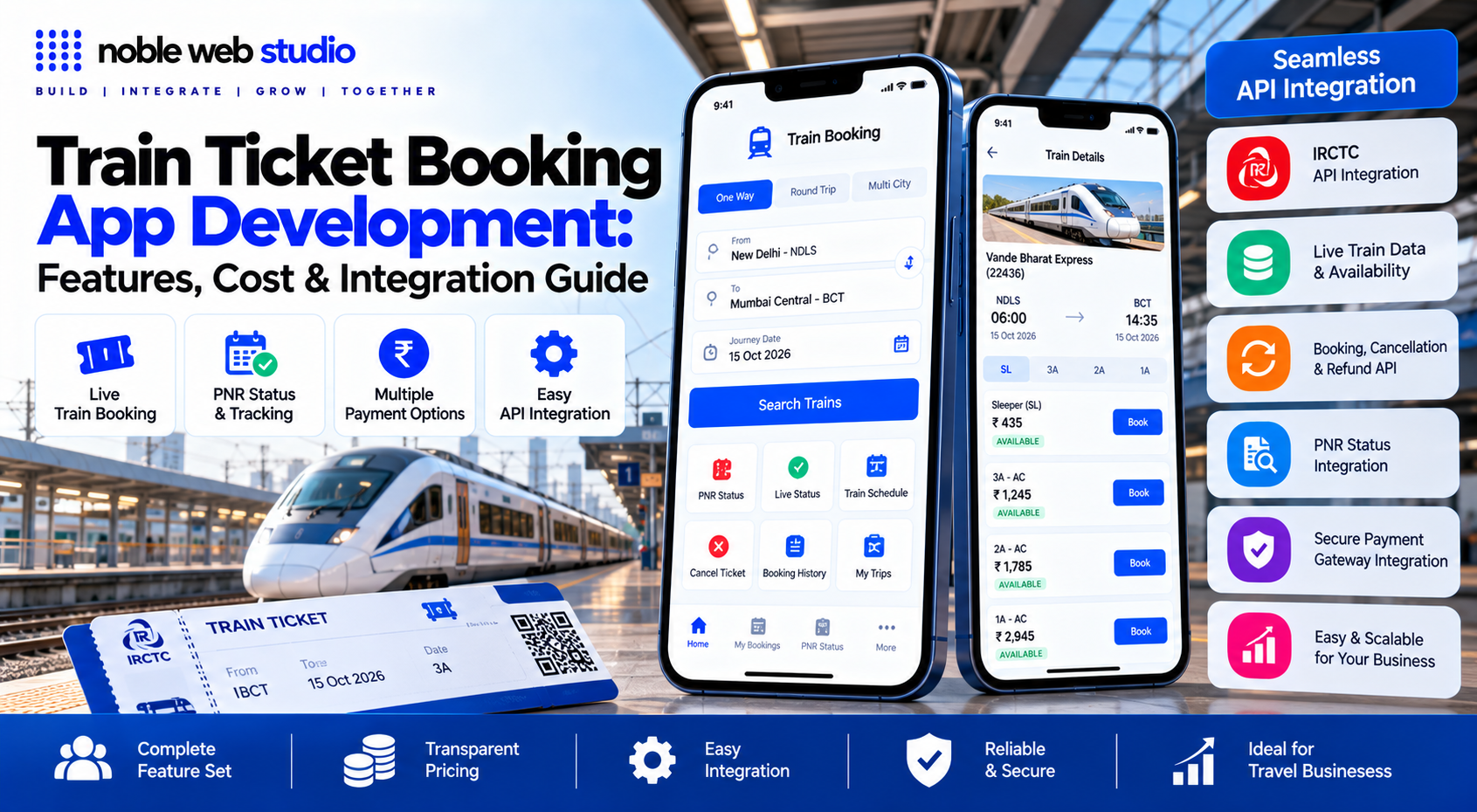
Train Ticket Booking App Development enables businesses to build digital platforms where users can search for trains, check available travel information, access booking services, and manage ticket-related activities through a convenient application. For travel companies, startups, and technology businesses, a well-planned train booking app can bring essential travel services into one place while simplifying the user journey.
A successful train ticket booking application needs more than an attractive interface. It should be designed around essential features such as train search, seat availability and fare information, PNR status, secure payment processing, booking history, cancellation workflows, notifications, and an admin panel. Access to live railway data and actual ticket reservations depends on authorised railway integrations and the applicable approval requirements.
Developing a train ticket booking app requires a structured approach covering core features, third-party integrations, tech stack choices, and compliance standards.
Noble Web Studio helps businesses explore custom train ticket booking software development and API integration according to their project requirements. Whether you want to build a train ticket booking application from scratch or extend an existing travel platform, defining your target audience, required features, integration needs, and budget is an important first step.
In this guide, you will learn about train ticket booking app features, the development process, railway integration requirements, estimated development costs, security considerations, and the factors to evaluate before choosing a development partner. This will help you plan a solution that aligns with your business goals and customer needs.
What Is Train Ticket Booking App Development?
Train ticket booking app development is the end-to-end process of designing, coding, testing, and deploying mobile and web applications that allow users to search train schedules, check seat availability, compare fares, and purchase railway tickets digitally.
How Does a Train Ticket Booking App Work?
Official train ticket booking apps for Indian Railways such as IRCTC Rail Connect work by connecting directly to the central reservation and ticketholding servers managed by the Centre for Railway Information Systems (CRIS) and IRCTC.
How Train Ticket Booking Apps Work
- Account Login & Verification: Users sign in using a registered mobile number, PIN, or biometric authentication (fingerprint/face ID) linked to their IRCTC or Indian Railways profile.
- Train & Route Search: You enter your source station, destination station, and journey date. The app queries the central database in real time to fetch available trains, class types (Sleeper, 3AC, 2AC, etc.), seat availability (RAC, Waitlist, or Confirmed), and fare structures.
- Passenger Details & Quota Selection: You select your quota (General, Tatkal, Ladies, Senior Citizen) and add passenger details (name, age, gender, berth preference) or pick them quickly from a saved Master Passenger List.
- Payment Processing: The app routes through unified payment gateways supporting UPI, credit/debit cards, net banking, or integrated digital wallets.
- Ticket Generation & PNR: Upon successful payment, a unique 10-digit Passenger Name Record (PNR) number is generated. An electronic reservation slip (ERS) with seat/berth numbers is displayed in the app and sent via SMS/email.
Documents Required for Get Train Ticket Booking App
You do not need to upload or submit any physical documents to book a train ticket on a mobile app as you only need a registered user ID, password, and passenger details. However, carrying a valid original photo ID is mandatory during the journey for TTE (Travelling Ticket Examiner) verification.
1. Documents Needed to Create an Account / Book Online
- IRCTC User Account: A valid username and password (requires a fresh mobile number and email ID not previously linked to an active personal IRCTC account).
- No Uploads Required: You do not need to scan or upload an ID card during the regular booking process.
- Aadhaar Link (Optional / Specific Quotas): Linking your Aadhaar card to your IRCTC profile is helpful or required if you are booking high-demand Tatkal tickets or crossing specific booking limits.
2. Valid Original IDs Required During the Journey
While traveling on the train, every passenger must carry one of the following original, physical photo identity cards (photocopies or screenshots are not accepted):
- Aadhaar Card (or m-Aadhaar / DigiLocker verified digital copy)
- PAN Card
- Voter ID Card
- Passport (Mandatory sole ID for foreign/non-Indian citizens)
- Driving Licence (RTO-issued)
- Central or State Government-issued Photo ID
- Student ID Card with a photograph (from a recognized school or college)
- Nationalised Bank Passbook with a photograph
- Credit Card with a laminated photograph
Note: For e-tickets, showing the confirmed SMS, email, or Virtual Reservation Message (VRM) alongside your original ID to the TTE is sufficient.
3. Different Requirements for Commercial Agents
If you are trying to register as an authorized IRCTC ticketing agent (rather than a regular personal user), the document requirements are strict and include:
- PAN Card (not previously registered with any personal IRCTC ID)
- Aadhaar Card linked to an active mobile number for OTP verification
- Proof of Address (Office and residential proof like electricity bill, water bill, or voter ID)
- Fresh Mobile Number & Email ID
- Digital Signature Certificate (DSC)
Who Can Use Train Ticket Booking App
Anyone who wants to travel by train or manage railway services can use a train ticket booking app, provided they meet specific user accounts and registration rules.
Who Can Use Train Ticket Booking Apps?
- Individual Passengers & Travelers: Anyone including general commuters, family members, students, and senior citizens can download official or authorized apps to search for trains, check seat availability, and book tickets.
- Foreign Tourists & NRIs: Non-Resident Indians (NRIs) and foreign nationals can register as foreign users on the platform to book tickets under the Foreign Tourist Quota or general quotas.
- Authorized Agents & Retailers: Travel agents, cyber cafe owners, and retail service providers registered with train ticket booking portal can book e-tickets on behalf of customers using specialized agent IDs (which require Aadhaar and PAN verification).
Why Use Train Ticket Booking App
Using an official train ticket booking app saves time and offers direct control over your journey compared to physical counters or third-party agents.
Key Advantages of Official Train Booking Apps
- 24/7 Accessibility: Book, view, or cancel reserved and unreserved tickets anytime and anywhere without standing in long lines at railway counters.
- Quicker Tatkal & Peak Bookings: Official platforms provide direct access to General, Tatkal, Premium Tatkal, Ladies, and Divyangjan quotas with features like Master Passenger Lists to auto-fill details in seconds.
- Direct Refunds: Using official apps ensures faster and more direct refunds to your bank account or wallet if a booking fails or a ticket is canceled, bypassing intermediary wallet delays common on some third-party apps.
- Berth & Preference Control: Direct access to custom seating or berth preferences (such as lower berth or coach selection) without extra platform fees.
- Real-Time Tracking & PNR Status: Instant PNR enquiries, live train running status, coach position finders, and schedule update notifications.
- Multiple Payment Gateways: Pay seamlessly using UPI, credit/debit cards, net banking, EMI, Book Now Pay Later (BNPL), or integrated digital wallets.
- Digital Tickets & TDR Filing: Store e-tickets right on your phone to show the Travelling Ticket Examiner (TTE), and file Ticket Deposit Receipts (TDR) online if your plans change.
Top Use Cases of Train Ticket Booking App
Train ticket booking apps handle a wide range of journey-related tasks beyond just purchasing a ticket.
Top Use Cases
- Reserved & Unreserved Ticketing: Book long-distance reserved seats (General, Tatkal, RAC, Waitlist) or buy short-distance/local unreserved and platform tickets directly from your phone.
- Live Train Tracking & Offline Status: Track real-time train running locations, delays, and schedule timetables even in areas with low connectivity or offline via cell tower data.
- PNR Status & Waitlist Prediction: Check booking status, confirm seat/berth details, and use historical algorithms to predict the likelihood of a waitlisted ticket getting confirmed.
- Alternate Route & Travel Suggestions: Get recommendations for alternate trains, or combined train-and-bus routes, if your preferred train is completely sold out.
- Cancellation & Refund Management: Process instant ticket cancellations, trigger free-cancellation protections, or claim multi-fold refunds if a ticket remains unconfirmed (Alternate Travel Plan).
- On-Board E-Catering & Food Delivery: Order fresh meals from authorized vendor networks to be delivered straight to your seat or berth during the journey.
- Grievance Redressal: Raise and track real-time complaints or service requests regarding cleanliness, bedding, or safety directly with railway authorities.
- Coach Position & Station Alarms: Set location-based station alarms to wake up or prepare before arrival, and look up exact coach alignment maps on the platform.
- Multi-Modal & Ancillary Bookings: Book connecting transit services like metro QR tickets, station porter services, cabs, buses, or hotels within the same app ecosystem.
Key Aspects of Train Ticket Booking App
Modern train ticket booking platforms and the integrated Train Ticket Booking App developed by Noble web studio on several core aspects to streamline the passenger journey:
1. Booking & Reservation Management
- Ticket Types: Support for reserved long-distance tickets (General, Tatkal, Premium Tatkal, Ladies, Divyangjan, and Senior Citizen quotas), unreserved short-distance journeys, platform tickets, and season passes.
- Master Passenger List: Pre-saved passenger profiles to auto-fill details and speed up peak-hour or high-demand bookings.
- Cancellation & Refunds: Digital processing for ticket cancellations, Deposit Receipts (TDR) filing, and automated refund tracking.
2. Search & Real-Time Tracking
- Train & Seat Discovery: Search options between source/destination stations displaying live seat and berth availability across all classes in a single view.
- Live Running Status: GPS-based tracking for train schedules, real-time delays, expected arrival/departure updates, and coach position finders.
- PNR Status Inquiry: Instant lookup for Confirm, RAC (Reservation Against Cancellation), or Waitlisted ticket statuses.
3. Payments & Digital Wallets
- Unified Checkout: Support for UPI, debit/credit cards, net banking, EMI, Book Now Pay Later (BNPL), and dedicated digital wallets.
- Discounts & Loyalty: Built-in rewards programs, cashback options, and promotional discounts (such as digital payment rebates on unreserved/platform tickets).
4. Passenger Services & Accessibility
- Integrated Support: In-app grievance redressal onboard e-catering/food delivery to seats, porter booking, and last-mile taxi options.
- Accessibility Features: Biometric and mPIN quick logins, screen-reader support, and alternative OTP flows to replace complex CAPTCHAs.
Why Business Need Train Ticket Booking App
Businesses and travel agencies need a train ticket booking app or integrated Train Ticket Booking platform to streamline operations, cut costs, and increase revenue.
Key Operational & Financial Benefits
- Higher Efficiency and Automation: Centralizes multiple train operators, schedules, and live seat availabilities into a single dashboard, cutting down manual work and errors.
- New Revenue Streams and Commissions: Allows local retailers, cybercafés, Common Service Centres (CSCs), and travel agents to earn commission per ticket.
- Enhanced Customer Satisfaction: Provides instant ticket confirmations, live PNR tracking, meal upgrades, and bundled travel packages (combining trains, flights, and hotels).
- Cost and Resource Reduction: Lowers operational overhead by up to 30% through automated cancellations, digital wallets, and reduced staffing needs for manual bookings.
- Better Data and Reporting: Delivers automated sales tracking, profit margins, agent commission reports, and passenger intelligence to optimize business growth.
- Corporate Travel Control: Enables companies to toggle between business and personal travel, manage digital receipts, and keep traveling employees on schedule.
Features Train Ticket Booking App Development
A modern train ticket booking app requires core features divided across the User Panel, Admin/Agent Dashboard, and Conductor/Verification Module.
1. User Panel Features (Passenger App)
- Search & Discovery: Search trains by source, destination, travel date, and coach class (e.g., sleeper, 3AC, 2AC) with fare comparisons.
- Real-Time Seat & Train Availability: Check live seat status, waitlist/RAC (Reservation Against Cancellation) predictions, and timetable updates.
- Streamlined Booking Engine: Save frequent passenger details, select specific seat/berth preferences, and support multi-passenger or return-trip bookings.
- PNR Status Tracking: Live tracking of ticket confirmation status with automated push, SMS, and email alerts.
- Digital & QR Ticketing: Auto-generate paperless e-tickets with offline/online QR code storage for fast inspection.
- Multiple Payment Gateways: Support for credit/debit cards, UPI, net banking, wallets, and promo/discount codes.
- Cancellations & Refunds: Automated ticket cancellation flow with dynamic refund calculation rules and tracking.
- Help & Support: Integrated customer assistance (such as rail helpline integration or live chat support).
2. Admin & Agent Dashboard
- Inventory & Fare Management: Control train schedules, route stations, class capacity, and dynamic pricing rules.
- Booking & Revenue Analytics: Real-time tracking of ticket sales, cancellation rates, agent commissions, and financial reports.
- User & Agent Management: Approve authorized agent profiles, manage role-based permissions, and handle customer dispute tickets.
- Broadcast & Notification Center: Push system-wide alerts regarding schedule changes, delays, or promotional offers.
3. Conductor / Ticket Checker (TTE) Module
- Offline QR/Ticket Scanner: Cryptographic scanning tools to validate e-tickets and passenger identity on-board, even in low-connectivity areas.
- Real-Time Seat Chart: View vacant berths, occupied seats, and upcoming boarding/deboarding passenger lists per coach.
Benefits Train Ticket Booking App Development
Developing a train ticket booking app offers major advantages for both passengers and train operators or business owners.
For Passengers
- 24/7 Accessibility: Book, modify, or cancel tickets anytime and anywhere without visiting a physical station counter.
- No Waiting in Queues: Skip long lines at ticket windows and station reservation desks.
- Real-Time Updates: Check live train running status, seat availability, coach positions, and PNR status updates instantly.
- Digital Ticketing & Passes: Store e-tickets, e-boarding passes, unreserved tickets, and platform passes directly on your phone.
- Smart Predictions & Pricing: View ticket confirmation probabilities (waitlist status) and fare comparisons before paying.
- Multiple Payment Options: Pay safely via UPI, credit/debit cards, digital wallets, or net banking (often with promotional cashbacks or discounts).
- Offline Access: Access previously downloaded ticket data and schedules even in low-connectivity areas.
For Operators and Business Owners
- Operational Efficiency: Automate seat allocation, scheduling, and ticketing to reduce manual work and human error.
- Cost Reduction: Cut down operational expenses related to physical counter staffing and paper ticket printing (cost reductions can reach up to 30%).
- Higher Revenue & Occupancy: Optimize seat and train capacity utilization while driving higher ticket conversion rates.
- Data & Business Intelligence: Gain deep insights into passenger travel patterns, peak demand hours, and route popularity.
- New Revenue Streams: Monetize the platform through convenience fees, integrated travel/hotel partnerships, or in-app advertising.
Train Ticket Booking App Development Process
Developing a train ticket booking app requires a structured engineering and business lifecycle from regulatory compliance to high-concurrency seat reservation.
Phase 1: Research, Compliance & Planning
- Define Scope & Objectives: Identify your target users (daily commuters vs. long-distance tourists) and core modules (search, booking, PNR tracking, wallet/payments).
- Regulatory & Industry Compliance: Partner with or integrate into national/regional railway APIs. Ensure adherence to PCI-DSS standards for financial transactions and local data-privacy laws.
- Market & Competitor Analysis: Study existing apps to find gaps in user flows, waiting-list predictions, or UI friction.
Phase 2: UI/UX Design & Prototyping
- User Journeys: Map out high-intent flows including station selection, date pickers, class/quota choices (e.g., Sleeper, AC, General), and passenger detail entry.
- Wireframes & Design Systems: Design clean, mobile-first interfaces to minimize drop-offs during high-stress peak booking windows. Build interactive prototypes for iOS, Android, or web.
Phase 3: Architecture & Tech Stack Selection
- Frontend: Native (Swift for iOS, Kotlin/Jetpack Compose for Android) or Cross-Platform (React Native, Flutter).
- Backend: Scalable microservices (Node.js, Python, Java, or Go) capable of handling massive concurrency during tatkal or opening-day ticket releases.
- Database: Relational databases (PostgreSQL, MySQL) for strict transactional integrity on seat inventory, paired with caching layers (Redis) for real-time schedule and PNR lookups.
- APIs & Integrations: Connect live train-tracking APIs, GDS/railway inventory feeds, and QR-code/ticketing generation engines.
Phase 4: Core Feature Development
- Search & Filter Engine: Route lookups by station codes, date, train number, and departure/arrival times.
- Seat Inventory & Reservation Engine: Real-time seat allocation, waiting list/RAC (Reservation Against Cancellation) logic, and automatic timeout locks during checkout.
- Payment Gateway: Integrate UPI, credit/debit cards, net banking, and digital wallets with instant receipt and ticket generation.
- Post-Booking Services: PNR status checking, live train running status, ticket cancellation, automated refunds, and digital/offline QR ticket passes.
Phase 5: Testing & Quality Assurance
- Load & Stress Testing: Simulate thousands of simultaneous users trying to book tickets at peak opening hours to prevent server crashes.
- Security Audits: Penetration testing for payment flows, user authentication tokens, and personal data encryption.
- Beta Launch: Roll out a Minimum Viable Product (MVP) to a small user group to collect feedback on edge cases (e.g., network drops mid-payment).
Phase 6: Deployment & Maintenance
- Store Submission: Publish on the Apple App Store and Google Play Store with required legal/railway attribution.
- Monitoring & Scaling: Track API latency, crash-free sessions, and webhook failures via tools.
Train Ticket Booking App Development Cost in India
Developing a train ticket booking app in India generally costs between ₹50,000 to over ₹1.5 Crore ($15,000 to $60,000+), depending on whether you are building a simple MVP (Minimum Viable Product) or a comprehensive, large-scale platform.
Cost Breakdown by App Complexity
- Basic / MVP App (Simple UI, station/train search, basic booking/payment): ₹50,000 to ₹5,00,000 ($2,000 – $8,000)
- Mid-Range App (Real-time seat availability, PNR status tracking, notifications, user profiles, admin panel): ₹10,00,000 to ₹35,000,000 ($12,000 – $35,000)
- Enterprise / Full-Scale App (Multi-modal travel like trains + flights + buses, AI recommendations, high concurrency, complex APIs): ₹40,00,000 to ₹1.5+ Crore ($40,000 – $60,000+)
Feature-Wise Cost Estimate
Estimated cost breakdown for individual module development:
- Station & Train Search: ₹1.5 Lakh – ₹5 Lakh ($2,000 – $10,000)
- Real-time Seat/Berth Availability: ₹4 Lakh – ₹10 Lakh ($5,000 – $12,000)
- Fare Calculation & Quotation: ₹3 Lakh – ₹8 Lakh ($4,000 – $10,000)
- Booking Engine & Reservation Workflow: ₹6 Lakh – ₹16 Lakh ($8,000 – $20,000)
- Payment Gateway Integration (UPI, Cards, Wallets): ₹2.5 Lakh – ₹6.5 Lakh ($3,000 – $8,000)
- PNR Status Tracking & Live Train Status: ₹2.5 Lakh – ₹6.5 Lakh ($3,000 – $8,000)
- Cancellation & Refund Management: ₹4 Lakh – ₹10 Lakh ($5,000 – $12,000)
- Admin Panel & Analytics Dashboard: ₹8 Lakh – ₹30 Lakh ($10,000 – $30,000)
Key Cost Drivers in India
- APIs & IRCTC Integration: Getting official B2B/B2C ticketing or PNR data integrations (such as via authorized Noble web studio) heavily impacts licensing and recurring operational costs.
- Platform Choice: Building for a single platform (Android or iOS) is cheaper, while cross-platform frameworks (Flutter or React Native) or native dual-platform apps increase total hours.
- Developer Location & Team Structure: Agencies typically charge hourly rates ranging from $20 to $45 per hour, depending on the experience of UI/UX designers, backend engineers, and QA testers.
- Compliance & Security: High-traffic transactional apps require encrypted user data, PCI-DSS-compliant payment pipelines, and high-load servers to handle sudden booking surges (e.g., Tatkal ticket windows).
How to Book a Train Ticket Using a Train Ticket Booking App
You can book train tickets in India using official apps like the Noble web studio provide train ticket booking app for reserved seating or the new RailOne app for unified reserved and unreserved travel services.
Step-by-Step Booking Guide (Using IRCTC Rail Connect)
1. Download and Login
- Download IRCTC Rail Connect from the Google Play Store or Apple App Store.
- Open the app and log in with your IRCTC user ID and password, or use a 4-digit PIN/Biometric authentication after your initial setup.
- If you do not have an account, tap Register User on the login screen to create one with your mobile number and email ID.
2. Search for Trains
- On the home dashboard, tap on the Train icon and select Book Ticket.
- Enter your From (departure station) and To (destination station).
- Pick your Departure Date and choose the Class (e.g., Sleeper, 3AC, 2AC) and Quota (General, Tatkal, Ladies, etc.).
- Tap Search Trains to view the list of available trains and seat status.
3. Select a Train and Add Passengers
- Choose your preferred train and check seat availability across classes.
- Tap Book Now on your preferred option.
- Add passenger details manually or select passengers saved ahead of time in your Master Passenger List.
- Choose your seating preferences (such as Lower Berth or Side Lower, if available).
4. Review and Payment
- Verify your journey details, fare breakdown, and contact information on the review screen.
- Tap Proceed to Payment and select your preferred payment mode:
- UPI (Google Pay, PhonePe, Paytm, etc.)
- Net Banking, Credit/Debit Cards
5. Download and View Ticket
- Once payment succeeds, your booking is confirmed and an e-ticket with a PNR number is generated.
- Tap Download Ticket or view it anytime under the My Bookings section of the app.
How Can You Earn Up to ₹40 Commission per Train Ticket?
You can earn up to ₹40 commission per train ticket by becoming an authorized IRCTC ticketing agent through an approved Noble web studio.
Commission Structure
- AC Class Tickets: Earn ₹40 per PNR (Passenger Name Record).
- Non-AC Class Tickets: Earn ₹20 per PNR (Passenger Name Record).
- Note: Commission is calculated per PNR, not per individual passenger on the same ticket. Agents are also permitted to charge an authorized service fee directly to the customer (typically ₹20 to ₹40).
IRCTC Agent Commission Rate Card
| Ticket Class Type | Commission per PNR | Additional Charges Allowed |
|---|---|---|
| AC Classes (1A, 2A, 3A, CC, EC, etc.) | ₹40 | Permissible service charge (₹20 – ₹40) + up to 1% payment gateway (PG) charges |
| Non-AC Classes (Sleeper, 2S, etc.) | ₹20 | Permissible service charge (₹20 – ₹40) + up to 1% payment gateway (PG) charges |
Key Details to Know
- Per PNR Rule: A single booking containing multiple passengers (up to the booking limit under one PNR) pays the flat ₹20 or ₹40 commission, not per seat or berth.
- Registration Cost: Setting up an agent account via authorized Noble web studio typically ranges from ₹1,299 to ₹5,999 depending on the validity period (1 to 2+ years).
- Booking Privileges: Authorized agents can book general tickets, RAC, waiting lists, and Tatkal tickets (with a 30-minute window restriction after general booking opens: AC Tatkal at 10:30 AM and Non-AC Tatkal at 11:30 AM).
How to Start a Train Ticket Booking Business with Earn Commission
To start a legal train ticket booking business and earn commissions in India, you must register as an authorized IRCTC (Indian Railway Catering and Tourism Corporation) agent.
Step-by-Step Registration Process
Choose a Noble web studio
- You apply through an Noble web studio rather than directly as an individual retail agent.
Submit the Application & Documents:
- Fill out the online registration form on your chosen PSP portal and upload scanned copies of your PAN, Aadhaar, photo, and address proof.
Complete E-KYC Verification:
- Complete the digital verification using your Aadhaar-linked OTP or biometric/dongle-based system.
Pay the Registration Fee:
- Pay the one-time or annual agent registration fee (typically ranges between ₹1,199 and ₹8,000+ depending on the Noble web studio and inclusions).
Get Your Agent ID:
- Once verified and approved (usually within 24 to 48 hours to a few days), you will receive your official IRCTC Agent ID and access to the portal to start booking tickets and earning commissions.
Technology Stack for Train Booking App Development
A modern, scalable technology stack for a train booking app is structured across mobile/web clients, microservices backend, high-concurrency databases, and real-time caching layers to handle peak traffic and reservation locks.
1. Frontend (Client Layer)
- Mobile Apps (Cross-Platform): Flutter (with Dart) or React Native for building high-performance iOS and Android apps from a single codebase.
- Mobile Apps (Native): Kotlin (Jetpack Compose) for Android and Swift (SwiftUI) for iOS.
- Web Portal / Admin Dashboard: React.js or Next.js with Tailwind CSS for responsive user interfaces, PNR lookup, and administrative management.
2. Backend & Microservices
- Core Application Frameworks:
- Node.js with Express.js (lightweight, event-driven, great for high concurrency)
- Java (Spring Boot 5+) or Python (Django) (enterprise-grade, strongly typed, rich ecosystem for transaction handling)
- Architecture Pattern: Microservices (decoupling user search, ticket booking, seat reservation, notification, and payment services).
- API Gateway & Routing: Kong, Spring Cloud Gateway, or Nginx to manage traffic routing, rate limiting, and authentication tokens (JWT).
3. Database & Caching
- Primary Database (Transactional/ACID): PostgreSQL or MSSQL or MYSQL (essential for strict ACID compliance during seat booking and financial transactions).
- NoSQL / Document Store: MongoDB (for flexible user profiles, historical logs, or unstructured metadata).
- In-Memory Caching & Distributed Locking: Redis (crucial for real-time seat availability locks, preventing double-bookings during high-concurrency reservation rushes).
- Search & Timetable Indexing: Elasticsearch or Solr for fast searching of train numbers, stations, routes, and schedules.
4. Infrastructure, DevOps & Cloud
- Cloud Providers: AWS (Amazon Web Services), Google Cloud Platform (GCP), or Microsoft Azure.
- Containerization & Orchestration: Docker and Kubernetes (K8s) for automated scaling, deployment, and managing high-traffic spikes.
- Message Brokers / Event Streaming: Apache Kafka or RabbitMQ for asynchronous tasks like sending confirmation emails, SMS alerts, and PNR updates.
- Monitoring & Logging: Prometheus, Grafana, and the ELK Stack (Elasticsearch, Logstash, Kibana) for system health and performance tracking.
5. Third-Party Integrations
- Payment Gateways: Stripe, Razorpay, or PayPal (PCI-DSS compliant).
- Railway / GDS APIs: Integration with national rail data feeds or global distribution systems.
- Notifications: Notifications for push notifications, alongside transactional email/SMS providers.
- Ticketing & Verification: QR code generation libraries for offline/online ticket validation.
Passenger App Features and Booking Workflow
Noble Web Studio also provides all-in-one super app development solutions that unify ticketing, live tracking, and passenger services into a single, seamless platform.
Core App Features
- Ticket Booking: Book reserved tickets, unreserved general tickets, platform tickets, and season passes in one place. Digital unreserved tickets even feature a digital discount.
- Live Train Tracking: Monitor real-time train running status, station delays, updated arrival and departure times, and platform numbers.
- Coach Position Finder: Locate your exact coach position on the platform ahead of time to make boarding easier.
- PNR & Cancellation Management: Track PNR status (Confirmed, RAC, or Waitlisted), handle cancellations, and monitor refund requests.
- Food on Track: Order meals directly to your train seat from IRCTC-approved vendors.
- Rail Integration: File and track service requests, feedback, or grievances directly inside the app.
- Digital Payments & Wallet: Pay via UPI, credit/debit cards, net banking, or the integrated.
- Multilingual Support: Access the user interface in multiple regional languages.
User Panel Features for Train Search and Ticket Booking
A user panel for train search and ticket booking includes core features designed to simplify finding, reserving, and managing rail travel.
Core User Panel Features
- Account Management: User registration, secure login authentication, profile updates (name, email, phone number), and password recovery.
- Train Search & Discovery: Search by source station, destination station, and journey date, with guest search capabilities that do not require prior login.
- Seat Availability & Filters: Real-time seat and class availability checking, alongside filters for train class, departure/arrival times, quota types, and pricing.
- Fare & Schedule Information: Single-screen breakdown of train numbers, names, intermediate stops, distance, travel duration, and dynamic fare calculation.
- Booking & Passenger Details: Entry forms for passenger names, age, gender, berth preferences, and digital payment integration.
- E-Tickets & PNR Generation: Instant generation of unique PNR (Passenger Name Record) numbers, digital e-ticket views, and ticket printing options.
- Booking History & Status Tracking: Categorized views of upcoming journeys, completed trips, past transactions, and live PNR or train tracking.
- Cancellations & Refunds: Self-service ticket cancellation with automated seat release and refund status tracking.
- Value-Added Services: Integration for platform tickets, unreserved ticketing, season passes, and onboard services like meal ordering.
Admin Panel Features for Booking and User Management
A train admin panel controls railway operations, booking workflows, and user accounts through a centralized dashboard.
Booking Management Features
- Booking Oversight & PNR Control: View all active, RAC (Reservation Against Cancellation), waiting-list, and confirmed reservations via the Online Railway Ticket Reservation System.
- Manual Cancellations & Refunds: Cancel bookings on behalf of users, calculate fare penalties, and trigger automated or manual refund workflows.
- Waitlist & RAC Automation: Monitor seat pools and auto-promote waitlisted or RAC passengers when cancellations occur.
- Exportable Data: Export ticket manifests, passenger logs, and reservation data to CSV or PDF formats.
- Train & Schedule Configuration: Add, edit, or delete trains, define intermediate station stops, set departure/arrival timings, and restrict deletion for trains with active bookings.
User Management Features
- User Directory & Profiles: View registered passenger profiles, contact information, booking history, and verification credentials via the Railway Management System Repository.
- Account Moderation & Blocking: Suspend or block user accounts that violate terms, engage in fraudulent bookings, or misuse the system.
- Role-Based Access Control (RBAC): Assign and manage different administrative privileges (e.g., super admin, station operator, customer support).
- Audit Logs: Track user activities, password changes, profile updates, and login timestamps for security compliance.
Dashboard & Analytics
- Revenue & Sales Tracking: Monitor daily, monthly, and route-wise ticket sales, gross revenue, and occupancy/load factors.
- System Health KPIs: View real-time metrics on total active trains, total registered users, active sessions, and peak travel corridors.
IRCTC Integration and Railway Ticket Booking Requirements
IRCTC railway ticket booking and integration requirements vary depending on whether you are booking as an individual, registering as a Retail Service Provider (B2B agent), or integrating directly Noble web studio via B2C/API schemes.
1. Individual User & Passenger Booking Requirements
- Account Setup: A verified user account on the Noble web studio provide mobile app with a unique mobile number and email ID.
- Aadhaar Verification: Mandatory for smooth booking and recommended for higher booking limits and Tatkal Quota access.
- Passenger Details: Valid name, age, gender, berth preference, and valid ID card details during travel (Aadhaar, PAN, Voter ID, Passport, or Driving Licence). No physical ID is needed during booking, but an original photo ID must be carried on the train.
- Payment Methods: UPI, Net Banking, Credit/Debit Cards, and e-Wallet.
- Booking Limits: Up to 6 passengers per requisition/ticket (or up to 12 if the user profile is Aadhaar-verified per month). Tatkal bookings open at 10:30 AM for AC classes and 11:30 AM for Non-AC classes.
2. Retail Service Provider (B2B Agent Scheme)
For small businesses, cyber cafés, or local shops wanting to book tickets for customers through an authorized Noble web studio.
- Eligibility: Minimum age of 18 years, physical shop/office space, computer, printer, and internet connection. No trade license is strictly required.
- Mandatory Documents:
- Valid Aadhaar Number (with OTP verification)
- Valid PAN Number
- Unique mobile number and email ID
- Registration Fees: Typically ranges around ₹1,299 to ₹3,999 depending on the PSP and tenure (e.g., 1 or 2 years).
- Login & Authentication: OTP-based login (mobile/desktop) or Dongle/DSC token (Windows-based). Every login requires OTP verification to the registered mobile number.
- Commissions: Earns a standard commission of ₹20 per PNR (Non-AC) and ₹40 per PNR (AC) plus applicable payment gateway charges.
- Tatkal Timing Window: Allowed to book Tatkal tickets 30 minutes after general opening (AC after 11:00 AM / Non-AC after 12:00 PM, or per extant agent rules).
3. Direct B2C / Website / Mobile App Integration (High-Volume / Corporate)
For registered private, proprietorship, partnership, or LLP firms wanting direct B2C or white-label integration with Noble web studio:
Financial & Business Eligibility:
- Registered business entity with a minimum ₹5 Crore annual turnover in the previous year (certified by a Chartered Accountant).
- At least 2 years of audited balance sheets and self-attested IT returns.
Integration & Deposit Fees (Subject to GST @ 18%):
- Bouquet Scheme: ₹25 Lakhs integration fee, ₹12.5 Lakhs AMC, and ₹10 Lakhs security deposit.
- Website Integration: ₹20 Lakhs integration fee, ₹10 Lakhs AMC, and ₹10 Lakhs security deposit.
- Mobile App Integration: ₹10 Lakhs integration fee, ₹5 Lakhs AMC, and ₹5 Lakhs security deposit.
- Contract Terms: Standard 3-year initial agreement with annual renewals.
Train Search, Seat Availability, Fare and PNR Status Features
Noble Web Studio also provides railway reservation platform development solutions that allow users to check train schedules, seat availability, ticket fares, and PNR status through a single, convenient platform.
Key Features Explained
- Train Search: Find trains between any two stations by entering the source city/station code, destination city/station code, and journey date.
- Seat Availability: Check real-time seat status across various classes (such as First AC, AC 2-Tier, AC 3-Tier, Sleeper, or Chair Car) and different quotas like General, Tatkal, or Ladies.
- Fare Enquiry: View the exact ticket pricing for your chosen train, class, and passenger age group before booking.
- PNR Status: Enter your 10-digit Passenger Name Record (PNR) number to track whether your ticket is Confirmed (CNF), on the Waitlist (WL), or Reserved Against Cancellation (RAC), along with coach and berth details.
Online Payments, Ticket Cancellation and Refund Management
You can cancel train e-tickets and manage online refunds directly through the Noble web studio provide third-party booking platforms.
IRCTC E-Ticket Cancellation Rules & Timelines
Pre-Chart Cancellation:
- Allowed online on the Noble web studio portal before chart preparation (usually 4 hours before the train’s scheduled departure).
- Counter tickets cannot be canceled online via standard e-ticket flows (unless using the dedicated counter cancellation portal).
Flat Cancellation Fees per Passenger (More than 48–72 hours prior):
- AC First Class / Executive Class: ₹240
- AC 2 Tier / First Class: ₹200
- AC 3 Tier / AC Chair Car / EC: ₹180
- Sleeper Class: ₹120
- Second Class: ₹60
- Note: GST may apply depending on the ticket class.
Percentage-Based Deductions (Closer to Departure):
- 48 hours to 12 hours before departure: 25% of the fare is charged (subject to the minimum flat fee).
- 12 hours to 4 hours before departure: 50% of the fare is charged (subject to the minimum flat fee).
- Less than 4 hours or post-chart: No refund is granted for confirmed tickets.
RAC and Waitlisted Tickets:
- Can be canceled online up to 30 minutes before departure for a flat clerkage/cancellation fee of ₹60 per passenger (plus GST).
Tatkal & Premium Tatkal Tickets:
- Confirmed Tatkal tickets yield no refund upon cancellation.
- Waitlisted Tatkal tickets get refunded if canceled before chart preparation.
Post-Chart Cancellation and TDR (Ticket Deposit Receipt)
Filing a TDR:
- If a confirmed ticket is not canceled before chart preparation, you cannot cancel it normally online.
- You must file an online TDR via your IRCTC account up to 4 hours before departure for confirmed tickets, or 30 minutes before departure for RAC/waitlisted tickets.
Full Refund Scenarios:
- Cancelled Trains: If a train is officially cancelled by Indian Railways, a full refund is processed automatically to your source account if canceled online within 3 days (or up to 72 hours post-departure).
- Late Trains: If the train is delayed by more than 3 hours and you choose not to travel, you are eligible for a full refund if surrendered/canceled before departure.
Refund Processing Times
- Direct IRCTC Bookings: The eligible refund amount is credited back electronically to the original payment method (net banking, debit/credit card, UPI, or wallet) used during booking.
Third-Party Platforms
- Refunds typically reflect in your account within 3 to 7 business days depending on the merchant policy.
- Service fees or convenience gateway charges levied during initial booking are generally non-refundable.
Security, User Data Protection and Payment Safety
Train booking app security relies on multi-layered defenses, strict user data protection, and RBI-compliant payment gateways.
App & Infrastructure Security
- Anti-Bot & Fraud Controls: Platforms use multi-level CAPTCHAs, and web application firewalls (WAF) to block automated scripts and mass booking bots.
- Aadhaar Authentication: Mandatory Aadhaar-based OTP verification stops unauthorized agents from creating fake, multi-user accounts during high-demand Tatkal sales.
- Account Verification: Millions of suspicious or duplicate user IDs are periodically deactivated to maintain platform integrity.
- Network & Physical Protection: Systems implement DDoS mitigation, firewalls, and ISO 27001-certified data centers.
User Data Protection
- Personal Data Storage: Apps collect and store personal identifiers (name, mobile number, email), travel history, and device metadata.
- Access Control: Role-based access control (RBAC), session monitoring, and password hardening prevent unauthorized internal or external access.
- Risk Management: Platforms must monitor third-party integrations (analytics, webhooks) to ensure customer data is not exposed on unencrypted or public servers.
Payment Safety
- PCI-DSS Compliance: Financial checkouts use PCI-DSS Level 1 certified gateways.
- Zero Card Storage: Legitimate apps do not store raw credit card numbers, debit card details, CVVs, or NetBanking passwords on their servers.
- Encrypted UPI Flows: UPI transactions use NPCI-authorized secure intent flows requiring native two-factor PIN verification.
- Automated Refunds: Failed or cancelled bookings trigger automated webhook reconciliations for instant refunds.
Our Compressive Train Ticket Booking App Development Services
Comprehensive train ticket booking app development services cover the end-to-end design, engineering, and integration of mobile apps, web portals, and backend management systems.
Core Development Services
- Custom Mobile & Web Apps: Native iOS and Android development (using frameworks like Flutter, React Native, or platform-native tools) alongside responsive web reservation portals.
- Real-Time Booking Engines: High-concurrency seat inventory management, live timetable lookups, and dynamic fare calculations.
- GDS & API Integrations: Direct connectivity with global rail GDS networks (such as Amadeus and Sabre), national railway APIs (including IRCTC compliance for India), and multi-operator ticketing feeds.
- Passenger & Agent Dashboards: Customer-facing booking apps, B2B agent/operator panels, and centralized admin dashboards for managing schedules, pricing, and cancellations.
- Conductor & Validation Terminals: Offline-capable QR code and e-ticket scanning apps for on-train ticket checkers.
WHAT Sets US Part AS Train Ticket Booking App Development Company
What sets a specialized train ticket booking app development company apart from a generic Noble web studio comes down to domain-specific engineering, complex infrastructure integrations, and high-concurrency handling.
1. Specialized Domain Architecture vs. Generic E-Commerce
- Multi-Leg & Complex Itineraries: Unlike standard shopping carts or cab-booking flows, rail systems require handling multi-leg journeys, connecting trains, class upgrades, waitlists (RAC/PNR logic), and berth/seat preferences (lower/upper berth, side-lower).
- High-Concurrency Booking Engines: Railway booking windows (such as high-demand Tatkal or morning opening slots) experience massive traffic spikes. Noble web studio developers build architecture using rate limiters, load balancers, and distributed in-memory caching to handle millions of simultaneous checkout requests without crashing.
2. Deep Railway & Transit API Integrations
- Official & Third-Party APIs: Seamless integration with national railway ticketing backends PNR status systems, and real-time GPS tracking feeds.
- Real-Time Data Sync: Live train running status, platform locators, coach positions, route diversions, and live seat availability updates pushed straight to the user.
3. Offline & Low-Connectivity Resilience
- Offline E-Ticket Access: Train travel often passes through tunnels or remote rural corridors with poor cellular signals. Top-tier railway apps cache e-tickets, PNR details, and offline QR/barcodes locally so ticket inspectors can verify them without active internet.
4. Modern Tech Stack & Security
- Cross-Platform & Backend Agility: Using Flutter or React Native for responsive cross-platform frontends paired with scalable microservices (Node.js, Java EE/Spring, Django, or Ruby on Rails) on the backend.
- Wallet & Payment Compliance: Integration with native mobile passes like Apple Wallet and Google Wallet, alongside PCI-DSS compliant payment gateways (Stripe, Razorpay, PayPal).
- Biometric & Fast-Login UX: One-tap or biometric authentication (fingerprint/FaceID) combined with saved passenger master-lists to shave critical seconds off checkout times.
Noble Web Studio Is A Train Ticket Booking App Development Company
Noble Web Studio one of the right train ticket booking app development company requires evaluating technical experience, API integrations, and industry-specific capabilities.
Key Factors to Consider
- Domain & Rail API Integration Expertise: The Noble Web Studio should have proven experience integrating with national railway APIs, global distribution systems, live timetables and PNR status tracking engines.
- High-Concurrency Handling: Train booking systems face massive traffic spikes during peak reservation windows. Noble Web Studio developers can build scalable backend microservices that handle high-concurrency seat inventory and live fleet synchronization without crashing.
- Payment Security & Compliance: The app must support PCI-DSS compliant payment gateways, mobile wallets, and multi-currency transactions to protect user financial data.
- Platform & White-Label Capabilities: Check whether they build cross-platform (Android, iOS) apps, web reservation portals, or customizable white-label solutions depending on your target market.
- Real-Time & Offline Features: Look for technical capabilities in real-time seat selection, push notifications for delays, offline QR code ticket scanning, and conductor validation terminals.
- AI & Smart Features: Evaluate if they can incorporate modern value-adds like predictive pricing, AI-driven recommendations, automated customer support, and fraud detection.
- Portfolio & Case Studies: Review their past work in travel, bus, flight, or rail ticketing apps to gauge their UI/UX simplicity and understanding of user booking flows.
Train Ticket Booking App Development with Noble Web Studio
Noble Web Studio only one of the india best specialized development provider for a train ticket booking app gives your business technical accuracy, industry compliance, and a smooth user experience.
Key Reasons to Choose a Dedicated Development Provider
- Railway API & GDS Integration: Noble Web Studio connect your app directly to national railway reservation systems, PNR engines, and Global Distribution Systems (GDS) for real-time seat availability and live tracking.
- Seamless User Experience: Noble Web Studio build fast, intuitive booking flows, interactive seat maps, and automated cancellation/refund modules that reduce drop-offs.
- High-Security Standards: Noble Web Studio Developers implement end-to-end encryption for payment gateways, passenger PII (Personally Identifiable Information), and ticketing tokens.
- Offline & Low-Connectivity Support: Specialized architecture allows passengers to view or issue tickets even in weak network zones, syncing data once connection returns.
- Scalability & White-Label Options: Noble Web Studio offer modular or white-label solutions that scale easily across Android, iOS, and web platforms.
- Admin & Business Intelligence Dashboards: Noble Web Studio Integrated back-ends give you insights into passenger volume, occupancy rates, dynamic pricing, and revenue optimization.
Conclusion
Train Ticket Booking App Development helps businesses build digital platforms where users can search for trains, check available booking information, manage reservations, and access ticket-related services through a convenient interface. For businesses planning to enter the travel technology market, the right application should combine a smooth user experience with reliable booking workflows, secure payments, and efficient administration.
Before starting development, define the essential features your business needs, including train search, fare and seat availability information, PNR status, booking history, cancellations, refunds, notifications, and an admin dashboard. Live availability and ticket booking depend on access to authorised railway systems and approved integration arrangements, so these requirements should be confirmed before development begins.
Developing a train ticket booking app requires core feature modules, reliable rail API integrations, and a clear step-by-step development roadmap.
Noble Web Studio helps businesses explore custom software development and API integration based on their project requirements. Whether you are planning a train ticket booking application, a travel booking platform, or an existing system that needs additional functionality, defining your business model, target users, integration needs, and budget will help establish a suitable development plan.
If you are planning Train Ticket Booking App Development, contact Noble Web Studio to discuss the required features, integration options, estimated cost, and project scope. A well-planned application can provide a foundation for managing booking workflows and expanding your travel technology services as your business grows.
Train Ticket Booking App Development with Noble Web Studio
Looking to build a train ticket booking app for your business? Contact Noble Web Studio to discuss app features, booking workflows, passenger management, payment integration, and your project requirements.
Frequently Asked Questions About Train Ticket Booking App Development
Train Ticket Booking App Development is the process of building a mobile application or web platform that allows users to search for trains, view travel information, access booking services, and manage ticket-related activities. Depending on the authorised integrations available, the app may also support seat availability, fare enquiries, PNR status, payments, cancellations, and booking notifications.
The cost depends on the application’s features, platform requirements, design, backend architecture, third-party integrations, security, and maintenance needs. A basic train information app generally requires a different budget from a complete booking platform with authorised railway connectivity, payment processing, an admin panel, and customer support tools. Request a project-specific quotation based on your requirements.
Important features may include:
Train search by source, destination, and travel date
Train schedules and route information
Seat availability and fare enquiry, where supported
PNR status checking
Secure payment processing
Booking history and ticket details
Cancellation and refund workflows, where authorised
Notifications and customer support
Admin dashboard and reporting
The final feature set depends on the business model and available railway integrations.
Railway booking functionality requires an authorised integration or approved access arrangement. A developer cannot automatically provide live reservation or ticket-issuance access simply by building an app. Before development, confirm the applicable eligibility, approval process, technical requirements, and permitted services with the relevant railway authority or authorised partner.
It can display live or updated seat availability and fare information if the application has access to a suitable authorised data source. Availability may change as bookings are made, so the app should display information according to the source’s update and response rules. Confirm the data coverage and refresh behaviour before promising real-time results to users.
Yes, PNR status functionality can be included when an authorised and suitable data source is available. The app can be designed to accept a PNR number and display the status returned by the connected service. Data access, supported responses, and update frequency depend on the integration.
A train enquiry app mainly provides information such as train schedules, routes, arrival and departure times, and other supported travel details. A train booking app may additionally support reservation-related workflows and ticket management through authorised booking access. The main difference is whether the platform only provides information or can also facilitate actual reservations.
The timeline depends on the number of features, application complexity, design requirements, backend development, integration approvals, testing, and deployment. A limited enquiry application may take less time than a platform requiring authorised ticket booking, payment processing, user accounts, and administrative tools. A reliable estimate should follow a defined project scope.
Yes. A project can be planned for Android, iOS, or both platforms. The choice depends on your target audience, budget, maintenance requirements, and preferred technology. Cross-platform development may be suitable for some projects, while separate native applications may be appropriate for others.
An admin panel is useful for managing application settings, user support, reports, content, and operational monitoring. Depending on the system architecture and authorised integrations, it may also display booking-related records and payment statuses. Administrative access should be controlled, and sensitive customer information should only be available to authorised personnel.
Payment processing can be integrated through a suitable payment provider, subject to its terms and the booking workflow. The application should handle payment confirmation, failed payments, transaction references, refunds where applicable, and reconciliation. Payment success should not be treated as proof of a confirmed railway reservation unless the authorised booking system confirms the booking.
Cancellation and refund functionality can be included when supported by the authorised booking arrangement and applicable railway rules. The app should clearly communicate the relevant cancellation terms, refund status, and any applicable charges. Actual cancellation eligibility and refund processing depend on the booking system and its rules.
The technology stack depends on the required platforms and system architecture. A project may use Android or cross-platform mobile technologies, a web frontend, backend services, databases, secure APIs, and cloud infrastructure. The development team should select technologies based on scalability, security, integration compatibility, and long-term maintenance.
Important security measures include secure authentication, encrypted communication, access controls, protected payment workflows, secure API credentials, and appropriate handling of personal information. The app should also include error monitoring and safeguards against unauthorised access. Security requirements should be assessed throughout development, testing, and maintenance.
Yes, integration may be possible if the existing portal’s architecture and the required APIs support it. The development process may include connecting user accounts, travel search, payment workflows, booking records, and customer support systems. Compatibility and third-party access should be assessed before implementation.
Compare the company’s relevant development experience, technical capabilities, integration knowledge, security practices, project documentation, support arrangements, and pricing transparency. Ask for a written scope of work that identifies the features, third-party dependencies, delivery milestones, testing process, and maintenance responsibilities.
Noble Web Studio can discuss your custom software development and API integration requirements for a train booking platform. The proposed scope will depend on the features you need, target platforms, available authorised integrations, and project budget. Confirm the team’s available capabilities, third-party dependencies, deliverables, and timeline before starting.
Start by outlining your target users, required features, supported platforms, booking requirements, and budget. Identify which railway data or reservation integrations are needed and whether you have the required authorised access. You can then discuss the project scope, technical approach, estimated cost, and development timeline with Noble Web Studio.
Yes, the application can be designed with future expansion in mind. Depending on the architecture and authorised integrations, additional features may include more travel information, user tools, reporting, customer support workflows, and new platform capabilities. Scalability should be considered during initial planning rather than added only after performance problems occur.
Before launch, verify the availability and permissions for every required integration, test search and booking workflows, validate payment and refund handling, review security controls, and prepare customer support procedures. Also test error scenarios, load performance, and the accuracy of information returned by connected services. Launch only after the agreed functionality has passed appropriate testing.