Ankit
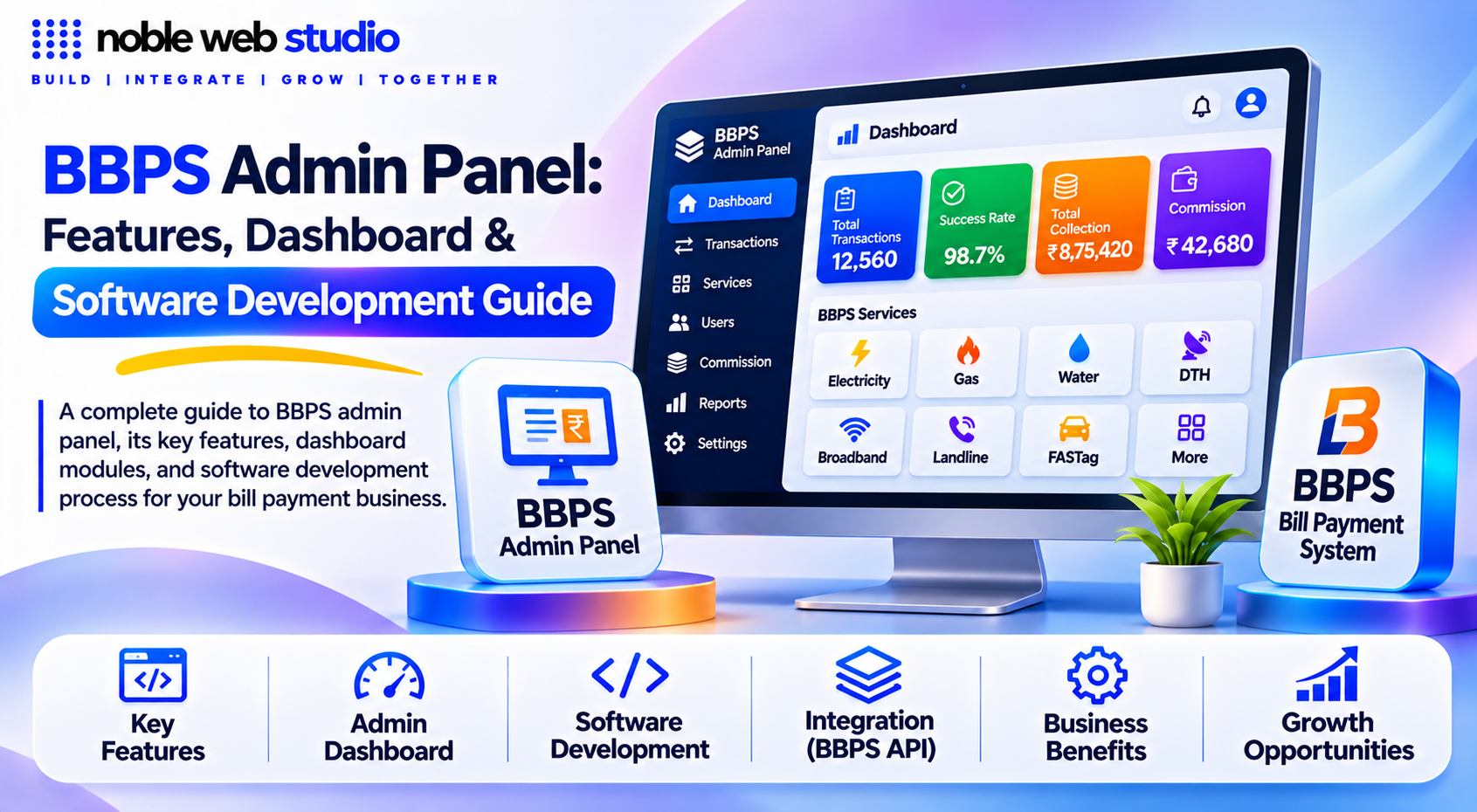
The demand for convenient digital bill payment services is growing across India, creating new opportunities for fintech companies, payment service providers, distributors, and entrepreneurs. To manage these operations efficiently, businesses need a powerful, secure, and scalable BBPS Admin Panel that provides centralized control over their entire bill payment platform.
A BBPS Admin Panel is a centralized management dashboard designed to help authorized administrators monitor bill payment transactions, manage retailers and distributors, control user activities, track commissions, generate financial reports, and oversee day-to-day bbps platform operations. It acts as the operational backbone of a BBPS-based bill payment business, connecting administrative activities with the services and workflows supported by the underlying integration.
A BBPS Admin Panel is a master web-based control dashboard used by fintech operators, white-label providers, and businesses to manage Bharat Bill Payment System (BBPS) / Bharat Connect transactions, agents, and billers.
At Noble Web Studio, we understand that successful BBPS fintech software requires much more than a visually appealing dashboard. It needs reliable backend architecture, organized transaction workflows, secure user access, accurate reporting, flexible management tools, and integration capabilities designed around the business’s operational requirements.
Whether you are planning to launch a new bill payment platform, expand an existing retailer network, or upgrade your current fintech infrastructure, understanding how a BBPS Admin Panel works can help you make better technology decisions.
In this comprehensive guide, we explore what a BBPS Admin Panel is, how it works, its essential features, retailer and distributor management capabilities, transaction monitoring, commission structures, bbps API integration, security considerations, development requirements, and the factors businesses should evaluate before choosing a BBPS software development partner.
Discover how a well-planned BBPS Admin Panel can simplify bill payment operations, improve business visibility, streamline management, and support the long-term growth of your fintech platform with Noble Web Studio.
What Is a BBPS Admin Panel?
A BBPS Admin Panel is a centralized, web-based control dashboard used by operators, fintech companies, or aggregators to manage and monitor a Bharat Bill Payment System (BBPS / Bharat Connect) software platform. It acts as the core backend hub where administrators oversee transactions, user networks, and financial ledgers without needing to touch the consumer-facing app.
How Does a BBPS Admin Panel Work?
A BBPS Admin Panel is a secure, web-based digital dashboard used by administrators, payment aggregators, banks, or business owners to manage, monitor, and control a Bharat Bill Payment System (now officially known as Bharat Connect) integration.
How It Works (Core Mechanics)
The admin panel acts as the central command center sitting on top of your BBPS / Bharat Connect API. Instead of managing transactions or partners manually via code or database scripts, the admin uses the graphical interface to execute and oversee key operational layers:
Hierarchy & Multi-Tier Management
- User & Role Control: Admins create role-based access controls (RBAC) so that sub-admins, distributors, and frontline retailers/agents only see the data and actions permitted for their specific tier.
- Distributor & Retailer Onboarding: Admins approve, suspend, or configure wallet limits and commission structures for distributors and retail agents who collect bill payments at counters or via apps.
Transaction Monitoring & Lifecycle Tracking
- Real-Time Tracking: Every bill payment processed through the Customer Operating Unit (COU) passes through the panel. Admins can view live transaction statuses (Success, Failed, or Pending).
- Reference Matching: The bbps panel logs both internal system reference IDs and official NPCI/BBPS reference IDs for every request, making it easy to trace messages across the four-party network (COU → BBPCU → BOU → Biller).
Wallet & Commission Management
- Wallet Activity: Admins monitor float/wallet balances, approve fund load requests from distributors or retailers, and audit ledger entries.
- Commission Configuration: Margins, flat fees, or percentage-based commissions for specific bill categories (electricity, DTH, gas, credit cards, loan EMIs) are defined and automated through the admin panel.
Category & Biller Controls
- Admins can enable or disable specific biller categories or individual billers (e.g., regional electricity boards or water utilities) depending on business agreements and live status on the Bharat Connect network.
Complaints & Dispute Resolution
- When a customer raises an issue regarding a stuck or double-debited bill payment, the admin panel interfaces with the NPCI dispute management system to raise, track, and close tickets.
Reports & Ledger Reconciliation
- Generates automated settlement reports (matching T+1/T+2 settlement cycles), transaction summaries, and tax/finance exports for accounting teams.
Why a BBPS Admin Panel Is Important
A Bharat Bill Payment System (BBPS) admin panel acts as the central control room for a fintech or bill-payment business, letting you monitor transactions, manage agent networks, and enforce regulatory compliance from a single dashboard
Key Reasons Why a BBPS Admin Panel Is Important
- Centralized Operations: Manage users, multi-service bill payments (electricity, water, gas, DTH, telecom, loan EMIs, and insurance), and system settings in one place instead of juggling separate tools.
- Agent & Distributor Management: BBPS Onboarding, track, and structure multi-tier hierarchies such as retailers, Common Service Centers (CSCs), and distributors, including automated commission payouts.
- Real-Time Monitoring & Analytics: Track live transaction success rates, revenue flows, wallet balances, and customer activity to spot and fix failures immediately.
- Security & Compliance: Enforce strict password policies, audit logs, and data-handling rules aligned with Reserve Bank of India (RBI) and National Payments Corporation of India (NPCI) / Bharat Connect standards.
- Support & Dispute Resolution: Handle customer complaints, refund requests, and transaction reconciliation quickly to reduce customer service overhead.
BBPS Admin Dashboard Overview
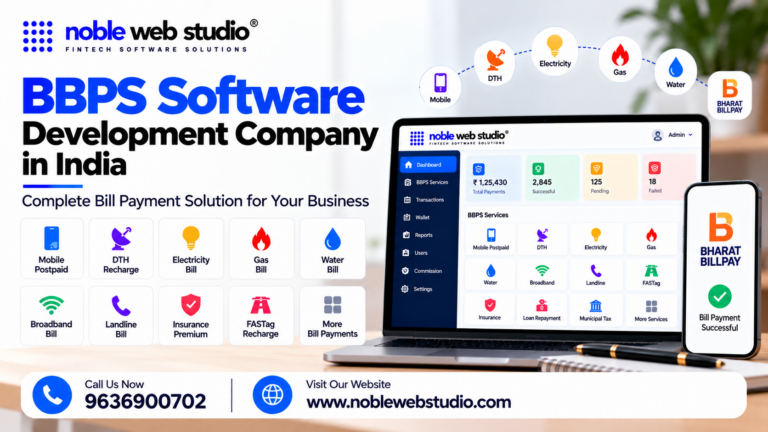
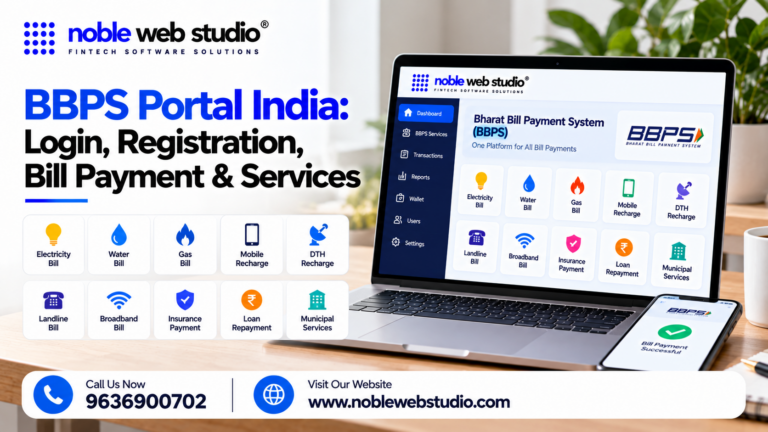
A BBPS (now officially Bharat Connect, driven by NBBL and RBI) Admin Dashboard serves as the centralized control system for managing utility and recurring bill payment ecosystems, user roles, transaction monitoring, and financial settlements.
Core Modules & Views
- Main Dashboard (KPIs & Metrics): Displays high-level performance metrics including total collection trends, category-wise performance (electricity, water, gas, DTH, loans, etc.), Transaction Per Second (TPS) insights, peak collection windows, and decline analysis (such as DR, TD, and BD).
- Services & Transactions Management: Allows administrators to filter and inspect detailed transaction data by date range, error codes, category, transaction reference IDs, and statuses (such as Successful, Pending, Failed, Reversed).
- Support & Ticket Operations: Manages dispute resolution flows tracking tickets through stages like New → Assigned → Under Review → Resolved → Closed.
- Report Center & Financials: Provides access to settlement logs, commission payouts, and automated financial reconciliation reports.
Role-Based Access Control (RBAC)
- Super Admin: Oversees master bbps platform settings, compliance, and overall system architecture.
- Operations Admin: Manages live transactions, gateway latency, and operational escalations.
- Support User: Handles transaction lookup and consumer/agent complaints.
- Finance User: Accesses ledger reports, payouts, and settlement reconciliations.
Why BBPS Admin Panel for Business
A BBPS (Bharat Bill Payment System / Bharat Connect) Admin Panel gives businesses, aggregators, and fintech operators centralized control over their entire digital bill payment network.
Key Reasons Businesses Use a BBPS Admin Panel
- Complete Network Control: Manage multi-tier hierarchies including creating, editing, and monitoring distributors, agents, and retail counter staff from a single backend.
- Role-Based Access Security: Assign granular permissions so technical, financial, and operational teams only view data relevant to their role.
- Real-Time Transaction Monitoring: Track live transaction flows (successful, pending, or failed), filter by category or date, and access audit logs for complete transparency.
- Commission & Ledger Configuration: Define, automate, and calculate commission structures, service charges, and wallet balances for your agents and merchant networks.
- Automated Reconciliation & Reports: Generate financial exports, ledger views, and MIS reports to simplify end-of-day accounting and cash-flow tracking.
- Complaint & Dispute Management: Track, escalate, and resolve customer- or agent-raised payment disputes through the standardized BBPS/Bharat Connect grievance system.
- Security & Tenant Isolation: Protect sensitive data with multi-factor authentication (MFA), session controls, and strict data isolation between different enterprise partners.
Features of BBPS Admin Panel
A BBPS (Bharat Bill Payment System / Bharat Connect) admin panel is a centralized web-based dashboard that allows business owners, aggregators, and operators to manage their bill payment network, agents, and transactions.
Core Admin Features
- User & Role Management: Create and manage sub-admins, partners, distributors, and retailers/agents with role-based access control (RBAC) so each user only sees what they are authorized to access.
- Network & Hierarchy Controls: Assign and track retailers under specific distributors, monitor network-level performance, and configure multi-tier structures.
- Transaction Monitoring & Search: Real-time tracking of all bill payments with full filters for date, category, status (successful, failed, pending), and user ID.
- Dual Reference Tracking: Captures and logs both internal system reference IDs and official BBPS/NBBL reference numbers for every transaction.
- Commission & Commercial Configuration: Set up commission slabs, service charges, profit margins, and wallet rules for agents and distributors.
- Wallet & Ledger Management: Monitor digital wallet balances, fund loads, credit/debit adjustments, and automated ledger views.
- Reconciliation & Financial Reports: Generate daily summary reports, settlement files, and downloadable/exportable MIS reports for finance and accounting teams.
- Complaint & Dispute Resolution: View, track, escalate, and resolve customer/agent complaints tied to specific transaction references.
- Category & Biller Controls: Enable or disable specific biller categories (electricity, water, gas, DTH, credit card, loan EMI) and manage service uptime.
- Security & Audit Logs: Enforce multi-factor authentication (MFA), tenant/data isolation, session controls, automatic logouts, and detailed audit trails of sensitive admin actions.
BBPS Admin Panel Dashboard: Important Modules and Statistics
An admin dashboard for the Bharat Bill Payment System (BBPS / Bharat Connect) serves as the master control center for Noble web studio. It provides real-time oversight of transactions, network participants, and compliance.
Important Modules in a BBPS Admin Panel
- User & Network Management: Noble web studio with role-based access control (RBAC) and tenant isolation.
- Biller & Category Control: Manages live billers across utilities (electricity, water, gas, DTH, FASTag, loan EMIs) and configures service availability.
- Transaction & Ledger Monitoring: Tracks end-to-end payment flows with dual-reference tracking (internal IDs and official BBPS/Bharat Connect references) and automated reconciliation.
- Commission & Pricing Engine: Configures multi-tier commission structures, service charges, markup rules, and automated payouts for agents and distributors.
- Wallet & Fund Management: Oversees agent wallet balances, approves or rejects online/offline fund deposit requests, and triggers low-balance alerts.
- Dispute & Grievance Redressal (TAT & Complaints): Manages complaint lifecycles, turn-around-times (TAT), escalations, and refund tracking aligned with central guidelines.
- Security & Audit Logs: Enforces multi-factor authentication (MFA), API failover routing, and immutable audit logs of sensitive administrative actions.
Key Dashboard Statistics & KPIs
- Today’s Transactions: Live count and total monetary value of bills processed during the current day.
- Payment Status Breakdown: Real-time metrics separating successful payments, pending transactions (requiring status inquiry), and failed transactions.
- Decline & Error Analysis: Insights into technical or business declines (such as DR, TD, and BD error codes).
- Active Retailers & Network Health: Count of active business users, banking correspondents, and agent institutions operating on the network.
- Open Complaints & Tickets: Volume of unresolved customer support or grievance cases flagged for immediate action.
- Ecosystem Scale & Performance: Noble web studio tracking of active billers, average transactions per second (TPS), and peak collection windows.
User Management in BBPS Admin Panel
User Management in a Bharat Bill Payment System (BBPS) Admin Panel handles the creation, structure, permissions, and lifecycle of accounts across the platform.
User Categories & Hierarchy
- Administrators / Parent IDs: Set up by the central unit (BBPCU/BOU) to serve as primary control accounts with a set ceiling on user count.
- Distributors / Master Distributors: Manage regional sub-networks, bbps agent onboarding, and multi-tier hierarchies.
- Retailers / Agents: Local merchants, brick-and-mortar stores, or digital agents acting as Banking Correspondents who process bill payments.
- Support & Internal Staff: Operational and customer service users restricted to specific data views or grievance resolution.
Core User Management Capabilities
- Account Creation & Onboarding: Create new profiles, collect and approve KYC documents, and assign unique User IDs.
- Role-Based Access Control (RBAC): Assign and modify specific permissions, profiles, and data visibility limits based on business rules or organizational roles.
- Status Control: Activate, suspend, or deactivate user accounts as required by security guidelines or compliance.
- Information & Activity Tracking: View real-time contact details, account statuses, wallet/commission balances, registration dates, and linked transactions for every user.
BBPS Admin Panel Role-Based Access Control
Role-Based Access Control (RBAC) in a Bharat Bill Payment System (BBPS) admin panel restricts system access and sensitive operations based on specific employee job functions. It limits unnecessary exposure of financial data, prevents insider threats, and ensures clear accountability.
Common Roles in a BBPS Admin Panel
Super Admin
- Scope: Full, unrestricted access to the entire BEST BBPS platform.
- Capabilities: Configure major system settings, manage platform integrations, assign and modify user roles, and oversee global configurations.
Operations Admin
- Scope: Day-to-day network and transaction supervision.
- Capabilities: Monitor live bill payment transactions, handle operational issues, manage retailer/agent onboarding, and configure commission structures.
Support / Helpdesk User
- Scope: Customer and transaction troubleshooting.
- Capabilities: Investigate specific transaction statuses, review customer complaints, resolve disputes, and track pending or failed payment logs.
Finance / Accounts User
- Scope: Ledger, settlement, and financial reporting.
- Capabilities: Access financial statements, generate settlement and reconciliation reports, and view wallet or payout ledgers.
BBPS Admin Panel Retailer Management
A BBPS Admin Panel is the central master control dashboard used by fintech administrators or banks to oversee the entire Bharat BillPay System (now officially known as Bharat Connect) network.
Retailer Management in a BBPS Admin Panel
Under the Retailer Management module of a BBPS admin dashboard, operators handle the complete lifecycle of local store owners, Common Service Centers (CSCs), and micro-agents:
- Onboarding & KYC Verification: Register new retailers by collecting and verifying KYC documents, identity proofs, and business addresses.
- Hierarchy Assignment: Link retailers under specific distributors, master distributors, or zonal heads.
- Role & Permission Controls: Assign granular access levels (e.g., restricted cash-collection vs. full-service bill fetching and wallet top-ups).
- Commission & Scheme Mapping: Assign operator-wise and category-wise commission structures or flat fee margins for each retailer tier.
- Wallet & Ledger Monitoring: Track individual retailer wallet balances, cash-in-transit, UPI/QR add-money events, and daily settlements.
- Status & Compliance Management: Activate, suspend, or block retailer IDs in case of suspicious activity, compliance failure, or transaction disputes.
BBPS Admin Panel Distributor Management
The BBPS Admin Panel provides a centralized dashboard to oversee, structure, and control your entire multi-tier distribution network.
Key Distributor Management Features in the BBPS Admin Panel
- Distributor Hierarchy & Onboarding: Create, approve, and manage distributor (and master distributor) accounts with custom permission levels.
- Retailer Network Mapping: Assign, monitor, and reassign sub-retailers or merchant outlets under each distributor.
- Wallet & Fund Management: Transfer balances, allocate credit limits, and monitor live wallet ledgers for distributors.
- Automated Commission & Margin Payouts: Configure operator-wise or service-wise commission rules that automatically calculate and credit margins across the distributor-retailer chain.
- Transaction & Activity Monitoring: Track live and historical BBPS bill payments, success/failure rates, and volume performance per distributor.
- Complaint & Dispute Tracking: View, assign, and resolve BBPS transaction complaints or reference tickets raised by distributors for their network.
- Reports & Financial Exports: Generate ledger views, reconciliation logs, and performance exports tailored for finance and admin teams.
BBPS Admin Panel Transaction Monitoring
A BBPS Admin Panel (Bharat Bill Payment System / Bharat Connect) provides centralized real-time oversight, tracking, and lifecycle management for all utility and recurring bill payments.
Key Capabilities of BBPS Transaction Monitoring
- Real-Time Tracking & Status Logs: Monitor live transactions across success, pending, failed, and reversed states in real time.
- Reference & Message ID Binding: Track unique identifiers across the transaction lifecycle including the msgId for fetch/validation/payment, refId binding bill fetch to payment, and txnReferenceId generated at payment initiation.
- Granular Filtering & Search: Search and filter logs by date range, category, error codes, transaction reference IDs, status, and specific retailers or distributors.
- Pending & Dispute Management: Handle pending status inquiries, track ticket aging (New → Assigned → Under Review → Resolved → Closed), and prevent duplicate payments while a request is pending.
- Refund & Reconciliation Support: Process manual or automated refunds for failed requests and oversee daily net settlement, clearing, and reconciliation flows.
- Role-Based Access Control (RBAC): Assign specific monitoring and control tiers for Super Admins, Operations Admins, Finance Users, and Support personnel.
Transaction Status Management
In a Bharat Bill Payment System (BBPS / Bharat Connect) Admin Panel, Transaction Status Management allows administrators to monitor, filter, query, and reconcile utility and bill payment transactions in real time.
Core Features of BBPS Transaction Status Management
- Live Status Categorization: Dashboards divide transactions into primary states Successful (completed), Pending (awaiting confirmation or stuck in-flight), Failed (declined/unsuccessful), and Reversed.
- Real-Time Status Inquiry APIs: Admins can trigger automated or manual status checks using protocol-specific hooks like Txn Status Check (API 402) or general status queries to sync with the central Bharat Connect switch.
- Granular Search & Filters: Lookup tools allow filtering by date range, payment category (electricity, DTH, water, gas), error/decline codes, BBPS transaction reference ID, internal tracking ID, and retailer/agent ID.
- Decline & Error Analysis: Management dashboards display breakdown metrics for declines (such as technical drops, timeout errors, or bank-side rejections) to spot network or biller downtimes.
- Ticket & Dispute Integration: Pending or disputed transactions link directly to the Ticket Management (7XX / 401 / 50X series) module to raise, track, and resolve grievances with NPCI/BBPS operating units.
- Reconciliation & Settlement Tracking: Status logs map individual payments to settlement files, tracking SETTLED statuses, settlement UTRs, and financial ledgers.
BBPS Admin Panel Pending Transaction Monitoring
Managing pending and stuck transactions in a BBPS Admin Panel (Bharat Bill Payment System / Bharat Connect) requires structured tracking, automated status checking, and strict prevention of duplicate charges.
Core Functions for Pending Transaction Monitoring
- Search & Filter Parameters: Admins can query pending items using key identifiers such as Transaction ID, Retailer/Agent ID, Distributor ID, Biller ID, Amount, Date, Status, and Reference Number.
- Dedicated Status Views: The panel must cleanly separate states distinguishing Pending from Success, Failed, or Reversed—so operations teams can prioritize unconfirmed flows.
- Status Enquiry & Heartbeat APIs: Instead of immediately marking a delayed response as a failure or triggering a duplicate payment, the system runs automated or manual status check BBPS API against the biller/BOU (Bharat Bill Payment Operating Unit).
- Duplicate Payment Protection: The admin dashboard or gateway logic must warn or block agents/customers from paying the same bill a second time while a transaction remains in a pending state.
- Ledger & Receipt Synchronization: Account balances, wallets, and official BBPS receipts are updated strictly after a deterministic final confirmation arrives (avoiding premature ledger credits or debits).
- Procedural Compliance: According to the Bharat Bill Payment System Procedural Guidelines, operating units and pending dispute/refund metrics are closely audited by steering committees and central infrastructure before handling de-boarding or liability settlements.
BBPS Admin Panel Biller and Service Management
A BBPS Admin Panel (Bharat Bill Payment System) is a centralized web dashboard that lets authorized administrators manage, configure, and monitor billers, service categories, transactions, and agent networks on the Bharat Connect (BBPS) ecosystem.
Core Biller Management Features
- Biller Onboarding & Categorization: Add, verify, and manage billers across 25+ standardized recurring categories including electricity, water, gas, telecom, DTH, broadband, loan repayments, insurance, and B2B invoices.
- Integration & API Management: Configure online (real-time fetch and pay) or offline integration models for billers, managing credentials and service endpoints through Biller Operating Units (BOUs).
- Fee & Commission Configuration: Set up slab-based, flat, or percentage-based interchange fees and commission structures for Consumer-to-Business (C2B) or Business-to-Business (B2B) transactions with maker-checker approvals.
- Compliance & Status Control: Monitor biller uptime (maintaining required service-level agreements), handle metadata (such as mandatory response fields like due date, bill number, and convenience fees), and manage suspensions or delisting for non-compliant entities.
BBPS Admin Panel Price in india
The cost structure for a Bharat Bill Payment System (BBPS) admin panel and white label bbps portal in India typically spans one-time setup fees, recurring maintenance, and monthly software plans.
1. One-Time Setup & Integration Costs
- Basic / Starter Packages: ₹7,500 – ₹15,500 (includes basic mobile/DTH/utility recharges, web panel, and limited API support).
- Standard White-Label Portals: ₹15,000 – ₹25,000 (includes a branded web dashboard, multi-level hierarchy, and BBPS/AEPS integration).
- Advanced / Platinum Solutions: ₹24,500 – ₹75,000+ (includes full-featured multi operator bbps API switching, custom Android bbps apps, payment gateway integration, and dedicated support).
2. Monthly / Recurring B2B Subscription Plans
- R1 Tier: ₹1,499/month (4-channel setup covering Admin, Master Distributor, Distributor, and Retailer).
- R2 Tier: ₹1,999/month (5-channel white-label admin panel with BBPS, AEPS, DMT, and custom API integration).
3. Annual Maintenance Charges (AMC) & Add-ons
- Annual Maintenance: ₹5,000 to ₹30,000 per year (depending on the server load).
- Server Storage / Extra Modules: ₹1,000+/month for expanded database or extra server storage.
- API / Gateway Customizations: ₹1,000 to ₹5,000 one-time per specialized third-party API integration.
BBPS Admin Panel Wallet Monitoring
You can monitor and manage digital wallets across a multi-tier network using the BBPS Admin Panel, which provides a centralized view of all fund flows and user balances.
Key Features of BBPS Admin Panel Wallet Monitoring
- Real-Time Balance Tracking: View live wallet balances for master distributors, distributors, retail agents, and end customers.
- Credit & Debit Entries: Audit individual ledger entries, deposit/load money requests, and automated or manual adjustments.
- Transaction References: Cross-reference unique BBPS / Bharat Connect transaction IDs, reference numbers, and status logs (success, failure, or pending).
- Commission & Payout Management: Monitor automated commission calculations, slab-wise margins, and network payouts.
- Fraud & Investigation Support: Pull granular user-wise activity histories to resolve balance disputes, failed recharges, and refund requests.
BBPS Admin Panel Commission Management
A BBPS (Bharat Connect / Bharat BillPay System) admin panel commission management module controls how financial rewards, margins, and fees are split across a multi-tier network (Admin, Master Distributors, Distributors, and Retailers/Agents).
Core Components of BBPS Commission Management
- Multi-Tier Hierarchy Setup: Define custom commission structures descending from the Admin down through Master Distributors (MDs), Distributors (Ds), and Retailers / Agents.
- Category & Biller-Wise Slabs: Set distinct commission percentages or fixed flat fees based on utility categories (e.g., electricity, water, gas, DTH, broadband, or loan repayments) and individual biller rules.
- Admin Margin Configuration: Establish your primary admin profit margin or operational markup first, ensuring all downstream partner slabs remain safely within allowable bounds.
- Convenience Fee & Incentive Rules: Handle customer-side convenience fees, promotional incentive schemes, and slab-based bonuses tied to high transaction volumes.
- Automated Settlement & Wallet Crediting: Automatically credit earned commissions directly into respective user or partner wallet balances upon transaction completion.
BBPS Admin Panel Financial Reports
The BBPS Admin Panel (rebranded as Bharat Connect and operated via the central unit NBBL) provides centralized financial reporting and control tools for administrators, operating units, and finance teams.
Key Types of Financial Reports in BBPS Admin Panels
- Daily Transaction & Volume Reports: Track total transaction counts, aggregate payment values, and status breakdowns (successful, pending, failed, or reversed) across specific date ranges.
- Reconciliation Reports: Automated ledger-matching data that distinguishes between settled, pending, and disputed items to ensure zero double-debits or cash-flow discrepancies.
- Commission & Earnings Summaries: Detailed breakdown of commission payouts, agent/distributor shares, and markup/service fees earned per transaction category (electricity, water, telecom, insurance, etc.).
- Pending & Dispute Logs: Real-time visibility into transactions stuck in-flight (status enquiry tracking) so finance teams can monitor funds without marking pending items as failed.
- Exportable Ledger Views: CSV/Excel export options designed for enterprise accounting and automated ERP reconciliation.
BBPS Admin Panel Analytics
The ConnectInSync: BBPS Analytics Dashboard by Bharat Connect (formerly BBPS) provides real-time monitoring and management tools for billers and Operating Units (OUs).
Key Features of BBPS Admin Panel Analytics
- Real-Time Transaction Tracking: Monitor live bill payment volumes, success/failure rates, and peak usage hours across categories (electricity, water, DTH, gas, credit cards, etc.).
- Collection & Settlement Reports: View automated reconciliation data, payout cycles, and daily/monthly financial ledgers without manual intervention.
- Agent & Biller Performance: Track metrics for individual retailers, agents, and biller endpoints to spot high-performing channels or lag points.
- Ticket & Complaint Management: Access integrated dispute resolution queues to track raised grievances, turnaround times, and status updates.
- System Health & Uptime Monitoring: Keep an eye on best BBPS API latencies, connection statuses with Bharat Connect central units, and system logs to ensure compliance with technical uptime standards.
- Customizable Business Intelligence: Generate automated summary reports on transaction trends, category-wise growth, and revenue margins.
BBPS Admin Panel Complaint Management
To raise, view, or manage a complaint in the Bharat BillPay (BBPS / Bharat Connect) ecosystem through an admin or agent panel, the workflow typically uses standardized top bbps API endpoints or direct bbps platform provided by NPCI Bharat BillPay Limited (NBBL).
1. Raising a Complaint
- Through Agent / App / Platform: Customers or agents can raise disputes directly on the platform where the bill payment was made (e.g., via app grievance sections like Noble web studio.
- Through Official Online Form: You can submit direct queries or concerns via the Bharat Connect Support & Complaint Form.
- Email / Direct Escalation: For privacy, security, or unresolved disputes, complaints can be escalated to info@noblewebstudio.com
2. Viewing and Managing Complaints (Admin/Agent Panel)
If you operate an integrated BBPS Agent or Biller Admin panel (using standard BBPS/custom fintech architecture), complaint management actions typically include:
- Raise Complaint by Transaction ID: Submitting a ticket tied to the specific Bharat BillPay transaction reference ID and customer details.
- View / Track Complaints by ID: Pulling live status updates (Open, In-Progress, Resolved) using the reference ticket ID.
- Reopen / Close Complaints: Admin actions to close or reopen tickets based on customer confirmation.
- Dispositions: Utilizing predefined complaint categories/dispositions (e.g., amount deducted but biller not updated, double payment, incorrect bill details) mandated by BBPS guidelines.
BBPS Admin Panel Notification Management
A BBPS Admin Panel Notification Management module is a centralized control feature within a Bharat Bill Payment System (BBPS / Bharat Connect) dashboard that allows administrators, operating units, or fintech platforms to configure, trigger, and monitor automated and manual system alerts.
Core Functions of Notification Management in a BBPS Admin Panel
- Automated Bill & Due Date Reminders: Configure and schedule automated SMS, email, and push notifications to alert customers or retail agents about upcoming or overdue bill payments.
- Transaction Status Alerts: Set up real-time triggers for successful, pending, or failed fetch-and-pay transactions across the Bharat Connect network.
- Dispute & Complaint Escalation Triggers: Notify support desks, admins, or agents immediately when a customer logs a grievance or ticket regarding a failed or stuck bill payment.
- System & Maintenance Broadcasts: Send platform-wide announcements or downtime warnings to connected retailers, distributor networks, or billers.
- Template & Channel Customization: Manage message content templates for various communication channels (SMS gateways, SMTP email services, WhatsApp Business API, or webhooks).
BBPS Admin panel Audit Trail
An Audit Trail in a BBPS (Bharat Bill Payment System) admin panel is a secure, chronological log that records all administrative actions, system configurations, and data modifications within the platform.
Key Features of a BBPS Admin Audit Trail
- User & Action Tracking: Records who made a change (admin user ID/name), what was changed, the exact timestamp, and the IP address or session details.
- Configuration & Ledger Controls: Tracks updates to commission structures, wallet-ledger adjustments, API credentials, biller mappings, and role-based access control (RBAC) permissions.
- Transaction & Compliance Logs: Maintains end-to-end transaction logs, NPCI/Bharat Connect callbacks, refund statuses, and dispute tracking for 100% reconciliation.
- Export & Reporting: Allows administrators to export detailed audit and compliance reports in formats like Excel, CSV, or PDF for regulatory checks.
Security of BBPS Admin Panel
The security of a Bharat Bill Payment System (BBPS) / Bharat Connect admin panel relies on multi-layered technical controls, regulatory standards mandated by the Reserve Bank of India (RBI) and NPCI Bharat BillPay Limited (NBBL), and strict administrative governance.
Core Security Standards & Protocols
- Authentication & Access Control: Admin panels enforce strict identity verification, multi-factor authentication (MFA), and One-Time Passwords (OTPs) for session initialization. Granular role-based access control (RBAC) ensures administrative actions are restricted based on user roles.
- Encryption Standards: Data in transit is protected using strong protocols such as TLS 1.3 and SSL with up to 256-bit financial encryption. All system-to-system XML or reliable bbps API messages are digitally signed.
- Data Classification & Storage: Sensitive customer data (such as full card numbers, PINs, or raw OTPs) is strictly prohibited from being stored even in encrypted form. Consented metadata is stored in time-bound, encrypted repositories.
- Regulatory & Compliance Frameworks: Admin environments and underlying platforms must comply with RBI guidelines, the Payment and Settlement Systems Act, and ISO/IEC 27001 information security standards, alongside regular mandatory security audits (such as BBPS onboarding and lifecycle audits).
- Monitoring & Audit Trails: Comprehensive, immutable transaction and activity logs (audit trails) are maintained with unique reference IDs for tracking, forensic review, and automated straight-through processing integrity.
- Infrastructure Protection: Operated via hardened firewalls, data leakage prevention (DLP) tools, continuous environmental monitoring, and vendor/partner security assessments.
BBPS API and Backend Connection
You can connect your backend to the Bharat Bill Payment System (BBPS / Bharat Connect) by partnering with a certified Biller Operating Unit (BOU) or Customer Operating Unit (COU), or through a Noble web studio.
Core Architecture & Flow
Your backend communicates with the BBPS network via REST/SOAP or server-to-server bbps API handling the standard lifecycle:
MDM / Biller Discovery (Biller Fetch)
- Your backend queries the Noble web studio to pull the list of active billers, categories (electricity, water, gas, DTH, credit cards, EMI), and customer input parameters (e.g., consumer number, mobile number).
Bill Validation / Fetch (Req/Resp)
- The user enters their account details on bbps app/website.
- Your backend fires a Bill Fetch request (
Req/Respstructure based on BBPS specifications like v13.0+) to retrieve the exact bill amount, due date, and customer name in real time.
Bill Payment (Debit / Pay)
- Once the user confirms, your backend initiates the payment request (
DebitAPI) through Noble web studio. - The transaction routes through the central NPCI/BBPS switch to the respective Biller Operating Unit.
Transaction Status / Polling (Status Check / Txn Status)
- For pending or uncertain states, your backend must query API
402/ status-check endpoints or listen to webhook notifications/callbacks to reconcile whether the payment succeeded or failed.
Receipt Generation
- Upon success, BBPS returns a unique transaction reference ID and digital receipt details for your platform to present to the user.
BBPS Admin Panel Search and Advanced Filters
An effective BBPS Admin Panel streamlines the supervision of massive volumes of Bharat Bill Payment System (BBPS) utility transactions, user accounts, and dispute tickets.
Key Search & Advanced Filter Capabilities
- Transaction-Level Filtering: Search and filter logs using granular attributes such as:
- Date Range: Specific start/end timestamps or preset periods (today, last 7 days, custom month/year).
- Transaction Reference IDs: Unique system IDs, BBPS transaction reference numbers, or NPCI/BBPCU reference numbers.
- Status & Error Codes: Filter by successful, pending, failed, or reversed transactions, paired with explicit error codes or decline reasons.
- Category & Biller: Narrow down records by utility categories (electricity, water, gas, DTH, broadband) or individual biller IDs.
- User / Agent Role: Filter activity by specific retailers, distributors, smooth bbps API, or end-customers.
- Ticket & Dispute Management Search: Access complaint and query logs using ticket ID series (such as 7XX series tracking) to monitor resolution timelines and status updates.
- Master Data Management (MDM) Lookups: Filter and sync backend directories covering billers, agent institutions, and active service plans.
BBPS Admin Panel Exportable Reports
BBPS (Bharat Bill Payment System / Bharat Connect) admin panels typically support exportable reports for transaction monitoring, reconciliation, and business analytics.
Export Formats
- CSV
- Excel (.xls / .xlsx)
- PDF [1]
Key Report Categories & Types
- Transaction & Settlement Reports: Detailed logs of successful, pending, and failed bill payments, plus settlement data for finance teams.
- Biller-wise Analytics: Breakdown of transaction volume and revenue categorized by specific billers (e.g., electricity, DTH, telecom, gas).
- Agent / Retailer Performance Reports: Activity tracking, commission earned, and volume handled per agent or distributor kiosk.
- Dispute & Complaint Logs: Tracking status codes and resolution reports for raised complaints (e.g., status 401, 501, etc.).
Responsive BBPS Admin Panel
A responsive BBPS Admin Panel serves as the central operating command for managing Bharat Bill Payment System (BBPS) / Bharat Connect transactions, retailers, distributors, and financial flows.
Core Features of a Responsive BBPS Admin Panel
- Centralized Dashboard: Real-time visibility into transaction volumes, success/failure rates, active agents, and live settlement stats.
- Biller & Category Management: Tools to configure and monitor active utility categories (electricity, DTH, water, gas, broadband) and biller parameters.
- User & Role Hierarchy: Multi-tier management for Admin, Master Distributors, Distributors, Retailers, and Noble web studio with customized permission controls.
- Wallet & Ledger Control: Automated balance top-ups, commission configurations, credit/debit adjustments, and ledger tracking.
- Dispute & Ticket Resolution: Handling of customer or agent complaints mapped through standard BBPS ticket management frameworks.
- Comprehensive Reports: Exportable analytics for GST, commission payouts, ledger statements, and transaction audits.
Custom BBPS Admin Panel Development
A custom Bharat Bill Payment System (BBPS / Bharat Connect) admin panel lets Noble web studio manage multi-tier networks, live bill fetch/pay flows, and real-time ledger settlements.
Core Modules of a Custom BBPS Admin Panel
- Multi-Tier Hierarchy Management: Control structures for Super Admins, Master Distributors, Distributors, Retailers, and API Partners with customizable commission and markup slabs.
- Bharat Connect (BBPS) API Integration: Direct or Noble web studio-based integration via certified Biller Operating Units (BOUs) to fetch biller categories, fetch bills, validate user input, and process settlements.
- Wallet & Ledger Management: Automated fund loading, credit/debit adjustments, low-balance alerts, commission payouts, and payment gateway reconciliation.
- Biller & Category Control: Enable or disable specific utility categories (electricity, DTH, FASTag, water, gas, broadband) and monitor uptime.
- Dispute & Grievance Handling: Track BBPS complaint IDs (complain/status check APIs), log refund cycles, and manage transaction chargebacks.
- Comprehensive Reporting: Exportable audit trails, transaction status logs (success, pending, failed, refunded), and tax/GST reports.
BBPS Admin Panel Development Process
Developing BBPS Admin Panel involves creating a centralized control and management layer for handling utility bill categories, agents, retailers, commissions, and transactions.
Core Development Phases
1. Requirement Analysis & Compliance Architecture
- Define the Role: Determine whether your system operates as a Biller Operating Unit (BOU), Customer Operating Unit (COU), or through a tie-up with a certified Noble web studio.
- Regulatory Alignment: Comply with NPCI Bharat BillPay Limited (NBBL) and RBI guidelines, including the Centralized ODR (Online Dispute Resolution) and TAT frameworks.
- User Hierarchy Design: Build multi-tier role-based access control (RBAC): Super Admin → Admin → Distributor → Retailer/Agent → Support.
2. Tech Stack & Infrastructure Setup
- Backend: Secure, scalable architecture (Node.js, Python/Django, or Java/Spring Boot) with encrypted database layers (PostgreSQL/MySQL).
- API & XML/JSON Layer: Implement standard BBPS protocol connectors for:
- Bill Fetch & Validation API (pulling real-time consumer bill data)
- Bill Payment & Settlement API
- Transaction Status Query & Polling API (for handling webhook/network delays)
- Biller Catalog Sync API (covering 20+ utility categories like electricity, water, gas, DTH, and broadband)
- Security & Auditing: SSL/TLS encryption, HSM-backed tokenization, IP whitelisting, and immutable activity logs.
3. Admin Panel Core Module Development
- Dashboard & Analytics: Real-time metrics for total transaction volume, success/failure ratios, peak load hours, and liquidity flow.
- Agent & Retailer Management: BBPS Onboard modules, KYC verification workflows, wallet balance tracking, and status controls (active/suspended).
- Commission & Markup Engine: Flexible slab-wise or percentage-based commission configurations shared across Super Admins, Distributors, and Retailers.
- Reconciliation & Settlement Reports: Automated T+N or multi-cycle net settlement reconciliation logs to match API responses against sponsor bank accounts.
- Complaint & Dispute Management Module: Interface linked to NBBL’s central ticketing/ODR system to track and resolve failed or disputed bill payments within prescribed TATs.
4. Testing & Certification
- Sandbox Integration: Test all bill fetch, payment, and failure scenarios using NBBL/Sponsor Bank sandbox credentials.
- Load & Security Testing: Stress-test concurrent bill-fetch requests and perform vulnerability assessments (VAPT).
- UAT & Go-Live: Audit by the sponsor bank or BBPCU partner prior to production release.
Benefits BBPS Admin Panel
A BBPS Admin Panel serves as the centralized master control dashboard for Noble web studio managing the Bharat Bill Payment System (now rebranded as Bharat Connect).
Key Benefits of a BBPS Admin Panel
- Centralized Management: Consolidates all core operational workflows including user management, retailer networks, distributor hierarchies, and service activation into a single interface.
- Real-Time Transaction Monitoring: Tracks live transaction volumes, settlement cycles, success/failure rates, and high-volume utility or financial categories across the ecosystem.
- Commission & Markup Control: Automates commission calculations, margin distributions, and payout structures for master distributors, retailers, and sub-agents.
- Wallet & Ledger Oversight: Manages virtual wallets, fund loads, credit/debit balances, and automated liquidity tracking for the entire network.
- Automated MIS & Reporting: Generates comprehensive audit trails, financial ledgers, and compliance reports required by regulatory frameworks.
- Dispute & Complaint Handling: Interfaces directly with the centralized Bharat Connect Grievance Redressal System to log, track, and resolve customer ticket escalations.
- Role-Based Security Controls: Provides granular permission settings, activity logs, and encryption safeguards to protect sensitive financial data and prevent unauthorized access.
How BBPS Admin Software Supports Business Growth
BBPS (Bharat Bill Payment System, now rebranded as Bharat Connect) admin software powers business growth by automating collections, expanding service offerings, and reducing operational friction through India’s centralized, RBI-regulated network.
Core Ways BBPS Admin Software Drives Business Growth
- Accelerated Cash Flow & Settlement: Real-time bill fetch and instant payment confirmation ensure faster fund settlements directly into business or merchant accounts, minimizing payment delays.
- Automated Reconciliation & Reporting: Centralized bbps admin dashboards track transactions in real time, automatically reconciling multi-utility or B2B invoice payments to eliminate manual bookkeeping errors.
- Expanded Revenue Streams & Commissions: Businesses, fintechs, and retailer networks can earn commission or service fees on every bill payment, recharge, or financial service processed through the platform.
- Broader Customer Reach & Interoperability: Integrating the Bharat Connect Procedural Guidelines connects your platform to a massive network of utility providers, educational institutions, housing societies, and municipal bodies, attracting more repeat users.
- Lower Infrastructure & Operating Costs: Instead of building custom payment gateways for hundreds of individual billers, a single BBPS API integrated grants plug-and-play access to the entire ecosystem.
- Enhanced Trust & Security: RBI-compliant 2-factor authentication (2FA), data encryption, and the Settlement Guarantee Fund Mechanism build high customer and merchant trust.
BBPS Admin Panel vs BBPS Agent Panel vs Distributor Panel
The Bharat Bill Payment System (BBPS) operates on a tiered multi-level network structure. Below is the comparison table outlining the key differences between the BBPS Admin Panel, Distributor Panel, and BBPS Agent/Merchant Panel.
| Feature / Aspect | BBPS Admin Panel (Super Admin / Master Control) | Distributor Panel (Middle-Tier / Network Management) | BBPS Agent Panel (Retailer / Merchant / Storefront) |
|---|---|---|---|
| Primary Users | Platform owners, BBPOUs, system administrators, and core operations teams. | Master distributors, super-distributors, or regional channel partners. | Retailers, local store owners, kiosks, and banking correspondents (BCs). |
| Core Purpose | Master control, overall system configuration, compliance, and global network oversight. | Managing, monitoring, and supporting an assigned network of retailers and lower-tier agents. | Accepting customer bill payments, collecting cash/digital funds, and issuing receipts. |
| User & Hierarchy Management | Create, edit, and manage all downstream roles (Distributors, Retailers, Support). | View and manage assigned retailers, onboard sub-agents, and track down-line activity. | Limited to individual agent profile settings and personal account security. |
| Biller & Category Control | Configure active BBPS bill categories, integrate billers, and set system rules. | Access standard platform-enabled bill categories made available by the admin/distributor configuration. | Access the standard list of 20+ recurring BBPS bill categories (electricity, water, gas, DTH, etc.). |
| Commission & Margin Rules | Configure global commission structures, profit margins, and payout splits across all tiers. | View earned distributor commissions and monitor down-line retailer earnings/margins. | View direct retail commissions, cash-back, or service charge earnings per bill payment. |
| Transactions & Reporting | Full system-wide transaction logs, audit trails, dispute management, and financial reconciliation. | Network-level transaction reports and activity summaries for assigned retailers. | Individual transaction history, status checks, and printable/shareable BBPS payment receipts. |
| Branding & Customization | Full white-label and UI branding controls, domain settings, and API configurations. | Inherits platform or parent brand styling with localized view permissions. | Uses the assigned white-label or parent brand interface to serve walk-in customers. |
Why Choose Noble Web Studio for BBPS Admin Panel Development
Choosing the Noble web studio for your BBPS (Bharat Bill Payment System / Bharat Connect) admin panel development requires evaluating technical capabilities, regulatory compliance, scalability, and financial terms.
1. Regulatory Compliance & NPCI / NBBL Certification
- RBI & Bharat Connect (NBBL) Alignment: Noble web studio infrastructure or underlying APIs are fully compliant with the Reserve Bank of India (RBI) and NPCI/Bharat BillPay Ltd (NBBL) guidelines.
- Authorized TSP Status: Check if the Noble web studio is a certified Technical Solution Provider (TSP) or partnered with an authorized Customer Operating Unit (COU) / bank.
2. Admin Panel Features & Control Capabilities
An enterprise-grade BBPS admin panel should offer complete operational control:
- Retailer & Distributor Management: Multi-tier hierarchy creation, wallet management, and KYCs for agents/retailers.
- Commission & Margin Configuration: Flexible setup for slab-wise or flat-rate commissions across different bill categories.
- Real-Time MIS & Reporting: Automated transaction logs, ledger management, settlement reports, and failure-handling dashboards.
- Complaint & Dispute Management: Built-in dispute raising and tracking module integrated with the central BBPS grievance system.
3. Biller Coverage & Integration Quality
- 22,000+ Billers Access: Verify that the Noble web studio full-scale utility categories (electricity, water, DTH, gas, fastag, credit card bills, insurance, etc.).
- API Stability & Fetch/Pay Speed: Low latency during bill fetching (
biller-fetch) and instantaneous payment confirmation (biller-payment) with digital receipt generation. - Sandbox & Testing Environment: Availability of a robust testing sandbox (like NBBL’s Nfinite playground) before going live.
4. White-Labeling & Customization
- Full Branding: Ability to deploy the admin panel, web portals, and mobile apps under your own brand name, logo, and domain.
- Modular Architecture: Option to bundle additional fintech services if needed, such as AEPS (Aadhaar Enabled Payment System), DMT (Domestic Money Transfer), or mobile/DTH recharges.
5. Security & Infrastructure
- Data Encryption & Firewalls: End-to-end data encryption for sensitive customer and transaction info.
- Uptime & Scalability: High-availability server architecture capable of handling peak-hour utility bill loads without downtime.
6. Commercials, Pricing & Support
- Development vs. Setup Costs: Understand the pricing model whether it is a one-time white-label setup fee, a custom enterprise build, or transaction-based pricing.
- Technical Support & SLA: Dedicated post-launch technical support and clear Service Level Agreements (SLAs) for resolution of transaction timeouts or split-settlement issues.
Future-Ready BBPS Admin Panel
The future of the BBPS (Bharat Bill Payment System / Bharat Connect) admin panel is shifting toward modular architectures, AI automation, and expanded multi-sector controls.
Key Future Trends in BBPS Admin Panels
- AI-Driven Automation & Predictive Analytics: Admin dashboards are integrating machine learning to automate recurring bill cycles, flag fraudulent transactions in real time, and generate predictive liquidity and transaction-volume insights.
- Modular & Scalable Architecture: Modern bbps admin panels are moving away from monolithic builds toward plug-and-play modules. This allows operators to add new bill categories, user roles, or third-party integrations without overhauling the core dashboard.
- Expansion into New Payment Sectors: As Bharat Connect scales beyond traditional utility bills, admin panels are being upgraded to handle specialized verticals like B2B invoices, municipal and government taxes, school/college fees, housing society dues, and mutual fund SIPs.
- Enhanced Role-Based Access Control (RBAC) & Granular Permissions: With multi-tiered agent, distributor, and white-label networks growing, admin panels offer deeper sub-admin hierarchies, customized commission slabs, and strict compliance/audit tracking.
- Blockchain & Immutable Audit Trails: To minimize transaction disputes and reconcile cross-entity settlements faster, backend infrastructure is gradually incorporating distributed ledgers for tamper-proof transaction logs.
- Mobile-First & Cloud Administration: Super-admins and enterprise managers increasingly rely on responsive mobile bbps administration portal and automated webhook alerts rather than being chained to desktop-only dashboards.
Final Thoughts
A well-designed BBPS Admin Panel is an essential component for businesses looking to manage, monitor, and expand their digital bill payment operations efficiently. From centralized administration and retailer management to transaction monitoring, commission tracking, wallet management, reporting, and bbps API integrating, the right BBPS software can simplify complex business workflows and provide better operational control.
However, choosing the right BBPS Admin Panel is not just about selecting software with multiple features. Businesses need a scalable, secure, user-friendly, and customizable solution that aligns with their operational requirements and long-term growth objectives. A properly structured system can help fintech companies, payment service providers, distributors, and entrepreneurs manage their bill payment ecosystem more effectively.
A BBPS Admin Panel (Bharat Bill Payment System / Bharat Connect Admin Panel) is the master control dashboard used by platform operators, banking correspondents, or service providers to manage the backend of a utility bill payment and financial services network.
Noble Web Studio focuses on developing customized bbps software solution designed around business needs. Whether you are planning to launch BBPS platform, upgrade an existing admin dashboard, streamline retailer and distributor operations, or integrate bill payment functionality through modern bbps API, having the right development strategy makes a significant difference.
Our approach emphasizes intuitive dashboard design, organized backend architecture, transaction management workflows, role-based access, reporting capabilities, and integration flexibility. We aim to help businesses establish a reliable technology foundation that supports efficient bbps platform management and future expansion.
If you are planning to develop a BBPS Admin Panel, Noble web studio is a bbps software development company that combines functionality, flexibility, security, and scalability is an important step toward building a competitive digital payment business.
Contact Noble Web Studio to discuss your BBPS software development requirements and explore a customized solution for your business. Take the next step toward building a smarter, more manageable, and scalable bill payment platform.
BBPS Admin Panel with Noble Web Studio
Looking for a reliable BBPS Admin Panel for your bill payment business? Connect with Noble Web Studio to discuss BBPS panel features, operator management, retailer and distributor management, transaction monitoring, commission settings, reporting and API integration. Contact our team to explore a suitable BBPS software solution for your business.