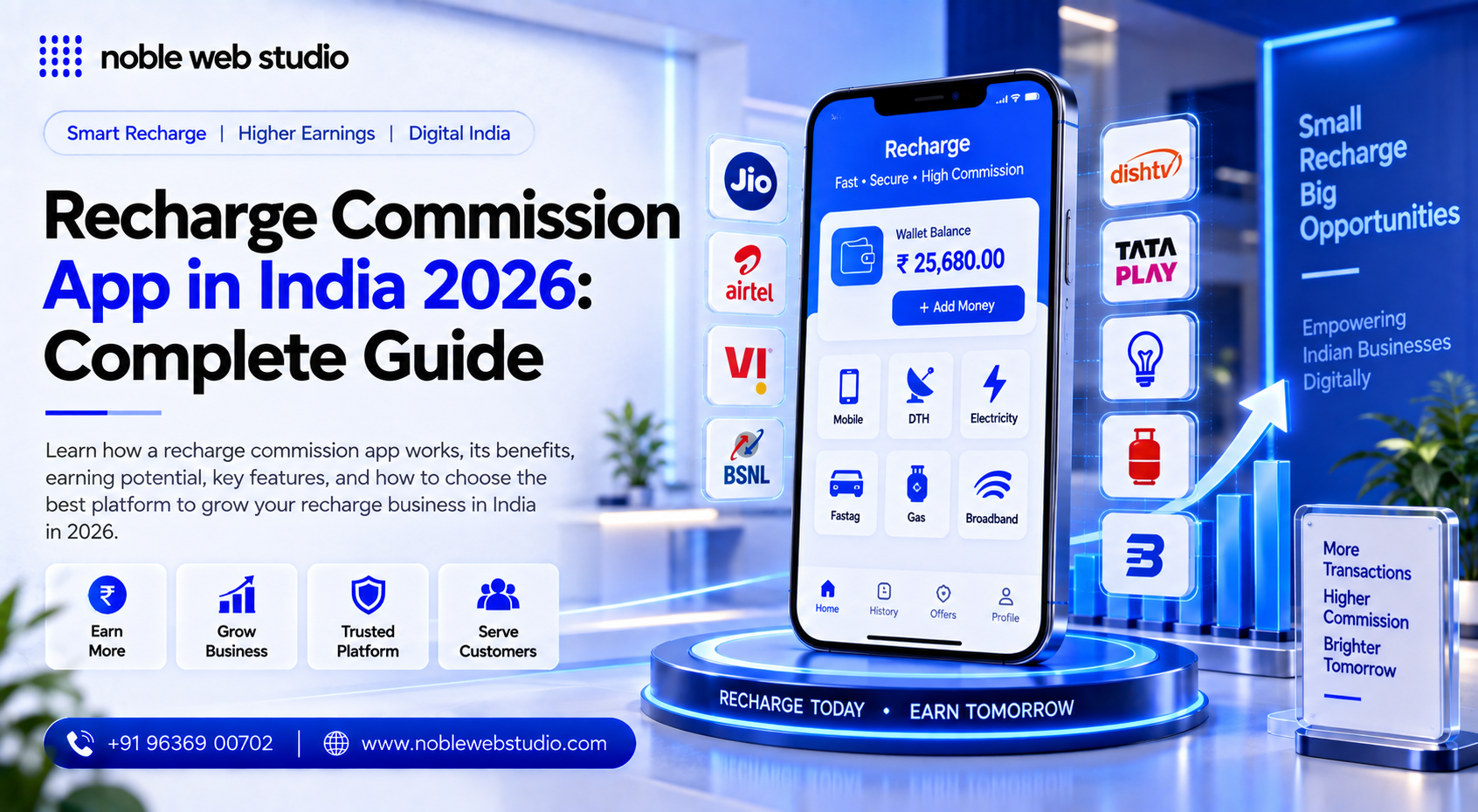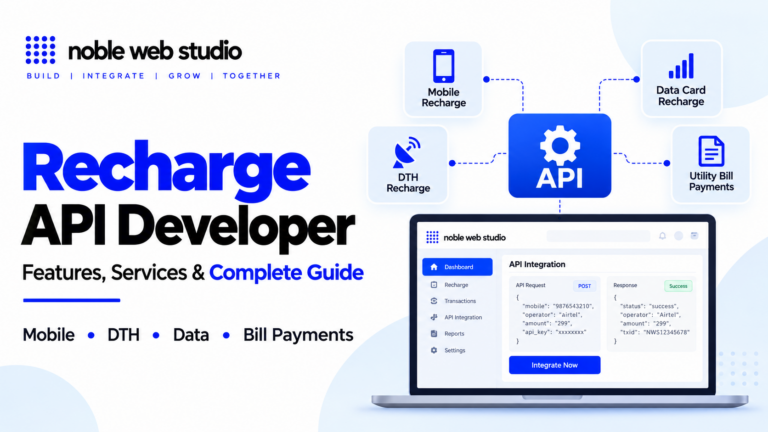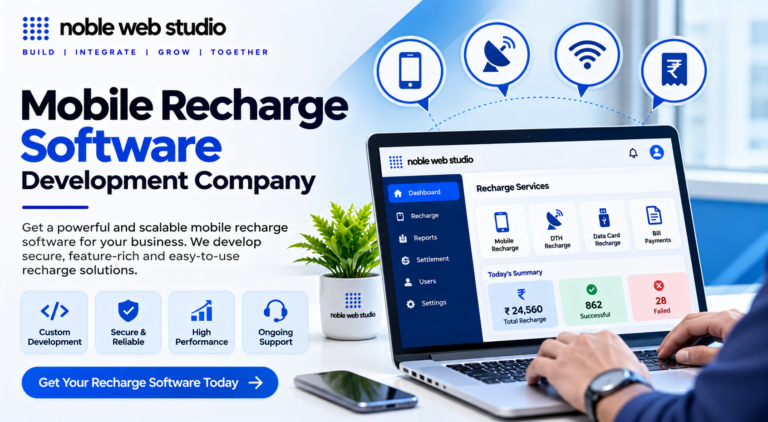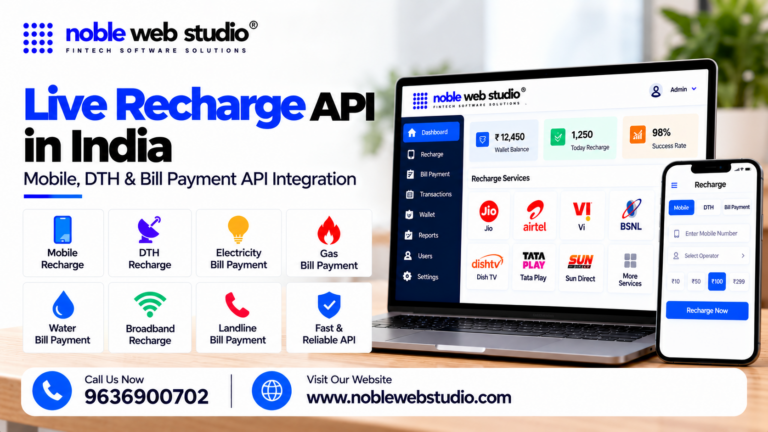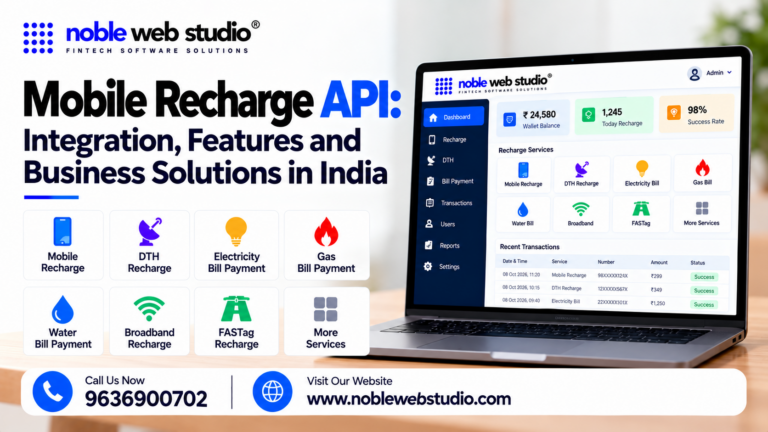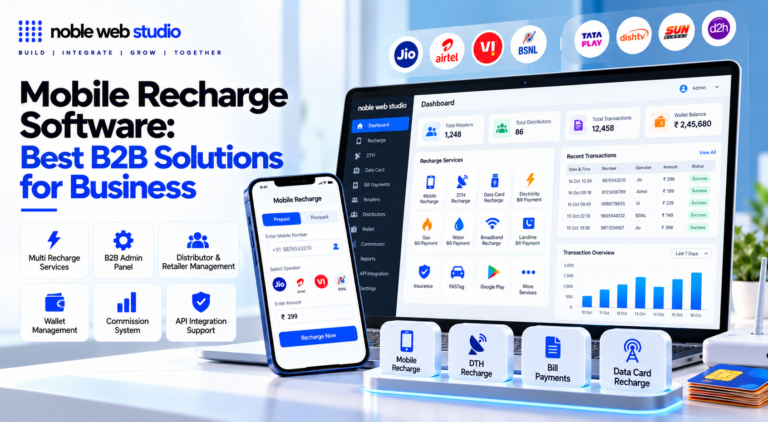
A Mobile Recharge Wallet is an essential solution for retailers, distributors, recharge businesses, and entrepreneurs who want to manage mobile recharge transactions through a convenient digital wallet system. As the demand for fast and digital payment services continues to grow, businesses need a reliable platform to manage wallet balances, process recharge transactions, and maintain complete transaction records efficiently.
With Noble Web Studio, businesses can get a professional Mobile Recharge Wallet solution designed to support smooth and organized recharge operations. A recharge wallet allows users to add and manage funds in one centralized account and use the available balance for mobile recharge services. This can help retailers and recharge service providers reduce manual work and manage their daily transactions more effectively.
A mobile recharge wallet is a digital payment tool that stores money electronically so you can pay for prepaid mobile services instantly.
A reliable Mobile Recharge Wallet Software is useful for businesses looking for features such as wallet balance management, fast mobile recharge processing, transaction history, recharge status tracking, retailer management, distributor support, and secure fund handling. By using a centralized recharge wallet system, businesses can create a more streamlined workflow for managing recharge services.
Whether you are searching for a Mobile Recharge Wallet Provider, Mobile Recharge Wallet Software in India, Recharge Wallet System, B2B Mobile Recharge Wallet, Mobile Recharge Portal, or a complete Mobile Recharge Business Solution, choosing the right technology platform is important for building a smooth and scalable recharge operation.
Noble Web Studio provides technology solutions for businesses that want to build and manage digital recharge platform. A well-designed mobile recharge wallet system can help business owners monitor available balances, track recharge transactions, manage users, and operate their recharge services from a centralized recharge b2b platform.
For retailers, distributors, and entrepreneurs planning to start or expand a recharge business, the right Mobile Recharge Wallet can create a strong foundation for efficient fund management and reliable recharge operations. With a professional technology solution from Noble Web Studio, businesses can focus on serving customers, managing transactions efficiently, and building a scalable digital recharge business.
In this guide, you will understand what a Mobile Recharge Wallet is, how a mobile recharge wallet system works, and why it can be useful for starting or expanding a digital recharge business. We will also cover important features, business benefits, wallet management, recharge workflow, and the factors to consider when choosing the right mobile recharge wallet software.
What Is a Mobile Recharge Wallet?
A mobile recharge wallet is a digital application on a smartphone used to store money electronically and pay for prepaid or postpaid mobile services instantly.
How Does a Mobile Recharge Wallet Work?
A mobile recharge wallet works by storing digital money that you can use to instantly pay for mobile phone top-ups and bills.
How the Process Works
- Add Money: Load funds into your digital wallet using a linked bank account, debit card, credit card, or UPI.
- Enter Details: Open your payment app, select the mobile recharge option, and type in your phone number.
- Select a Plan: The app detects your telecom operator and lets you browse available data, talk time, and validity plans.
- Authorize Payment: Confirm the transaction using your secure UPI PIN, password, or biometric scan.
- Instant Top-Up: The system deducts the amount from your wallet balance and instantly credits the recharge to the mobile number.
What Services Can You Use With a Mobile Recharge Wallet?
A mobile recharge wallet lets you pay for mobile plans, utility bills, and daily shopping items directly from your phone.
Mobile and TV Services
- Prepaid mobile recharge
- Postpaid mobile bill payment
- DTH (Direct-to-Home) TV recharge
- Data card recharge
Utility Bills
- Electricity bills
- Water bills
- Piped gas and gas cylinder booking
- Broadband and landline bills
- Municipal taxes
Payments and Money Transfers
- Sending money to bank accounts
- Paying friends using UPI IDs or phone numbers
- Scanning QR codes at local shops
- Paying online on shopping websites
Travel and Other Services
- FASTag recharges for toll booths
- Booking bus, train, or flight tickets
- Buying movie tickets
- Paying insurance premiums
Documents Required for Mobile Recharge Wallet
To use or set up a mobile recharge wallet or agent account, you need basic Know Your Customer (KYC) and identity documents.
Personal Identity & Address Proof
- PAN Card: Mandatory for tax compliance and financial tracking.
- Aadhaar Card: Used for instant digital e-KYC verification.
- Alternative ID Proof: Voter ID card, Driving License, or Passport (if Aadhaar is not used).
- Passport-size Photograph: Recent clear photo for verification.
Business & Shop Proof (For Retailers/Portals)
- Shop Registration: GST certificate, Udyam registration, or local trade license (Gumasta).
- Business Address Proof: Electricity bill or rent agreement for the shop or office.
Banking Details
- Bank Account: A savings or current business bank account.
- Bank Proof: Canceled cheque, passbook copy, or bank statement for commission payouts.
Who Needs a Mobile Recharge Wallet?
People who want fast checkouts without bank approvals, small shop owners selling recharges, or users looking for cashback rewards need a mobile recharge wallet.
Who Uses a Mobile Recharge Wallet?
- Everyday Consumers: People who want quick phone top-ups without typing bank or card details every time.
- Small Business Owners: Local shop keepers who use apps to recharge customer numbers and earn a cash commission.
- Frequent Shoppers: Users who want to collect cash-back rewards and special merchant discounts on utility bills and recharges.
- Unbanked or Limited-Access Users: Individuals who prefer pre-loading a small fixed float via cash or UPI rather than linking a primary bank account directly.
Why Need a Mobile Recharge Wallet
A mobile recharge wallet lets you top up your phone instantly from anywhere without entering bank details every time.
Key Benefits of a Mobile Recharge Wallet
- Speed and Convenience: You can complete a mobile top-up or bill payment in seconds using your phone. You do not need to visit a physical store or wait for shop hours.
- No Repeated Bank Logins: Stored funds in your virtual balance mean you avoid typing long bank passwords, UPI pins, or card details for every small transaction.
- Plan Comparison: Recharge apps show all available telecom plans, special data packs, and validity offers clearly on one screen.
- Rewards and Cashback: Many digital wallets provide discount codes, scratch cards, loyalty points, or direct cashback when you recharge.
- Expense Tracking: The app logs your complete transaction history, helping you monitor how much you spend on mobile and utility services.
- Enhanced Security: Wallets use encryption, device locks, and secure PINs to protect your financial data from unauthorized access.
How Mobile Recharge Works on the Platform
Online mobile recharge platform process payments and route instructions through secure digital interfaces to top up prepaid or postpaid accounts instantly.
Step-by-Step Recharge Process
- Enter Details: Open the recharge section on an recharge commission app and type or select the target mobile number.
- Detect Operator: The recharge platform automatically identifies the telecom operator (such as Jio, Airtel, or Vi) and the regional circle, which you can adjust if ported.
- Select Plan: Browse available data add-ons, unlimited talk-time packages, or validity extensions and pick your desired option.
- Make Payment: Pay securely using digital payment methods like UPI, credit/debit cards, net banking, or wallet balances.
Backend Processing and Security
- API Routing: The platform sends the validated request via an Application Programming Interface (API) to the telecom operator’s system.
- Instant Confirmation: The operator processes the credit allocation and sends a success status back to the platform, triggering an instant confirmation message or SMS to your phone.
- Transaction Safety: Reputable recharge system rely on encryption, OTP verification, and automated failure handling (like automatic refunds for dropped transactions) to keep payments secure.
How to Add and Manage Funds in a Recharge Wallet
To add and manage funds in a recharge wallet, navigate to the wallet or billing section of your best recharge commission app or mobile recharge platform, select the option to add money, choose a payment method, and enter the desired amount.
How to Add Funds
- Open the App or Portal: Log into your specific recharge application, digital recharge admin portal, or recharge admin dashboard.
- Select ‘Add Money’ or ‘Add Balance’: Find this option on the home screen or inside the wallet section.
- Enter the Amount: Type in the exact value you want to load into your digital ledger.
- Choose a Payment Method: Pick from available options like Unified Payments Interface (UPI), debit/credit card, net banking, or direct bank transfer (NEFT/IMPS/RTGS).
- Authorize and Confirm: Complete the transaction using your PIN or One-Time Password (OTP). Wait a moment for the new balance to update.
How to Manage Funds
- Track Transactions: Review your complete transaction history or ledger logs regularly to monitor credits, debits, and previous recharges.
- Set Up Auto-Recharge: Configure automatic top-ups and minimum balance thresholds so your wallet refills instantly when funds fall too low.
- Verify Account Details: Keep your KYC (Know Your Customer) information and linked bank details up to date to ensure smooth and unrestricted transfers.
Supported Mobile Operators and Recharge Services
The major active mobile network operators in India are Jio, Airtel, Vi (Vodafone Idea), and BSNL.
Supported Mobile Operators
- Reliance Jio: Largest wireless operator offering 4G and 5G services.
- Bharti Airtel: Major private telecom operator providing 2G, 4G, and 5G services.
- Vodafone Idea (Vi): Combined telecom provider offering 2G, 4G, and select 5G coverage.
- BSNL (Bharat Sanchar Nigam Limited): State-owned operator providing 2G, 3G, and expanding 4G services.
Why Do Recharge Businesses Need a Mobile Recharge Wallet?
Recharge businesses need a mobile recharge wallet to instantly process multi-operator transactions, manage funds, and distribute automated commissions across a retail network.
Core Reasons for a Recharge Wallet
- Instant Transaction Processing: A digital wallet allows funds to move immediately through recharge software, ensuring recharges for mobile, DTH, or utility bills happen within seconds without manual payment approvals.
- Unified Balance Management: It provides a single digital balance to handle multiple telecom and utility operators, removing the need to maintain separate accounts for Noble web studio.
- Streamlined Downline Distribution: Businesses can onboard unlimited retailers or distributors and manage their funds from a centralized recharge dashboard without opening individual bank accounts for every sub-agent.
- Automated Commission Tracking: The best recharge system automatically calculates and credits margins and percentage-based recharge commission to retailers and distributors for every transaction processed through the downline.
- Float Risk and Limit Control: Recharge Administrators can minimize financial risk by setting transaction caps, monitoring low-balance alerts, and tracking real-time activity for every linked retailer.
Mobile Recharge Software Wallet for Retailers & Distributors
A mobile recharge software wallet system provides a digital recharge balance platform or similar white label recharge software providers to manage multi-tier recharge B2B network of administrators, distributors, and retailers.
Key Features for Retailers & Distributors
- Retailer Panel: Front-line agents process recharges, check live wallet balances, and track daily transaction histories.
- Distributor Panel: Supervisors onboard new local retailers, allocate funds, set custom sub-commission limits, and view network-wide reports.
- Instant Refunds: Failed or dropped operator requests trigger automated, real-time balance reversals back into the user’s wallet.
- Multi-Service Utility: Modern recharge system extend beyond telecom to include BBPS Software service, FASTag, and AEPS Service.
Mobile Recharge Wallet for B2B Recharge Businesses
A mobile recharge wallet for recharge B2B businesses is a digital fund management system that lets wholesale distributors, master dealers, and retailers store balance, process multi-operator recharges, and automatically distribute commissions.
Key Features of a B2B Recharge Wallet
- Single-Wallet System: A centralized digital balance used to pay for mobile, DTH, and utility bills across various telecom operators without separate funding.
- Automated Commission Distribution: Instant calculation and crediting of margins to retailers and distributors right after a successful transaction.
- Auto-Failover & High Uptime: Reroutes failed or lagging carrier requests to backup recharge API to secure a high success rate.
- Multi-Tier Hierarchy Control: Lets admin owners manage downline accounts like master distributors, agents, and sub-retailers.
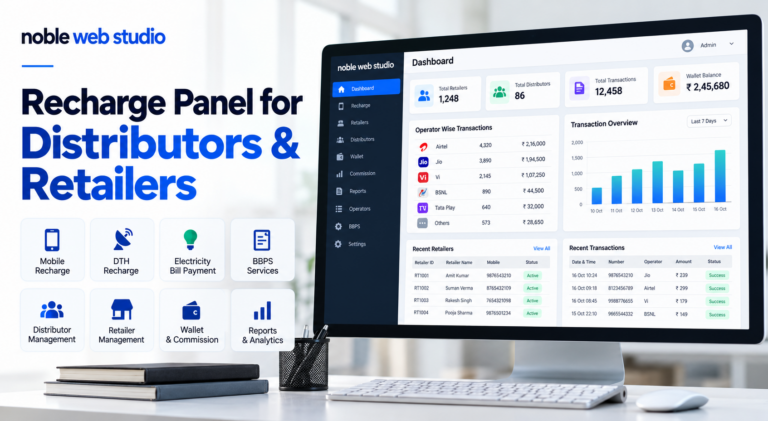
Recharge Wallet Dashboard – What Can You Manage?
A recharge wallet dashboard allows you to manage funds, track live transactions, oversee user networks, and configure commissions from a single recharge panel.
Key Features and Management Tools
- Wallet Balance & Funds: Add money via UPI or bank transfer, monitor real-time virtual balances, and push float funds down to distributors or retailers.
- Transaction Tracking: View real-time logs, check success or failure statuses, filter history by date, and download statements.
- User Hierarchy: Recharge API Onboard, edit, and tier users into master distributors, distributors, and retailers.
- Commission Slabs: Set and adjust profit margins and fees for mobile recharges, DTH, utility bills (BBPS), and money transfers (DMT).
- Reports & Analytics: Analyze daily sales volume, active users, and mobile recharge system performance live.
Mobile Recharge Wallet Business: How to Start Your Own Recharge Business
To start your own mobile recharge and wallet business, you can launch a branded recharge platform using a Noble web studio or register as a retail agent through multi recharge service portal.
Steps to Start Your Recharge Business
- Choose a Business Model: Decide if you want to operate as a local retailer using an existing best mobile recharge commission app, become a recharge B2B reseller, or launch multi recharge company using a White Label Recharge Software.
- Complete Legal and KYC Formalities: Gather standard identity and address proofs like your Aadhaar and PAN card, set up a sole proprietorship, open a dedicated bank account, and obtain a GST registration if your turnover exceeds ₹20 lakh.
- Select a Technology Partner: Partner with a Noble web studio to handle automated top-ups, transaction logging, and wallet management.
- Fund Your Operational Wallet: Add initial working capital via UPI or net banking to your recharge admin or retailer wallet so you can process customer transactions and earn margins.
- Expand Services: Add utility bill payments via the Bharat Bill Payment System Software, DTH recharges, and money transfers to increase recharge commission earnings.
Mobile Recharge Wallet Architecture
Hi, Rahul
ID: 889900XXJio Prepaid
25 Aug, 10:30 AM
Money Added
24 Aug, 06:15 PM
Electricity Bill
22 Aug, 11:00 AM
Mobile Recharge Wallet Features
A mobile recharge wallet is a digital recharge application feature that lets you store money securely and instantly top up prepaid or postpaid mobile plans.
Core Transaction Features
- Instant Top-Ups: Recharge mobile numbers or DTH connections in seconds.
- Multi-Operator Support: Connects smoothly with major telecom providers.
- Utility Bill Payments: Pay for electricity, water, and gas right from your balance.
Wallet and Fund Management
- Digital Balance: Store funds directly in a virtual wallet for quick checkout.
- Easy Add-Money Options: Top up your wallet using UPI, debit cards, credit cards, or net banking.
- Transaction History: View past recharges, track your spending, and check digital receipts.
Security and Rewards
- Advanced Security: Protect your money using PINs, passwords, and biometric logins like fingerprint scans.
- Cashback and Offers: Earn promotional discounts, reward points, or cashback on your recharges, as outlined by Noble web studio.
Benefits Mobile Recharge Wallet
A mobile recharge wallet lets you top up your phone instantly and securely from your smartphone without visiting a physical store.
Key Benefits
- 24/7 Convenience: Recharge your phone at any time of the day or night without worrying about shop hours.
- Instant Processing: Transactions finish in a few seconds with real-time balance updates.
- Plan Comparison: View and compare all available recharge packs, special data offers, and carrier schemes in one place.
- Cashback and Rewards: Earn promotional discounts, scratch cards, loyalty points, and cashback on transactions.
- Expense Tracking: Maintain an automatic digital history of all your past recharges and spend amounts.
- Enhanced Security: Protect your funds using advanced encryption, PIN codes, and biometric verification.
- No Paperwork: Eliminate paper receipts and physical scratch cards entirely.
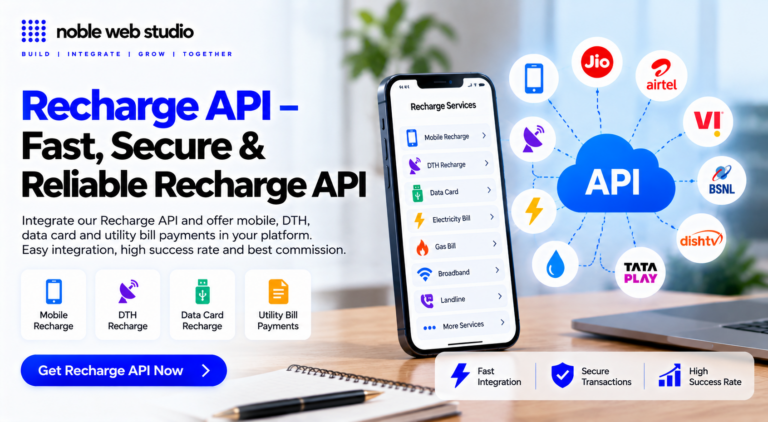
Mobile Recharge API Integration
Mobile Recharge API Integrating requires a systematic process that covers recharge API onboarding, backend code development, testing, and wallet management.
1. Onboarding & Registration
- Select a Provider: Choose an Noble web studio based on transaction speeds and success rates.
- Complete KYC Verification: Submit your official business identification documents to activate your account profile.
- Generate API Credentials: Copy your unique mobile recharge API production keys, secret tokens, and configure IP whitelisting parameters.
2. Setting Up the Technical Environment
- Initialize Sandbox: Configure a local staging or testing environment utilizing mock developer endpoints.
- Read Documentation: Map out core parameters, payload headers, authentication formats, and b2b recharge system error responses.
- Design User Interface: Build input fields on your best recharge application for phone numbers, operator lookups, and transaction selections.
3. Coding Core API Methods
- Operator & Circle Lookup: Call a lookup endpoint (
GET /operator/lookup) to auto-detect the Noble web studio from user input. - Fetch Active Plans: Execute a request to retrieve active prepaid recharge coupons and details for that specific carrier.
- Initiate Recharge Request: Send a authenticated
POSTrequest payload containing the target mobile number, operator code, and price amount. - Setup Status Lookups: Write standard logic to regularly call transaction status endpoints or process instantaneous webhooks.
4. Sandbox Testing
- Simulate Success Scenarios: Send mock transaction requests to ensure successful responses populate local ledger databases.
- Test Failure Cases: Intentionally trigger network timeouts, wrong operators, or low balance errors to test exception handling.
- Verify Webhook Callback: Confirm your listening server catches the provider response parameters and sends out digital receipts.
5. Production Launch & Wallet Management
- Fund the Gateway Wallet: Add a balance pool to your partner wallet dashboard to fund transactional recharges.
- Switch Endpoint URLs: Replace the developer sandbox URLs with the live production endpoint addresses.
- Live Monitoring: Deploy code changes live and log success metrics to track errors or best recharge API drop rates.
Mobile Recharge Wallet Development
Building a mobile recharge wallet involves a structured process from planning and legal compliance to coding, security, and launch.
1. Planning and Market Research
- Define your business model (such as a direct-to-consumer B2C app or a multi-level B2B recharge portal for retailers).
- Research local financial and telecommunication regulations, licenses, and KYC (Know Your Customer) requirements.
- Plan the scope of your Minimum Viable Product (MVP) to include essential features first.
2. UI/UX Design
- Design simple, clean wireframes and click-through prototypes.
- Keep the user interface uncluttered, adding features like auto-operator detection based on typed phone numbers.
- Focus on trust signals, clear transaction paths, and quick navigation.
3. Choosing a Technology Stack
- Frontend (Mobile App): Choose cross-recharge service platform frameworks like Flutter or React Native, or native languages (Swift for iOS, Kotlin for Android).
- Backend: Use scalable server-side tech like Node.js or Django.
- Database: Store user and transaction data securely using PostgreSQL or MongoDB.
4. Core Development & API Integration
- Build user registration, profile management, and multi-factor authentication (PIN, biometrics).
- Integrate third-party payment gateways to allow users to add money via debit cards, credit cards, or net banking.
- Integrate recharge API and utility bill payment systems (such as BBPS in India) to process real-time carrier top-ups.
- Develop recharge administrative panel to monitor live transactions, manage user queries, and handle ledger balances.
5. Security and Compliance
- Implement high-level data encryption (AES-256 for stored data and TLS for data in transit).
- Ensure adherence to standard financial security protocols and PCI-DSS requirements.
- Add fraud detection systems and automatic transaction logging.
6. Testing and QA
- Run functional tests to ensure buttons, screens, and workflows operate smoothly.
- Conduct performance and load testing to see how the server reacts to high-volume traffic.
- Perform security audits and penetration testing to patch any vulnerabilities.
7. Deployment and Maintenance
- Launch recharge application on the Apple App Store and Google Play Store.
- Monitor app performance, uptime, and user feedback continuously.
- Push regular recharge software updates to maintain security standards and add new features.
Mobile Recharge Wallet Pricing
The cost structure for a mobile recharge wallet system involves setup fees from ₹1,000 to ₹50,000+, monthly recharge b2b software subscriptions of ₹1,499 to ₹1,999, and a working capital wallet float of ₹10,000 to ₹2,00,000.
Setup and Development Costs
- Basic Web Portal: Costs ₹10,000 to ₹50,000 for a simple recharge website.
- Mobile App: Android recharge apps and iOS rec harge apps cost between ₹50,000 and ₹1,50,000+.
- White-Label Solution: Custom-branded systems cost ₹15,000 to ₹25,000+.
- API Integration: One-time integration ranges from ₹1,000 to ₹5,000 per recharge operator API.
Ongoing Operational Costs
- Software Subscriptions: Range from ₹1,499/month for solo distributors up to ₹1,999/month for multi-level white label recharge system.
- Wallet Float (Working Capital): Initial operational balance starts at ₹10,000–₹25,000 for beginners and goes up to ₹2,00,000 for larger networks.
- Hosting and Maintenance: Hosting costs roughly ₹10,000 to ₹20,000 per year.
Ready-Made Mobile Recharge Wallet Software
Ready-made mobile recharge wallet software is a pre-built, white label recharge platform that lets you launch branded multi recharge software and utility payment business without building recharge software from scratch.
Core Features
- White-Label Branding: Add your own company logo, domain name, and color scheme to the web portal and Android recharge commission app.
- Integrated Wallet System: Manage digital wallet balances for users, retailers, and distributors with real-time fund loading via UPI, bank transfer, or payment gateways.
- Multi-Recharge API: Pre-integrated connectivity for prepaid mobile, DTH, and data card top-ups across major operators like Jio, Airtel, Vi, and BSNL.
- Utility & Bill Payments: Built-in support for the best bbps to handle electricity, water, gas, and broadband bills.
- Multi-Tier Commission Management: Set automated, customizable margin structures and earnings for master distributors, distributors, and retailers.
- Admin Control Panel: Monitor live transactions, track success or failure rates, manage user accounts, and generate financial reports.
Multi-Operator Mobile Recharge Support
A multi recharge operator platform uses a single digital wallet to process prepaid and postpaid mobile, DTH, and utility recharges across multiple telecom networks instantly.
Key Features
- Single Wallet System: Deposit funds once to recharge all major operators like Airtel, Jio, Vi, and BSNL without maintaining separate balances.
- Automated Commissions: Earn and track margins dynamically across retailer, distributor, and admin tiers.
- Smart Routing & APIs: Built-in failover logic automatically switches operators during downtime to ensure high transaction success rates.
- Reporting & Support: Generates detailed Management Information System (MIS) logs and transaction histories backed by 24/7 technical assistance.
Benefits for Businesses
- Zero Customer Loss: Serve every customer regardless of their specific mobile network.
- Time Efficiency: Eliminate the need for multiple distinct portals or separate retail accounts.
- 24/7 Availability: Automated recharge admin system keep operations running around the clock.
Mobile Recharge Wallet Balance Management
Managing a mobile recharge wallet balance involves adding funds, tracking transactions, and using the balance for recharges through apps.
How to Add and Manage Wallet Balance
- Open the App: Launch your preferred mobile recharge or operator app.
- Select Wallet Option: Tap on “Wallet Balance” or the “Add Balance” menu.
- Enter Amount: Type the exact amount you want to add to your account.
- Make Payment: Choose a payment method like UPI, net banking, or a debit/credit card to finish the transaction.
- Refresh Screen: Wait a minute or refresh the high commission recharge app if the new balance does not show up instantly.
Browse and Compare Mobile Recharge Plans
Compare top prepaid mobile recharge plans across major Indian telecom providers to find the best value for your daily data, validity, and budget needs. Most users on agree that using a dedicated aggregator helps sort through carrier options easily.
Plan Comparison by Operator
BSNL (Budget Pick)
- ₹51 Plan: 2GB/day for 28 days (approx. ₹1.82/day).
- ₹2,399 Plan: 2GB/day for 365 days with unlimited voice calls (Best budget long-term value).
- ₹349 Plan: 2GB/day + unlimited 5G data for 28 days, plus special promotional subscriptions.
- ₹799 Plan: 1.5GB/day for 84 days (approx. ₹9.51/day).
- ₹3,599 / ₹3,999 Plans: Heavy daily data quotas with high-speed 5G connectivity for 365 days.
Airtel (Reliability & OTT)
- ₹99 Plan: Unlimited data for 2 days.
- ₹3,599 / ₹3,999 Plans: 2GB to 2.5GB/day for 365 days bundled with streaming apps like Airtel Xstream.
Vi (Vodafone Idea – Entertainment)
- ₹210 Plan: 1GB/day for 28 days (approx. ₹7.50/day).
- ₹3,599 – ₹3,799 Plans: 1.5GB/day with unlimited night data perks and weekend data rollovers for 365 days.
Is a Mobile Recharge Wallet Safe?
Yes, a mobile recharge wallet is generally safe to use if you choose reputable providers and follow basic security habits.
Security Features
- Encryption: Financial data and transactions are scrambled using secure protocols like SSL/TLS to prevent interception.
- Authentication: Access requires a device PIN, password, or biometric verification (fingerprint or facial recognition) before any payment goes through.
- Tokenization: Many recharge commission system mask your actual card or bank details with a secure digital identifier.
Risks and Frauds
- Phishing Scams: Fake text messages or links can trick you into revealing login details or one-time passwords (OTPs).
- Targeted Small Transactions: Fraudsters favor recharge wallets because small, frequent charges can blend in easily with normal daily use.
- Unsecured Networks: Using public Wi-Fi for financial transactions exposes your data to interception.
Best Practices for Safety
- Use Trusted Apps: Stick to well-known, regulated recharge commission platform.
- Never Share OTPs: Legitimate b2b recharge platform or customer support will never ask for your PIN or OTP.
- Lock Your Device: Enable biometric or strong passcode locks on both your phone and the recharge wallet application itself.
How Wallet Balance Is Used for Recharge Transactions
A recharge wallet balance is used as an instant, pre-loaded digital fund inside a payment or service app to pay for mobile, DTH, or utility recharges without entering bank or card details each time.
How Wallet Recharges Work
- Load Funds: Add money to your digital wallet in advance using UPI, a debit card, credit card, or net banking.
- Select Service: Open your provider or payment app and navigate to the mobile, DTH, or utility recharge section.
- Choose Wallet Pay: Pick the specific service plan or amount, then choose your pre-loaded digital wallet balance as the payment source.
- Instant Deduction: The mobile recharge commission app deducts the exact value from your active balance instantly, bypassing bank OTP screens or UPI PIN entries for a faster checkout.
- Transaction Confirmation: The high volume recharge software finalizes the recharge with the operator and displays a success notification with your updated wallet balance.
Mobile Recharge Wallet Refund and Reversal
You can request a refund or reversal for a wrong mobile recharge by contacting your telecom operator’s customer care or submitting a reversal request through their official top recharge commission app.
Failed vs. Successful Recharges
- Failed Transactions: If money is debited but the recharge fails, the amount automatically reverses to your original payment source or wallet within 3 to 7 working days.
- Successful / Wrong Recharges: Once a recharge is successfully credited to an active mobile number, it is generally non-refundable and cannot be cancelled directly.
Steps for Wrong Number Recharges
- Contact Support: Immediately call customer care (such as Jio support at
0915-362-2813) with your transaction ID, date, and the incorrect number. - Check App Options: Log in to your carrier recharge earning app to look for a specific recharge reversal or cancel option if available.
- Keep Proof: Save transaction screenshots or payment receipts to share with the support executive during verification.
Mobile Recharge Payment Options
You can complete a mobile recharge using several flexible payment methods including UPI, credit and debit cards, net banking, and digital wallets.
Common Payment Options
- UPI (Unified Payments Interface): Instant direct transfers from your bank account via best mobile recharge app with commission.
- Credit and Debit Cards: Visa, MasterCard, RuPay, and Maestro cards issued by major banks.
- Net Banking: Direct online banking authorization from your preferred bank account.
- Digital Wallets: Dedicated best commission recharge app wallets and pay-later services specific balances.
- Gift Vouchers / Reward Points: Trusted Recharge Platform-specific promotional credits applied at checkout.
Real-Time Mobile Recharge Wallet Transaction Management
Real-time mobile recharge wallet transaction management uses a centralized mobile recharge Admin Dashboard & Reporting to instantly process top-ups, track virtual balances, and distribute automated commissions across multi-tier networks.
Core System Components
- Virtual Wallet Architecture: Funds move instantly down a multi-level hierarchy (Admin → Super Distributor → Distributor → Retailer) via UPI or bank transfers, avoiding delayed batch settlements.
- Automated Commission Engine: Margins calculate automatically and flow back up the hierarchy the moment a recharge transaction finishes.
- Multi-Operator API Routing: Recharge System integrate with major telecom networks like Jio, Airtel, and Vi using automatic failover to keep success rates high.
- Real-Time Reconciliation: Ledger entries, GST invoices, and transaction logs generate without manual input to catch discrepancies immediately.
Secure Online Recharge and Transaction Protection
Secure online recharges and digital transactions require multi-layered authentication and encrypted connections to prevent fraud.
Essential Safety Practices
- Check for HTTPS: Always confirm the website URL starts with
https://and displays a padlock icon before entering card or payment details. - Enable Two-Factor Authentication (2FA): Use mandatory extra steps like dynamic One-Time Passwords (OTPs) or biometric scans to approve payments.
- Avoid Public Wi-Fi: Refrain from processing financial transactions or recharges on unsecured, public networks.
- Keep Credentials Private: Never share your UPI PIN, passwords, or OTPs with anyone, including individuals claiming to represent your bank.
- Monitor Account Activity: Regularly check your bank statements and enable transaction alerts to spot unauthorized charges quickly.
Mobile Recharge Wallet Ledger and Transaction History
A mobile recharge wallet ledger records every financial movement such as top-ups, operator deductions, commissions, and refunds in real time, while the transaction history organizes these records with clear timestamps and status tags.
What a Wallet Ledger Tracks
According to insights on digital recharge b2b system a ledger captures the absolute lifecycle of your money:
- Top-ups: Funds loaded into the wallet via UPI, net banking, or debit cards.
- Debits: Outflows when you pay for a mobile recharge or bill.
- Reversals: Automatic credits returned to your balance if a telecom operator fails a transaction.
- Commissions/Fees: Any marginal deductions or cashback adjustments.
Key Elements of Transaction History
A user-friendly transaction history makes it easy to trace individual actions:
- Timestamps: Precise date and time of the recharge request.
- Status Tags: Labels showing whether a transaction is Successful, Pending, or Failed.
- Unique Reference IDs: Transaction or order numbers used when contacting customer support for failed credits.
Why Ledger and History Matter
- Reconciliation: Helps you or recharge platform admin cross-check virtual balances against real bank statements.
- Dispute Resolution: Serves as legal or system-generated proof if money leaves your account but the mobile operator does not process the recharge.
Mobile Recharge Wallet with UPI & Payment Gateway
Mobile recharge wallets combine digital wallet balances with UPI (Unified Payments Interface) and payment gateways to enable instant mobile top-ups and bill payments.
How It Works
- Load Wallet: Add funds to your digital wallet using a debit card, credit card, or net banking.
- Select Recharge: Enter your mobile number and choose a prepaid or postpaid plan.
- Pay via Gateway/UPI: Pay directly using your linked UPI ID, wallet balance, or an integrated payment gateway without visiting a bank branch.
Mobile Recharge Wallet vs Digital Wallet
A mobile recharge wallet is a specialized prepaid account used primarily for top-ups and utility bills, whereas a digital wallet is a broader recharge system software that stores multiple payment methods like credit cards, debit cards, and bank details for various online and in-person transactions.
Mobile Recharge Wallet
- Primary Use: Recharge Wallet Designed originally for mobile phone recharges, DTH top-ups, and utility bill payments.
- Funding: Requires you to add and store a prepaid balance before making any transaction.
- Scope: Limited features focused mostly on telecom services, basic merchant checkouts, and small peer-to-peer transfers.
- Examples: Older carrier-specific prepaid apps or basic closed/semi-closed prepaid wallets.
Digital Wallet
- Primary Use: Functions as a complete virtual replacement for a physical leather wallet, handling everyday retail purchases, transit passes, and loyalty cards.
- Funding: Can store actual debit/credit card tokens, link directly to bank accounts, or hold prepaid e-money.
- Scope: Works across mobile devices and computers for contactless NFC payments, in-highest recharge commission app checkouts, and online shopping.
Mobile Recharge Wallet vs Manual Balance Management
A mobile recharge wallet uses a preloaded digital balance to process instant telecom and utility payments, whereas manual balance management involves paying directly per transaction via UPI, net banking, or debit/credit cards without storing a persistent floating fund.
Mobile Recharge Wallet
- Speed: Offers one-tap or single-click checkouts since funds already reside in the top recharge system.
- Pre-funding: Requires you to lock capital in advance by doing bulk or periodic top-ups.
- Bookkeeping: Simplifies tracking for small retailers or businesses by separating operational credit from daily bank cash flow.
- Limitations: Subject to idle limits, restricted universal acceptance outside specific operator or high recharge commission app networks, and potential top-up lapses during urgent use.
Manual Balance Management
- Flexibility: Pulls exact transaction amounts straight from your bank account or payment app on demand.
- No Idle Funds: Leaves zero unused cash trapped in a third-party prepaid ecosystem.
- Transaction Friction: Requires entering passcodes, approving UPI prompts, or processing payment gateways every single time.
- Record Separation: Makes tracking specific business expenses or multi-operator retail margins harder without automated POS software.
Mobile Recharge Commission & Fund Management
A mobile recharge commission and fund management system allows retailers and agents to earn a fixed percentage on digital services while managing operational wallet balances.
Commission Structures
- Prepaid Mobile: Earn 1% to 4% per transaction depending on the telecom operator like Jio, Airtel, Vi, or BSNL.
- DTH Recharges: Earn 2% to 3% on satellite TV top-ups.
- Utility Bills (BBPS): Earn 0.5% to 2% on electricity, gas, and water bill payments.
- Financial Services: Earn flat fees or percentages on AEPS withdrawals.
Fund Management
- Digital Wallets: Pre-load money into an mobile recharge application wallet using UPI or net banking to process instant customer requests.
- Auto-Top Ups: Use integrated UPI platforms for instant wallet settlements without waiting for manual balance requests.
- Instant Refunds: Receive immediate refunds directly to your operational balance for failed or dropped transactions.
- Ledger Tracking: Monitor daily earnings, passbooks, and ledger reports directly through platforms or multi-service business portals.
Mobile Recharge Wallet Transaction History and Reports
You can view your mobile recharge and wallet transaction history by opening your recharge commission earning app and navigating to the “History” or “Passbook” section.
How to Check Transaction History
- Open the App: Launch your specific mobile wallet, UPI app, or telecom portal.
- Go to History: Find the History, Passbook, or Transactions tab on the home screen or menu.
- Apply Filters: Sort by date, payment method (UPI, wallet), or status (success, failed, pending).
- View Details: Tap any entry to see the unique transaction ID, exact timestamp, amount, and recipient/operator.
Reports & Analytics Features
- Download Statements: Export your logs as PDF or Excel files for accounting or proof of payment.
- Business Dashboards: Mobile recharge Admin panel track total sales, commissions earned, GST, and wallet balance requests.
Mobile Recharge Wallet Transaction Flow
A step-by-step technical breakdown of how a wallet recharge works.
The user enters the mobile number and selects an operator/plan. The frontend validates the input format (10 digits) and sends a request to the backend API.
API Endpoint: /api/validate-numberBefore proceeding, the system checks the user’s internal wallet balance. If the balance is insufficient, the user is prompted to add money via Payment Gateway.
DB Query: SELECT balance FROM users WHERE id = ?The system initiates a database transaction. It locks the user’s wallet row and deducts the amount temporarily (holds the fund) to prevent double-spending.
ACID Property: Atomicity ensures all-or-nothing execution.The backend sends a secure HTTPS request to the Telecom Aggregator (e.g., Ezeerecharge, Pay2All) with the mobile number, plan ID, and reference ID.
Protocol: REST API with OAuth2/Auth TokenThe telecom operator processes the recharge. Once done, they send a success/failure callback response to the aggregator, which forwards it to your system.
Webhook: /api/recharge-callbackBased on the callback, the system updates the transaction status in the database to ‘SUCCESS’ or ‘FAILED’. If failed, the held amount is refunded to the wallet. An SMS/Push notification is sent to the user.
Action: UPDATE transactions SET status = ‘SUCCESS’Key Components Summary
- Frontend: Input validation and UX feedback.
- Backend: Business logic, wallet management, and API integration.
- Database: Maintains ledger integrity and transaction history.
- Aggregator API: Bridges the gap between your app and telecom operators.
Pending, Failed and Successful Recharge Transactions
A recharge transaction can result in three states: Successful, Pending, or Failed, depending on network connectivity, bank server responses, and operator processing.
Transaction States Explained
- Successful: The payment is approved by your bank, the funds are debited, and the mobile network operator or biller confirms the recharge. The service is applied immediately.
- Pending: The payment is authorized or debited, but final confirmation between the bank, all in one recharge app, and operator is delayed due to network or server congestion.
- Failed: The transaction is declined or encounters a technical error before completion.
What to Do for Each Status
1. Successful Transactions
- Action: No action is needed.
- Details: You will receive a confirmation SMS from your bank and the branded mobile recharge platform.
2. Pending Transactions
- Action: Wait for 30 minutes to 24 hours before making a new attempt.
- Details: Avoid retrying immediately to prevent duplicate charges. Systems usually auto-resolve pending states within a few hours. If it fails after 24 to 72 hours, the amount reverses automatically.
3. Failed Transactions (Money Debited)
- Action: Wait up to 1 hour for automated processing via UDIR (Unified Dispute and Issue Resolution).
- Details: If money was deducted for a failed recharge, refunds typically take 1 to 5 business days depending on your payment method.
- That if an automatic refund fails, you should contact the recharge platform’s support first, followed by your bank.
Mobile Recharge Wallet Security Features
Mobile recharge wallets use advanced security features like data encryption, tokenization, and biometric verification to protect your money and personal details.
Core Security Features
- Encryption: Scrambles your sensitive data into unreadable code during transmission so hackers cannot intercept it.
- Tokenization: Replaces your actual debit, credit card, or bank account numbers with a unique random digital identifier (token) for each transaction.
- Biometric Authentication: Requires a fingerprint scan, facial recognition, or iris scan before letting you log in or approve a recharge.
- Two-Factor Authentication (2FA) / OTP: Asks for a secondary verification code or one-time password sent to your device to confirm transactions.
- Secure Enclave / Hardware Protection: Stores private cryptographic keys inside a separate, tamper-resistant microchip isolated from the main operating system.
Best Practices to Stay Safe
- Set a Strong PIN: Never use easily guessable numbers like birthdates for your wallet lock.
- Avoid Public Wi-Fi: Do not make recharges or log into all mobile recharge app with commission while connected to unsecured public networks.
- Enable Alerts: Turn on real-time SMS or push notifications for every transaction to spot unauthorized activity instantly.
- Keep Apps Updated: Install the latest updates for your phone’s operating system and wallet app to patch security flaws.
White Label & Custom Mobile Recharge Wallet Software
White label Mobile recharge and custom mobile recharge wallet software is a ready-to-deploy digital mobile recharge platform branded with your own company logo, domain name, and color scheme to offer mobile top-ups, bill payments, and financial services.
Key Features
- Branded Interfaces: Custom-designed Android recharge software and iOS recharge software along with a responsive web portal.
- Admin Dashboard: Centralized control mobile recharge panel to monitor transactions, set recharge commission structures, and manage user roles.
- Wallet Management: Secure built-in wallet system supporting fund transfers, auto-debits, and real-time ledger balance updates.
- Multi-Operator APIs: Integrated support for major telecom providers (Jio, Airtel, Vi, BSNL), DTH operators, and utility bill payments (BBPS).
- Multi-Channel Payments: Options for users to add money using UPI, credit/debit cards, net banking, or existing digital wallets.
Business Benefits
- Fast Launch: Go live in days instead of spending months on custom coding from scratch.
- Low Startup Costs: Avoid heavy recharge software development overhead by utilizing established framework architectures.
- Scalability: Easily add multi-tier distribution networks, including sub-distributors, agents, and retail merchants.
White Label Mobile Recharge Wallet
A white label mobile recharge wallet is a ready-made, brandable digital payment platform that lets you launch your own mobile top-up and utility payment app under your own company name and logo.
Key Features
- Custom Branding: Add your own logo, color themes, and domain name to the web portal and Android mobile recharge earning app.
- Integrated Wallet: Secure digital wallet system that supports real-time balance tracking, fund transfers, and auto-debits.
- Multi-Service API: Pre-integrated backend support for mobile, DTH, data card recharges, and utility bill payments (BBPS).
- Admin Dashboard: Centralized control panel to manage user accounts, distributor-retailer hierarchies, margins, and transaction reports.
- Automated Commissions: Built-in calculation engine that distributes margins across multi-tier reseller networks instantly.
Mobile Recharge Wallet With Noble Web Studio
You can perform mobile recharges across major telecom providers like Airtel, Jio, Vi (Vodafone Idea), and BSNL using consumer digital wallets.
How Wallet Mobile Recharge Works
- Enter Mobile Number: Type your 10-digit prepaid or postpaid mobile number.
- Auto-Detect Provider: The system identifies your telecom operator and circle (e.g., Airtel, Jio, BSNL, Vi).
- Select Plan: Browse and choose your desired talktime, data, or combo pack.
- Choose Wallet Payment: Deduct the amount instantly using your loaded wallet balance or linked UPI.
Noble Web Studio One of The Right Mobile Recharge Wallet Software Provider
Noble web studio is a mobile recharge wallet software provider by prioritizing system reliability, security standards, and white-label features over high commission promises alone.
Key Factors to Consider
- Reliability and Uptime: Look for Noble web studio offering at least 99.9% documented uptime and a 99% transaction success rate to prevent failed top-ups and user drop-offs.
- White-Label Solutions: Ensure the recharge earning software allows complete custom branding, letting you launch web portals and mobile recharge b2b apps under your own domain name and company logo.
- Unified Wallet System: Pick a high commission recharge platform with centralized fund management to track deposits, commission payouts, and day-to-day ledger histories in real time.
- Multi-Tier Commission Engine: Verify that the reputed recharge system supports hierarchical margin setups if you plan to manage master distributors, agents, and downline retailers.
- Extended Utility Services: Choose trusted mobile recharge software that supports more than basic airtime, including BBPS bill payments, DTH renewals, and FASTag tolls.
- Security Standards: Confirm that the top mobile recharge platform uses end-to-end encryption, HTTPS, token authentication, and IP whitelisting to secure user funds and data.
Why Choose Noble Web Studio for Mobile Recharge Wallet Solution?
Noble web studio is a professional recharge software provider for a mobile recharge wallet solution allows businesses to launch secure, automated, and feature-rich digital transaction platforms without building the technology from scratch.
Key Benefits of Choosing a Professional Provider
- White-Label Branding: Launch custom-branded best mobile recharge app with commission, best mobile recharge portal and admin panels featuring your own company logo and domain name.
- Single Wallet System: Manage unified balance funding and operator payouts from one centralized master wallet instead of maintaining separate deposits with multiple telecom carriers.
- Multi-Operator Support: Enable instant prepaid mobile, DTH, data card, and utility bill payments (electricity, gas, FASTag) across major providers like Jio, Airtel, Vi, and BSNL.
- Multi-Tier Commissions: Easily configure, distribute, and track profit margins and High recharge commission tiers for retailers, distributors, and channel partners.
- Fast API Integration & Security: Utilize robust Noble Web Studio featuring high uptime, automated refunds for failed requests, and encrypted data processing.
- Real-Time Analytics: Monitor daily transaction logs, check success rates, and handle automated dispute resolution through an advanced recharge admin dashboard.
Get Your Mobile Recharge Wallet From Noble Web Studio
A Mobile Recharge Wallet is a practical solution for businesses that want to manage mobile recharge transactions through a single digital wallet system. It helps retailers, distributors, agents, and recharge businesses maintain wallet balance, process transactions smoothly, track recharge activity, and manage their day-to-day recharge operations more efficiently.
With Noble Web Studio, businesses can explore a scalable mobile recharge solution designed around the needs of the modern digital recharge market. A reliable mobile recharge wallet system can simplify wallet management, support faster transaction processing, provide transaction records, and help businesses build a more organized recharge network.
A mobile recharge wallet is a digital payment tool used to store money and instantly top up prepaid mobile phone numbers or pay telecom bills.
If you are looking for a Mobile Recharge Wallet, mobile recharge software, B2B mobile recharge software solution, or a recharge wallet for retailers and distributors, choosing a recharge software solution that focuses on reliability, security, easy management, and business scalability is important. The right recharge platform should match your operational requirements and provide a smooth experience for both administrators and users.
Noble Web Studio focuses on providing digital business solutions that can support the growing requirements of the recharge industry. Whether you are planning to start a new recharge business or improve your existing recharge network, a well-managed Mobile Recharge Wallet can help create a stronger foundation for efficient digital transactions and long-term business growth.
Choose a solution based on your business needs, technology requirements, supported services, and operational goals and build a smarter, more organized, and scalable mobile recharge business with Noble Web Studio.
Build Your Mobile Recharge Wallet with a Trusted Technology Partner
Start your Mobile Recharge Wallet business with a professional and scalable platform designed for recharge, bill payment, wallet management, commission management, and business growth. With 14+ years of industry experience, our team can help you choose and build the right recharge wallet solution for your business requirements.
Frequently Asked Questions About Mobile Recharge Wallet
A Mobile Recharge Wallet is a digital wallet system used to maintain a balance for processing mobile recharge transactions. Retailers, distributors, and recharge businesses can use the available wallet balance to provide prepaid mobile recharge services through a centralized platform.
A Mobile Recharge Wallet System allows the user to add funds to the wallet and use the available balance for eligible recharge transactions. The system can help businesses manage wallet funds, process transactions, and track recharge activity from one platform.
Mobile Recharge Wallet Software can be useful for:
Mobile recharge retailers
B2B recharge businesses
Distributors and agents
Recharge portal owners
Digital service providers
Entrepreneurs starting a recharge business
A reliable Recharge Wallet System can help simplify fund management and recharge operations. Depending on the platform and available features, users may be able to monitor wallet balances, view transaction history, manage recharge activities, and organize their business operations more efficiently.
Yes. A suitable B2B Mobile Recharge Wallet can be part of the technology setup required for a mobile recharge business. However, the complete business model may also require appropriate service integrations, operator connectivity, payment arrangements, compliance processes, and business support.
A Mobile Recharge Wallet is designed specifically to support recharge-related fund management and transactions within a recharge platform. A general digital payment wallet may offer broader payment services depending on its provider and regulatory permissions.
When selecting a Mobile Recharge Wallet Provider, important features may include:
Wallet balance management
Secure transaction processing
Recharge transaction history
Real-time transaction status
Retailer and distributor management
Admin dashboard
Reporting tools
User access management
API integration options
Technical support
The exact features depend on the selected Noble web studio.
Yes. A B2B Mobile Recharge Wallet can help businesses manage wallet balances and transactions across retailers, distributors, or other authorized users, depending on the platform architecture and available modules.
A Mobile Recharge Wallet Provider is a company or technology provider that offers software, APIs, platforms, or related solutions for managing wallet-based mobile recharge operations.
Wallet balance management helps businesses monitor the funds available for recharge transactions. Proper tracking can support smoother operations and help users review transaction activity and available balances.
Many technology platforms can offer customization options based on business requirements. Custom features may include branding, user roles, dashboards, reports, retailer management, APIs, and other recharge-related modules.
Before selecting a Mobile Recharge Wallet Software or Recharge Wallet Provider, consider:
Available features
Security practices
Transaction reporting
Scalability
Integration options
User and wallet management
Technical support
Pricing structure
Service terms and compliance requirements
Depending on the software architecture, a Recharge Wallet System can support different user roles such as administrators, distributors, retailers, and agents. Access permissions and available features can be configured according to the platform.
Yes. A well-designed Mobile Recharge Wallet Software can support the operational requirements of both retailers and distributors by providing tools for balance management, transaction monitoring, reporting, and user management.
Noble Web Studio provides technology-focused solutions for businesses looking to build or manage digital service platforms. Businesses can discuss their requirements for a Mobile Recharge Wallet, B2B Recharge Software, wallet management, user roles, recharge workflows, API integration, and platform customization to identify a suitable solution for their business needs.
A scalable Mobile Recharge Wallet System can support business growth when the platform is designed with appropriate user management, transaction monitoring, reporting, integrations, and infrastructure. The right solution should be selected according to current requirements and future expansion plans.
Choose a solution based on your business model, expected transaction volume, required features, user structure, integration requirements, security expectations, technical support needs, and future scalability. A detailed discussion with the technology provider can help determine which Mobile Recharge Wallet Solution best fits your requirements.