Ankit

Looking for a Recharge Platform Demo before investing in mobile recharge software? A live recharge platform demo allows entrepreneurs, fintech startups, mobile recharge distributors, retailers, and business owners to understand how a recharge system works before choosing a Noble web studio. Instead of making a purchase without knowing the actual functionality, you can explore the recharge admin dashboard, retailer panel, distributor panel, wallet management, commission settings, and transaction reports to understand how the complete recharge business operates. Whether you want to start a new mobile recharge business, launch your own branded recharge portal, or expand your existing distribution network, testing a recharge platform demo is an important step towards selecting the right recharge software.
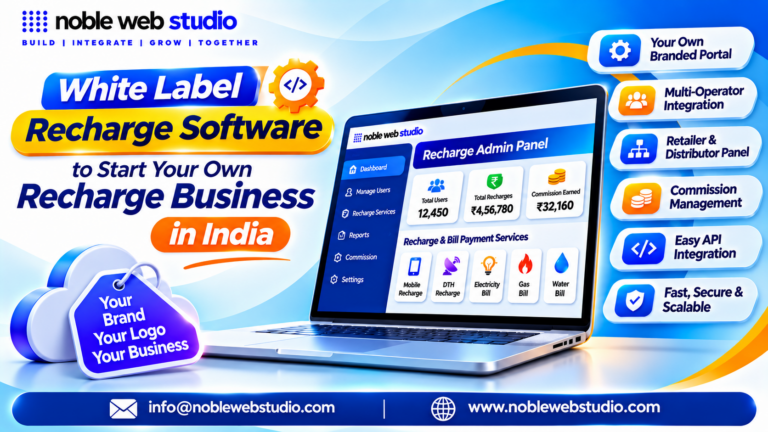
A professional Mobile Recharge Platform Demo should allow you to examine how the complete business system works. The recharge Admin Panel helps manage retailers, distributors, service configurations, commissions, wallet transfers, and transaction reports. The Master Distributor and Distributor Panels provide access to retailer management, balance transfers, commission records, and business activities, while the Retailer Panel allows users to process mobile recharges, check wallet balances, view commissions, and track transaction statuses. Exploring these panels helps you understand how the software supports multi-level B2B recharge operations and simplifies everyday business management.
A recharge platform demo lets you test an admin panel, retailer interface, and API workflows for mobile recharges, DTH, and utility bill payments before buying or launching a portal.
With Noble Web Studio, you can explore ready-made B2B Mobile Recharge Software developed for businesses that want to establish and manage their own recharge platform. The recharge software offers structured business operations through recharge Admin, Master Distributor, Distributor, and Retailer recharge panel, depending on the selected version. You can explore supported services such as prepaid and postpaid mobile recharge, DTH recharge, FASTag, BBPS, AEPS, DMT, and other digital services according to the selected package and available integrations. Its business management features include retailer account management, commission configuration, wallet management, recharge transaction monitoring, and detailed reports through a centralized system.
Before choosing a Recharge Platform Demo, make sure you evaluate the features that directly affect your business operations. Check how a recharge request is submitted, how transaction IDs and status updates are displayed, how failed or pending transactions are handled, and how commissions and wallet balances are updated. Also examine recharge API integration facilities, Android recharge application availability, user permissions, mobile recharge software customization, transaction reports, and technical support. These checks help you compare recharge software providers based on actual functionality instead of selecting a mobile recharge platform only because of its appearance or advertised features.
Whether you are searching for a Live Recharge Platform Demo, a B2B Recharge Software Demo, or a complete multi-service recharge portal, choosing software that matches your business model is essential.
In this guide, you will discover how a recharge platform works, which features to check during a demo, how Admin, Distributor, and Retailer panels operate, what services can be integrated, and how to evaluate software before purchasing. Explore the recharge software solutions offered by Noble Web Studio and find out how the right recharge platform can help you organize, manage, and expand your recharge business.
What is a Recharge Platform Demo?
A recharge platform demo is a preview or test environment that lets prospective businesses try out recharge software before buying a subscription or building a system. Most commonly used for mobile, DTH, and utility bill payment (BBPS) platforms, it shows how the admin dashboard, retailer apps, and wallet systems work in practice.
What You Can Test in a Recharge Platform Demo
A recharge platform demo lets you test core workflows including user roles, wallet balances, commission slabs, transaction statuses, and mobile recharge API routing before committing to a subscription or integration.
Multi-Level Hierarchy & Permissions
- Role access: Log in as Admin, Master Distributor, Distributor, and Retailer to verify role separation and data privacy.
- Account creation: Add test users and check downline visibility and permissions.
- Branding controls: Test customizing logos, brand names, and contact details on white label recharge portal or recharge commission app.
Wallet & Commission Slabs
- Ledger tracking: Verify wallet debits, credits, commission payouts, and settlement logs.
- Commission setup: Configure operator-wise and plan-wise slabs across user tiers without needing developer support.
Recharge & Bill Flows
- Service coverage: Run sample prepaid mobile, DTH, FASTag, and BBPS utility bill transactions.
- Plan & bill lookup: Check operator/circle detection, live plan lists, and pre-payment bill fetch responses.
- Receipts & reports: Confirm transaction IDs, operator IDs, and exportable reconciliation reports.
Why Should You Try a Recharge Platform Demo?
Trying a recharge platform demo lets you test real workflows like commission slabs, pending transaction handling, and multi-level user roles before paying for recharge b2b software or committing to an Noble web studio.
Key Reasons to Try a Demo
- Verify real transaction handling: Test live or simulated mobile, DTH, or utility bill payments and see how pending or failed recharges are resolved and refunded.
- Test commission slabs and hierarchy: Check how easily you can set operator-wise commissions across admins, distributors, and retailers without needing developer help for routine changes.
- Check ledger and reporting tools: Review wallets, balance tracking, settlements, and exportable reports to ensure accounting stays accurate.
- Evaluate API and backup routing: Confirm whether multiple recharge API and fallback routing are supported so downtime on does not halt transactions.
- Inspect white-label branding and ownership: See how custom logos, web/app interfaces, and Play Store app ownership work under your brand.
10 Essential Features to Test in the Recharge Platform Demo
When testing a mobile, DTH, or utility recharge platform demo, focus on reliability, speed, and control across both the admin panel and retailer/user views.
Here are 10 essential features to test during a demo:
- Multi-Operator and Service Coverage: Verify supported telecom operators, DTH providers, and utility bill categories, along with any regional or account restrictions.
- Real-Time Transaction Processing: Run test recharges to check execution speed, live status updates, and how pending or failed transactions are handled.
- Automated Commissions and Billing: Check how commissions, margins, or automated billing rules calculate and credit after each transaction.
- Admin & Retailer Panels: Verify role-based access, user onboarding, and day-to-day workflows across admin and agent views.
- Payment Gateway and Wallet Flow: Test wallet top-ups, payment gateway checkout, and balance deductions for accuracy and error recovery.
- Notifications and Alerts: Confirm automated SMS, email, or push alerts trigger for successful recharges, failures, low balances, or system faults.
- Reports and Analytics: Generate transaction, revenue, and operator performance reports directly in the dashboard without needing manual exports or support tickets.
- API and Third-Party Integrations: Check webhook behavior, recharge API documentation, and compatibility with payment gateways, CRM tools, or external apps.
- Security and Data Controls: Ask about data encryption, authentication options (such as 2FA), audit logs, and backup/sync reliability.
- Mobile Responsiveness and Usability: Test the interface on both desktop and mobile screens to ensure quick navigation and minimal steps for agents or end users.
How to Test a Recharge Platform Demo Demo Step by Step
To test a recharge platform demo effectively, log in to each role panel (Admin, Master Distributor, Distributor, Retailer) and run through wallet, recharge commission, recharge flow, and failure/pending scenarios.
Step-by-Step Demo Testing Guide
Test Role-Based Access and Login
- Log in with demo credentials for Admin, Master Distributor, Distributor, and Retailer panels.
- Verify session security, such as logging out properly and preventing access to logged-in pages via browser back/forward or copied URLs.
- Check responsiveness across desktop browsers and mobile screens.
Configure Commission Slabs and API Routing
- In the mobile recharge Admin panel, create or edit a commission slab for operators and plans.
- Check whether the best recharge platform supports multiple mobile recharge API or backup routing if a primary operator recharge API slows down or goes down.
Test Wallet Top-Ups and Balance Math
- Add virtual/test funds or request a wallet top-up and verify pre- and post-transaction balances.
- Test insufficient balance handling so low-wallet recharges are blocked cleanly.
Run Core Recharge and Validation Flows
- Enter invalid inputs first (such as a short phone number) to confirm clear validation errors.
- Select a valid number, operator, and plan (checking both price and validity), submit the recharge, and confirm receipt/status details.
- Check that transaction IDs and operator/reference IDs are recorded for support lookup.
Verify Pending, Failure, and Edge Cases
- Clear failure: Confirm wallet balance is refunded immediately with a clear failure message.
- Pending to success: Verify the system marks it as processing without double-charging or issuing a premature refund.
- Pending to failure: Confirm a refund triggers once and only once upon final failure.
- Duplicate requests: Test repeated submissions or duplicate order/reference IDs to ensure no double debit or duplicate refund occurs.
Request a Small Live Transaction and Commercial Terms
- If evaluating a vendor for business use, request a live low-value transaction (such as a ₹10 test) to observe real-world speed and pending handling.
- Confirm renewal charges, best recharge commission app ownership/Play Store setup, and support hours in writing.
Live Recharge Platform Demo vs Screenshot vs Sandbox
A live recharge platform demo shows real or guided workflows in a running system, a screenshot only shows static UI visuals without functional proof, and a sandbox provides a risk-free test environment to validate recharge b2b API, callbacks, and edge cases before going live.
Quick Comparison
| Dimension | Live Recharge Platform Demo | Screenshot / Recorded Capture | Sandbox Environment |
|---|---|---|---|
| Interactivity | Guided walkthrough or interactive menu exploration | Static view or fixed path; does not prove features work | Hands-on API and workflow testing with test parameters |
| Money & Operators | May use simulated data or real/restricted live flows | None; purely visual | Zero real money movement or live operator dispatch |
| Edge-Case Testing | Limited; depends on vendor setup and data resets | Not possible | Designed for pending states, timeouts, and duplicate callbacks |
| Best Use Case | Evaluating admin UI, reporting, and overall usability | Quick layout checks or early marketing overviews | Developer integration and pre-launch reliability checks |
When to Use Each
- Screenshots: Use only to check screen layout, navigation, and basic visual polish before investing time in a call. Recharge Admin Panel Demo guide, static captures cannot confirm that underlying functions work.
- Live Demo: Use to see recharge admin panels, commissions, disputes, and user flows in action, while verifying whether data is simulated and whether test actions affect real services.
- Sandbox: Use before production launch to test success, failure, pending statuses, slow networks, and callback ordering safely. A Recharge API Sandbox Testing checklist and a Sandbox vs Live recharge API Environment guide highlight testing edge cases and verifying access rules before switching to live credentials.
Questions to Ask Before Buying Recharge Software
Before buying recharge software, ask vendors about recharge API reliability, commission transparency, mobile recharge commission app ownership, hidden fees, and post-launch support so your recharge b2b platform runs smoothly as you scale.
API Reliability & Operations
- Does the system support multiple APIs and automatic switching? Backup Recharge API let you route transactions away from slow or failing providers so retailers keep working.
- Can we run a live test transaction (like a ₹10 recharge) and see how pending or failed recharges are handled? Check how refunds, disputes, and status updates are resolved.
- Are DTH, BBPS (bill payments), FASTag, operator detection, or live plan APIs available or easy to add later? Expanding without switching mobile recharge platforms saves time and disruption.
Branding, Ownership & Scalability
- Who owns the Android app and Play Store developer account? Ideally, the app is published under your own developer account so your brand keeps the users.
- Does it offer a white-label admin panel and multi-tier network support? Check if you can run your own domain and manage distributors and retailers as you grow.
- Can I add services like AePS or money transfer (DMT) later? Many recharge businesses expand into broader fintech services over time.
Pricing, Commissions & Contracts
- What are all the upfront, renewal, and customization costs in writing? Confirm annual renewals and avoid surprise fees.
- How is commission calculated and settled? Make sure slab setup and payouts are transparent and easy to track.
- Is the vendor a registered business with verifiable credentials? Check company registration, GST details, and track record.
Support & Daily Workflow
- What are your support hours, channels (phone, WhatsApp, ticket), and response times? Test reachability before paying.
- What manual work or exceptions will my team have to manage daily? Clarify who handles disputes, user onboarding, and ledger checks.
Common Mistakes to Avoid During a Recharge Platform Demo
When evaluating best recharge software during a recharge platform demo, it is easy to get caught up in an attractive user interface and overlook the operational realities of transaction processing. Avoiding critical evaluation errors ensures you do not invest in a system that fails under real-world conditions.
The most common mistakes to avoid during a recharge platform demo include:
1. Judging Software Solely by Dashboard Design
- The Pitfall: Getting swayed by a modern, visually appealing best recharge admin panel or best mobile recharge commission app layout.
- The Reality: An attractive interface does not guarantee stable recharge API integration, reliable database architecture, or accurate real-time reporting. Prioritize backend functionality over aesthetic design during your evaluation.
2. Treating Mock Transactions as Production Evidence
- The Pitfall: Accepting pre-recorded videos or simulated, instant “Success” pop-ups as proof of performance.
- The Reality: Dummy transactions in a controlled staging environment cannot establish real-world uptime or recharge API response speeds. Request a live test with a minor, actual wallet amount to evaluate how the system handles a live operator queue.
3. Assuming Every Showcased Feature is Standard
- The Pitfall: Believing that every module, utility bill payment option (BBPS), or automated commission tier shown in the presentation is included in the base price.
- The Reality: Sales reps frequently demo advanced add-ons or premium plugins. Always ask explicitly: “Is this specific feature included in the core license, or does it require a premium plan or independent integration fee?”
4. Overlooking Hidden and Recurring Expenses
- The Pitfall: Evaluating the software based entirely on the initial setup cost or monthly subscription.
- The Reality: Total cost of ownership often involves hidden variables such as fast recharge API usage limits, hosting overhead, manual customization requests, and mandatory software maintenance agreements.
5. Neglecting a Deep Dive into Security & Compliance
- The Pitfall: Glossing over security protocols because “the platform uses HTTPS.”
- The Reality: Recharge systems process high-frequency payment volumes, making them prime targets for wallet exploits. Use the demo to inspect:
- Access restrictions and role-based permissions.
- How the b2b mobile recharge platform isolates and protects recharge API credentials.
- The depth of the system audit trails for tracking agent balances and manual modifications.
6. Evaluating the Recharge Business in a Silo
- The Pitfall: Only looking at standard mobile top-ups during the presentation.
- The Reality: Telecom recharge margins are notoriously compressed. Ensure the platform natively supports bundled high-margin services—like DTH recharges, BBPS bill payments, and AEPS managed through a single unified wallet balance.
How to Compare Recharge Software Providers
To compare recharge software provider effectively, evaluate them on mobile recharge API reliability, commission transparency, supported services, white label mobile recharge software ownership, and total cost.
Key Factors to Compare
- API Reliability & Backup Routing: Check how directly the Noble web studio server connects to major telecom operators (like Jio, Airtel, Vi, and BSNL). Confirm whether the system supports backup mobile recharge API to switch operators automatically during downtime or slow responses.
- Real Success Rates & Pending Handling: Ask for recent success rate numbers and test live small-value recharges during a demo. Verify how pending transactions are resolved or refunded so retailer balances stay accurate.
- Operator-Wise Commission & Slabs: Request a full written commission list across every operator and service rather than relying on a single peak rate. Test setting up commission slabs live during the demo to ensure reconciliation works smoothly.
- Supported Services & Scalability: Confirm which services are active out of the box such as prepaid mobile, DTH, postpaid, and utility bill payments along with transaction limits and fees to add new services later.
- White-Label Control & App Ownership: Check whether you can brand the web panel and mobile apps under your own business. Ideally, your Android recharge commission app should be published under your own Google Play Store developer account so you retain ownership of the high commission recharge app and user base.
- Pricing & Post-Sale Support: Get an itemized written quote covering setup fees, renewal charges, and any hidden deductions. Confirm support hours and escalation channels before signing up.
Is a Recharge Platform Demo Enough to Make a Decision?
No, a recharge platform demo alone is not enough to make a final decision. It shows the interface and basic workflows, but you must verify backend reliability, integration terms, security, and support before committing.
What a Demo Can Show You
- User interface & navigation: How easy it is to move through the top recharge admin panel and retailer/user views.
- Core workflows: Basic processes like checking transaction records, managing user permissions, and viewing reports.
- Feature visibility: Which recharge or bill-payment services and modules appear in the interface.
What You Must Check Beyond the Demo
- API & gateway reliability: How the platform handles telecom API downtime, latency, payment gateway failures, and high-traffic spikes.
- Plan vs. demo match: For ready-made or white label recharge software, confirm which features are in your actual tier and whether the demo matches the live version.
- Contract & ownership terms: For custom builds, get a written scope of work, milestones, testing criteria, and source code ownership terms.
- Security & support: Check data protection, transaction safety, service commitments, and support response times.
Why Choose Noble Web Studio for Recharge Platform Demo
Noble web studio only one of the recharge platform provider and testing their demo, focus on live performance, cost transparency, and operational control rather than surface-level features.
Key Factors to Check During a Demo
- Live Transaction Speed & Pending Handling: Request a real small-value recharge (such as ₹10) to check response speed and see how pending or failed transactions are resolved and refunded.
- Multi-API & Backup Routing: Check if the system supports backup APIs or auto-switching so recharges keep working when a primary operator or recharge service API slows down.
- Commission Slab Configuration: Test how easily you can set operator-wise commission slabs and verify how payouts reconcile across distributors and retailers.
- Service Coverage: Confirm whether it covers prepaid/postpaid mobile, DTH, and BBPS bill payments plus add-ons like AePS or DMT if you plan to expand.
- White-Label & App Ownership: Check if you get your own domain/branding and whether the Android Mobile recharge commission app is published under your own developer account.
- Pricing & Renewal Terms: Get setup fees, AMC/renewal charges, recharge API cost and support hours confirmed in writing before committing.
- Reporting & Security: Review transaction logs, settlement reports, SSL/2FA security, and dispute escalation workflows.
Conclusion
Choosing the right Recharge Platform Demo is an important step towards building a successful mobile recharge and multi-recharge business. A reliable recharge platform should offer more than basic mobile recharge functionality. It should provide a complete business management solution with an advanced admin panel, retailer and distributor management, secure wallet system, commission management, real-time transaction monitoring, mobile recharge API integration and comprehensive business reports.
A recharge platform demo lets you test the dashboard, wallet system, user roles, and utility modules (like mobile recharge, DTH, and BBPS) before buying or building a service.
With Noble Web Studio, you can explore a recharge platform designed to simplify digital recharge operations and help businesses establish their own branded recharge services. Whether you are planning to start a mobile recharge business, develop a multi recharge portal, manage a retailer and distributor network or expand into digital payment services, choosing the right mobile recharge software can make a significant difference to your business operations.
Before selecting any top recharge software, take time to explore its live demo and understand how its features work in real business situations. Check the mobile recharge admin dashboard, retailer panel, distributor functionality, wallet transactions, commission settings, recharge history, failed transaction management and reporting system. Also evaluate its mobile responsiveness, security features, recharge API integrate capabilities and technical support.
Unlike simply comparing screenshots or promotional claims, a proper Recharge Platform Demo allows you to understand the actual workflow, usability and management capabilities of the software before making a business decision.
If you are searching for a Recharge Platform Demo, Mobile Recharge Software Demo, Multi Recharge Software, Recharge Admin Panel or best White Label Recharge Software, Noble Web Studio is worth exploring.
Take the next step towards your digital recharge business with Noble Web Studio. Explore the Recharge Platform Demo, understand its features, evaluate the available business solutions and choose a platform that matches your business requirements.
Noble Web Studio – Your Technology Partner for Building and Growing a Recharge Business.
Recharge Platform Demo with Noble Web Studio
Want to explore a recharge platform before getting started? Request a demo from Noble Web Studio to understand the platform dashboard, retailer and distributor management, mobile and DTH recharge services, BBPS integration, commission management and admin features. Connect with our team to discuss your business requirements, software features, pricing and demo options.
FAQs – Recharge Platform Demo
A Recharge Platform Demo allows businesses to explore online recharge software features, including mobile recharge, DTH, BBPS, wallet management, and distributor panels before purchasing.
You can contact Noble Web Studio through its official website to discuss your requirements and request a demonstration of its B2B recharge software.
The platform can include an admin panel, recharge retailer dashboard, distributor management, mobile recharge, DTH, BBPS, wallet management, commission systems, and transaction reports.
Yes, Noble Web Studio offers B2B recharge software solution designed for businesses managing retailers, distributors, recharge services, and digital transactions.
Yes, B2B recharge software can help you establish your own recharge business by managing retailers, distributors, commissions, and recharge transactions.
A multi level recharge platform can provide separate admin, master distributor, distributor, and retailer dashboards with role-based access.
Yes, mobile and DTH recharge services can be integrated through compatible best recharge service API, depending on the selected configuration.
Noble Web Studio offers white label recharge software solution for businesses looking to operate under their own brand identity. Confirm available branding options with the team.
A compatible recharge platform can integrate BBPS and utility bill payment services, including electricity, gas, water, and broadband payments.
Yes, configured B2B mobile recharge software can provide wallet management, commission calculations, balance monitoring, and transaction records.
Fast Recharge API integration can connect the platform with supported service providers to process recharge requests and receive transaction responses.
Yes, B2B recharge software designed to help distributors manage retailer networks and allow retailers to offer digital recharge and bill payment services.
Recharge software pricing depends on features, recharge API integrated, customization, user panels, and mobile application requirements. Contact Noble Web Studio for a suitable quotation.
Yes, customization requirements can include branding, dashboards, commission structures, wallet management, mobile recharge API integrating, and additional business features.
Noble Web Studio provides B2B recharge software solutions for businesses interested in mobile recharge, white label recharge platform, mobile recharge API integrated, and retailer-distributor management.